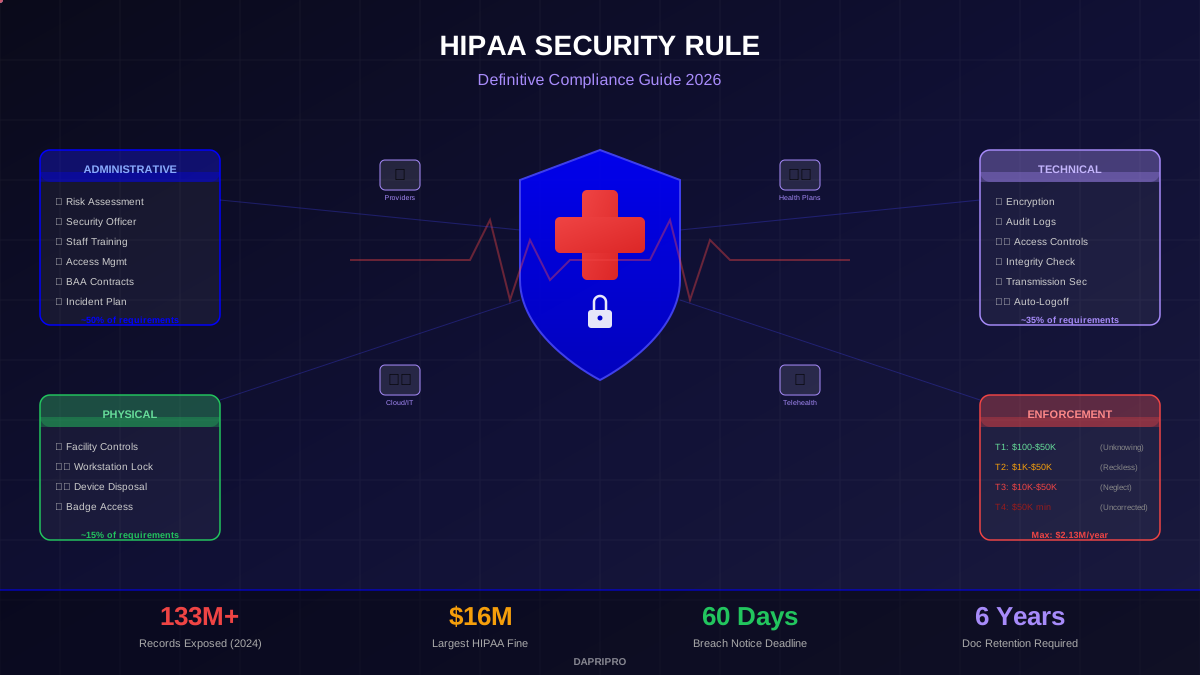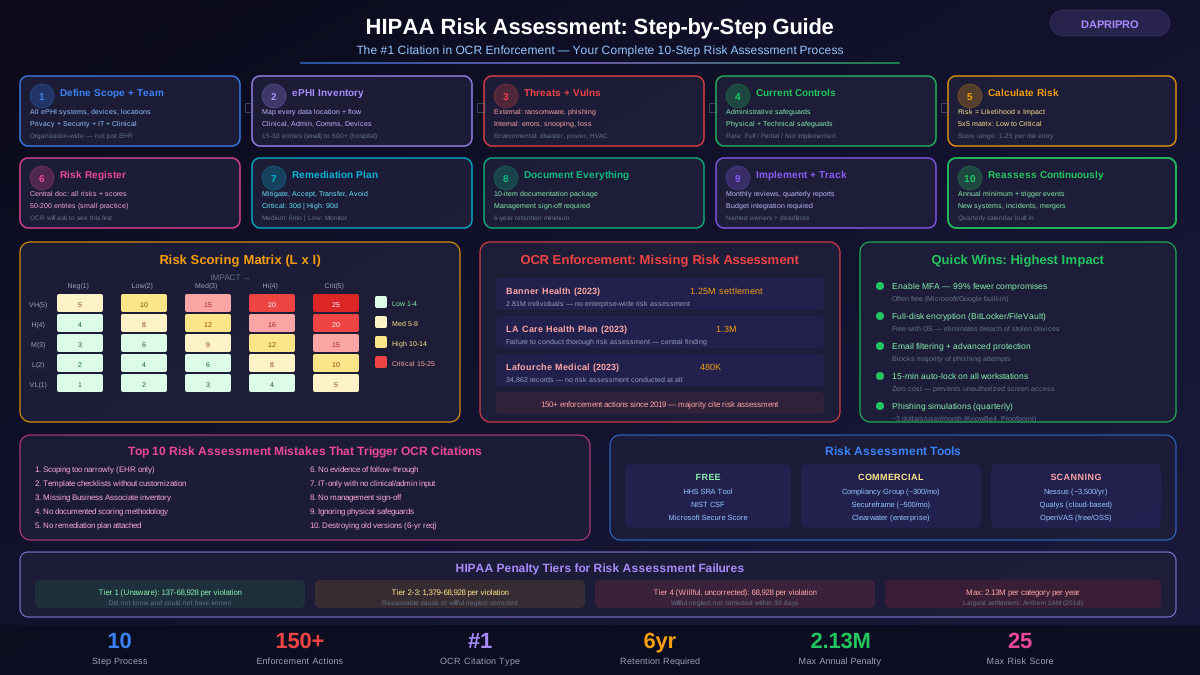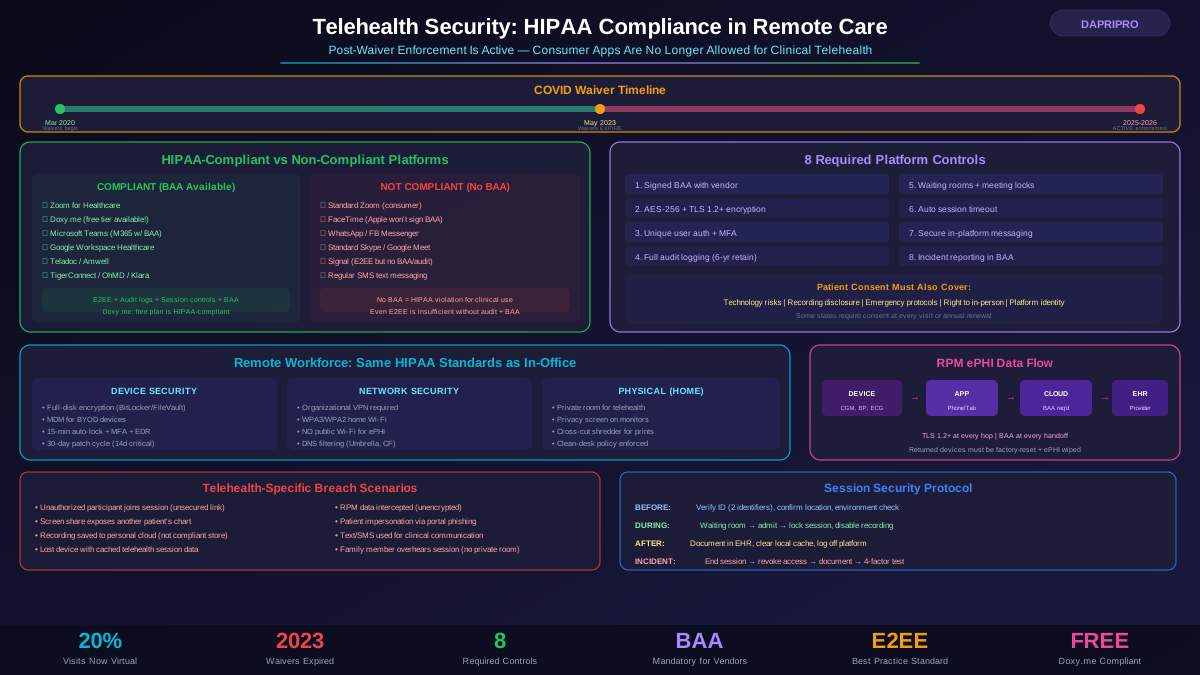
You can deploy the most expensive firewall, implement perfect encryption, and pass every technical audit — and a single untrained employee can still cause a breach that costs your organization millions. Human error is the leading cause of healthcare data breaches, responsible for more incidents than ransomware, hacking, and system failures combined.
In 2024, the top three causes of healthcare breaches were phishing attacks (employees clicking malicious links), unauthorized access (employees viewing records they had no treatment relationship with), and misdirected communications (faxing or emailing PHI to the wrong recipient). Every single one of these is a training problem.
Yet most healthcare organizations treat HIPAA training as a compliance checkbox — an annual online module that employees click through as fast as possible to get back to work. That approach does not reduce breaches. This guide covers how to build a training program that actually changes behavior.
What HIPAA Actually Requires for Workforce Training
Two provisions in the HIPAA regulations establish training requirements:
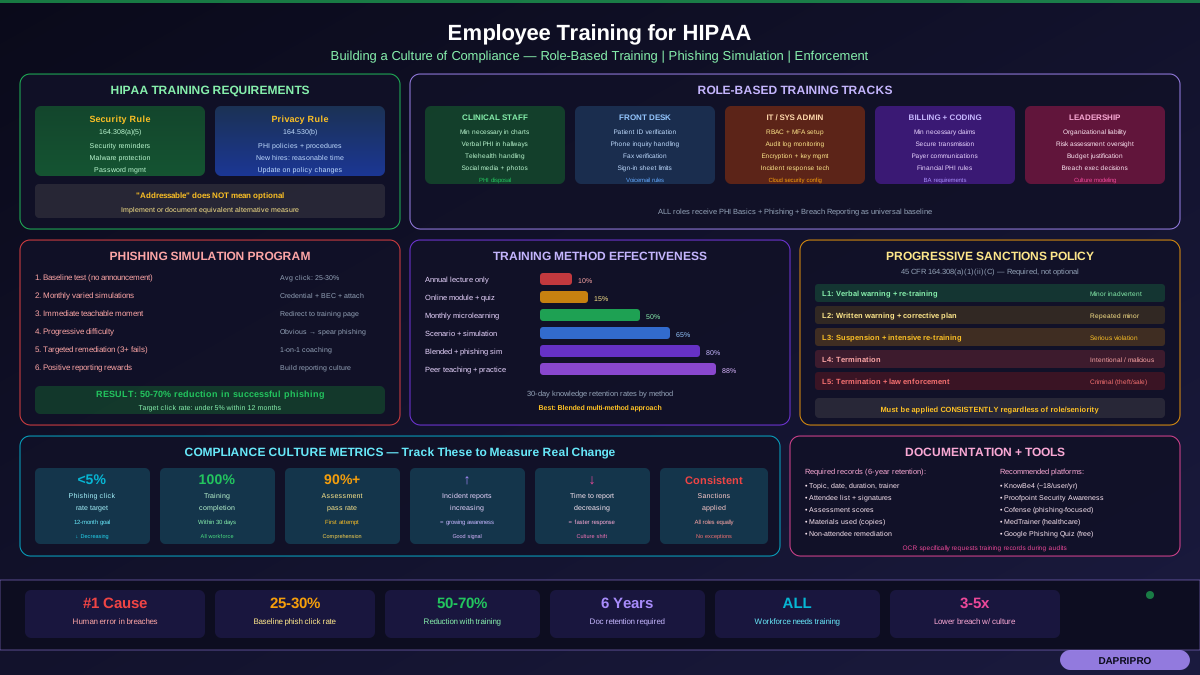
Security Rule: 45 CFR 164.308(a)(5)
The Security Awareness and Training standard requires that covered entities and business associates implement a security awareness and training program for all members of the workforce (including management). This standard has four addressable implementation specifications:
- Security reminders: Periodic security updates and reminders — could be email bulletins, posters, newsletter articles, or brief huddle messages
- Protection from malicious software: Training on procedures for guarding against, detecting, and reporting malicious software
- Log-in monitoring: Procedures for monitoring log-in attempts and reporting discrepancies
- Password management: Procedures for creating, changing, and safeguarding passwords
Privacy Rule: 45 CFR 164.530(b)
The Privacy Rule requires training on the organization's policies and procedures with respect to PHI as necessary and appropriate for workforce members to carry out their functions. Training must be provided:
- To each new workforce member within a reasonable period after joining
- To existing workforce members when there is a material change in policies or procedures
What "Addressable" Really Means
"Addressable" is the most misunderstood word in HIPAA. It does NOT mean optional. It means you must either implement the specification as written OR document why it is not reasonable and appropriate for your environment AND implement an equivalent alternative measure. For security awareness training, there is virtually no scenario where it is reasonable to skip any of these specifications — so treat them as required.
Who Needs Training: The Workforce Definition
HIPAA defines "workforce" far more broadly than most organizations realize at 45 CFR 160.103:
Workforce means employees, volunteers, trainees, and other persons whose conduct, in the performance of work for a covered entity or business associate, is under the direct control of such covered entity or business associate, whether or not they are paid by the covered entity or business associate.
This means training is required for:
- All employees — clinical, administrative, IT, leadership, custodial, cafeteria (if in a facility where PHI is present)
- Volunteers — hospital volunteers, candy stripers, patient advocates
- Trainees — medical students, nursing students, residents, interns, shadowing students
- Temporary workers — agency nurses, temp administrative staff, seasonal workers
- On-site contractors — IT contractors, construction workers in clinical areas, equipment service technicians
- Board members — if they have access to PHI or make decisions about PHI handling
Workforce members who are employees of a Business Associate receive training from the BA, not from you. But if an individual works under your direct control (even if paid by a staffing agency), they are YOUR workforce for HIPAA purposes.
Role-Based Training: Why One Size Fails
The biggest mistake in HIPAA training is making everyone sit through the same generic module. A physician needs to understand minimum necessary in clinical documentation. A front-desk receptionist needs to know how to verify patient identity before disclosing appointment information. A database administrator needs to understand audit log review and access control configuration. Teaching all three the same content means none of them learn what they actually need.
Training Tracks by Role
Track 1: Clinical Staff (Physicians, Nurses, Therapists, Technicians)
- PHI in clinical documentation — what goes in the chart vs. personal notes
- Minimum necessary when sharing records for treatment, payment, operations
- Verbal PHI — discussing patients in hallways, elevators, cafeterias, near other patients
- Telehealth PHI handling — securing video sessions, patient consent, platform selection
- Photography and recording policies — clinical photos on personal devices
- Proper disposal of printed PHI in clinical areas
- Social media and PHI — the "anonymous" patient story that is identifiable
Track 2: Front Desk and Reception
- Patient identity verification before disclosing ANY information (even appointment existence)
- Handling phone inquiries — who can receive information about a patient's status
- Sign-in sheets — what information can be collected (name only — not reason for visit)
- Visitor management — restricting access to clinical areas
- Faxing PHI — verification protocols before sending
- Appointment reminders — what information can be left on voicemail or with a family member
- Release of information requests — valid authorization requirements
Track 3: IT and System Administrators
- Access control implementation — RBAC, MFA, minimum necessary principals in system design
- Audit log configuration, monitoring, and anomaly response
- Encryption implementation and key management
- Patch management and vulnerability scanning
- Incident response technical procedures
- Business continuity and disaster recovery testing
- Cloud security configuration and shared responsibility
- Vendor and BA security assessment procedures
Track 4: Billing and Coding
- Minimum necessary when submitting claims — only the data elements required
- Secure transmission of billing data (clearinghouse requirements)
- Patient financial information as PHI
- Handling third-party payer communications
- Business Associate requirements when outsourcing billing
Track 5: Leadership and Management
- Organizational liability — personal accountability for compliance failures
- Risk assessment oversight — understanding and approving the enterprise risk assessment
- Budget allocation for security — justifying compliance spending
- Incident response — executive decision-making during a breach
- Regulatory landscape — staying current on OCR enforcement trends
- Culture setting — modeling compliant behavior for the entire organization
Core Training Topics Every Employee Must Know
1. What Is PHI — and What Is NOT PHI
Employees consistently fail to recognize what constitutes PHI. PHI is any individually identifiable health information that relates to a person's past, present, or future health condition, healthcare services, or payment for healthcare. It includes:
- The 18 HIPAA identifiers: names, addresses, dates, phone/fax numbers, email, SSN, medical record numbers, health plan numbers, account numbers, certificate/license numbers, vehicle identifiers, device identifiers, URLs, IP addresses, biometric identifiers, full-face photos, and any other unique identifying number
- ANY combination of health information with ANY identifier
- Information about deceased persons (for 50 years after death)
Common mistakes employees make:
- Thinking de-identified data is always safe (it may be re-identifiable)
- Assuming verbal information is not PHI (it absolutely is)
- Believing appointment scheduling information is not PHI (the fact that someone has a medical appointment IS health information)
- Thinking PHI only exists in medical records (billing data, appointment schedules, and even patient photographs are PHI)
2. Phishing and Social Engineering
Phishing remains the most successful attack vector in healthcare. Training must cover:
- Email phishing: Recognizing suspicious sender addresses, urgency tactics, unexpected attachments, and links that do not match displayed text
- Spear phishing: Targeted attacks that reference real colleagues, projects, or events — the attacker has done research
- Voice phishing (vishing): Callers posing as IT support, insurance companies, or regulators requesting credentials or PHI
- SMS phishing (smishing): Text messages with malicious links disguised as delivery notifications, account alerts, or colleague requests
- Business email compromise (BEC): Emails appearing to come from executives requesting wire transfers, credential changes, or PHI exports
3. Physical Security and Clean Desk
Physical security training covers:
- Locking workstations when stepping away (Windows+L or Ctrl+Command+Q)
- Clean desk policy — no PHI visible on desks, monitors facing away from public areas
- Proper disposal — cross-cut shredding for paper PHI, NIST 800-88 compliant destruction for electronic media
- Badge access — not holding doors for unknown individuals (tailgating)
- Secure printing — using pull-printing to prevent uncollected documents on shared printers
- Whiteboard and sign erasure — clearing patient names and room assignments in public view
4. Social Media and PHI
Social media violations are increasingly common and particularly damaging because posts can spread rapidly and are difficult to retract. Training should address:
- Never posting patient photos, even with the face obscured — tattoos, jewelry, room numbers, or unique medical equipment can identify patients
- Never discussing specific patient cases on social media, even without names — details like "a 67-year-old male with a rare condition who came in Tuesday" may be identifiable to people who know the patient
- Workplace selfies that inadvertently capture charts, monitors, or whiteboards with patient information
- Private groups are not private — anything posted can be screenshot and shared
- Review apps and sites where employees might discuss workplace frustrations that include patient details
5. Mobile Device Security
- Use only approved devices for accessing ePHI
- Enable full-device encryption and strong passcodes (minimum 6 digits or biometric)
- Enable remote wipe capability
- Never store ePHI in personal cloud accounts (personal iCloud, Google Drive, Dropbox free)
- Use the organization-approved secure messaging app for clinical communications — never standard SMS for PHI
- Report lost or stolen devices immediately (within 1 hour if possible)
Building an Effective Phishing Simulation Program
Phishing simulation is the single most impactful training investment for reducing breaches. Organizations with mature phishing programs see 50-70% reduction in employees clicking malicious links.
Program Structure
- Baseline assessment: Send an initial simulated phishing email to the entire organization (without prior announcement) to establish your current click rate. Industry average for healthcare is 25-30% on the first simulation.
- Monthly simulations: Send at least one simulated phish per month, varying the type (credential harvest, malicious attachment, BEC, urgent request).
- Immediate feedback: When an employee clicks a simulated phish, immediately redirect them to a training page that explains what they missed and what the red flags were. This "teachable moment" approach is far more effective than delayed feedback.
- Progressive difficulty: Start with obvious phishing emails and gradually increase sophistication. By month 6, simulations should mimic real-world spear phishing using internal branding and colleague names.
- Targeted remediation: Employees who repeatedly click (3+ failures in 6 months) receive one-on-one training with their manager and the security team. Some organizations implement mandatory supplemental training modules.
- Positive reinforcement: Recognize and reward employees who report simulated phishing to your security team. This builds a reporting culture.
Recommended Tools
- KnowBe4: The market leader for security awareness and phishing simulation. Healthcare-specific templates and compliance module. Pricing starts around 18 dollars per user per year.
- Proofpoint Security Awareness: Integrated with Proofpoint's email security platform. Strong analytics and role-based training. Enterprise pricing.
- Cofense (formerly PhishMe): Focused specifically on phishing defense. Strong incident response integration. Mid-market to enterprise.
- Terranova Security: Multi-language support, gamified learning modules. Good for diverse healthcare workforces.
- Free option — Google Phishing Quiz: Google's free phishing quiz at phishingquiz.withgoogle.com is an excellent supplemental training tool — not a replacement for a full program, but useful for awareness.
Training Delivery Methods That Actually Work
What Does NOT Work
- Annual-only 60-minute online module: Employees forget 70% of training content within 24 hours (Ebbinghaus forgetting curve). A single annual session provides almost no lasting behavior change.
- Lecture-only format: Passive listening produces the lowest knowledge retention of any training method.
- Generic content not relevant to roles: Teaching a custodian about encryption algorithms wastes their time and yours. They will tune out — and miss the physical security content they actually need.
- No assessment: Training without a quiz or test to verify comprehension is training without accountability.
What Works
- Microlearning: Short (3-5 minute) focused modules delivered monthly on a single topic. Higher completion rates, better retention, and easier to fit into clinical workflows.
- Scenario-based training: Present real-world scenarios and ask employees to identify the correct response. "A patient's spouse calls and asks for test results. What do you do?"
- Gamification: Leaderboards, badges, and team competitions increase engagement. Healthcare organizations using gamified training report 40-60% higher completion rates.
- Just-in-time training: Brief training delivered at the moment of risk — a pop-up when an employee tries to email an attachment externally asking "Does this contain PHI?"
- Hands-on exercises: For IT staff, tabletop exercises simulating breach response. For clinical staff, role-playing patient information request scenarios.
- Peer teaching: Designate HIPAA champions in each department who provide informal coaching and serve as the first point of contact for compliance questions.
The Sanctions Policy: Enforcement That Drives Compliance
HIPAA requires a sanctions policy at 45 CFR 164.308(a)(1)(ii)(C) — you must apply appropriate sanctions against workforce members who violate your policies and procedures. Training alone does not change behavior if there are no consequences for violations.
Building a Progressive Sanctions Framework
- Level 1 — Verbal warning and re-training: Minor, first-time inadvertent violations. Example: accidentally sending a fax to the wrong number but immediately discovering and reporting it. Re-train on the specific procedure and document the counseling.
- Level 2 — Written warning: Repeated minor violations or moderate single violations. Example: leaving a workstation unlocked multiple times after being counseled. Formal documentation in personnel file with a corrective action plan.
- Level 3 — Suspension: Serious violations or continued pattern after warnings. Example: sharing login credentials with a colleague after being trained not to. Suspension period used for mandatory intensive re-training.
- Level 4 — Termination: Intentional violations, malicious actions, or repeated serious violations. Example: accessing celebrity patient records without a treatment relationship. Termination and, if warranted, referral to law enforcement.
- Level 5 — Termination + legal action: Criminal violations. Example: stealing patient data for identity theft or selling PHI. Termination, law enforcement referral, and cooperation with prosecution. HIPAA criminal penalties include fines up to 250,000 dollars and imprisonment up to 10 years.
Consistent Application
The sanctions policy must be applied consistently regardless of role or seniority. OCR specifically looks for disparate treatment — if a nurse is terminated for snooping in records but a physician receives only a verbal warning for the same behavior, you have a compliance problem beyond the original violation.
Training Documentation Requirements
HIPAA requires documentation of training activities, retained for 6 years from the date of creation or the date it was last in effect — whichever is later.
What to Document
- Training topic and content outline
- Date, time, and duration of training
- Training method (in-person, online, simulation)
- Trainer name and qualifications
- Attendee list with signatures (physical or electronic)
- Assessment results (quiz/test scores)
- Employees who did not attend and remediation plan
- Training materials used (keep copies of all presentations, handouts, modules)
- Follow-up actions for employees who failed assessments
OCR Audit Evidence
During an OCR audit or investigation, investigators commonly request:
- Evidence that ALL current workforce members have completed training
- Training completion dates correlated with hire dates (was training provided within a reasonable time?)
- Evidence of periodic refresher training (not just one-time onboarding)
- Documentation of role-specific training
- Evidence that training was updated when policies changed
- Phishing simulation results and trend data
- Sanctions policy documentation and evidence of enforcement
Organizations that cannot produce this documentation during an OCR investigation face corrective action plans and potential penalties — even if no actual breach occurred. OCR considers inadequate training documentation a systemic compliance failure.
Building a Culture of Compliance (Not Just a Training Program)
The difference between organizations that just train and organizations that are actually compliant is culture. Culture is what employees do when nobody is watching.
Leadership Modeling
Compliance culture starts at the top. When the CEO locks their workstation, follows the clean desk policy, and asks "did we get proper authorization?" before sharing patient information in meetings — it sets the standard. When leadership visibly cuts corners, staff does the same.
Making Compliance Easy
If the compliant way of doing something takes 10 extra minutes, employees will find shortcuts. Reduce friction:
- Pre-configure devices so encryption is on by default — employees do not have to think about it
- Use SSO so employees do not need to remember multiple passwords
- Provide secure messaging tools that are as easy to use as personal texting apps
- Make it simple to report suspected incidents — one-click reporting, no blame for false alarms
- Automate access deprovisioning so managers do not need to remember to submit tickets
Positive Reinforcement
- Publicly recognize departments with 100% training completion
- Acknowledge employees who report security incidents or suspected phishing
- Include HIPAA compliance in performance reviews — not just as a checkbox, but as a valued competency
- Create a "HIPAA Champion" program where staff volunteers serve as department-level compliance resources
Measuring Culture
Track these metrics to assess whether your training program is creating actual culture change:
- Phishing click rate trend: Should decrease over time. Industry target: under 5%.
- Incident report volume: Should INCREASE as culture improves (employees report more, not less — an increase means awareness is growing)
- Time to report: Should decrease — employees report incidents faster
- Training completion rate: Target 100% within 30 days of assignment
- Assessment pass rate: Target 90%+ on first attempt
- Sanctions applied: Consistent application across all levels and roles
- Anonymous survey results: Annual survey asking employees about compliance culture, comfort reporting violations, and understanding of their responsibilities
The goal is not zero violations — that is unrealistic. The goal is a workforce that understands why HIPAA matters, knows how to protect PHI in their specific role, and immediately reports when something goes wrong instead of trying to hide it.