Why Your Phone Is the Biggest Target in 2026
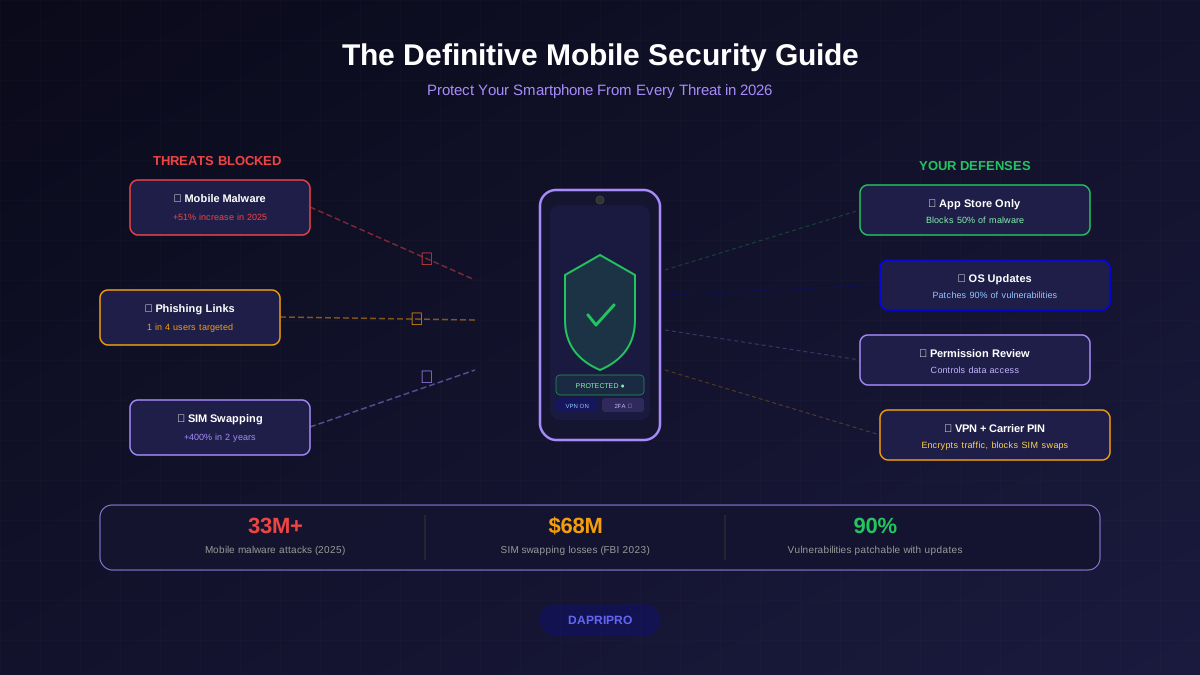
Your smartphone holds your entire financial life (banking apps, payment apps, crypto wallets), your identity (driver's license, health insurance, passport photos), your private communications (messages, emails, photos), and your real-time physical location. It is the single most valuable device a hacker can compromise.
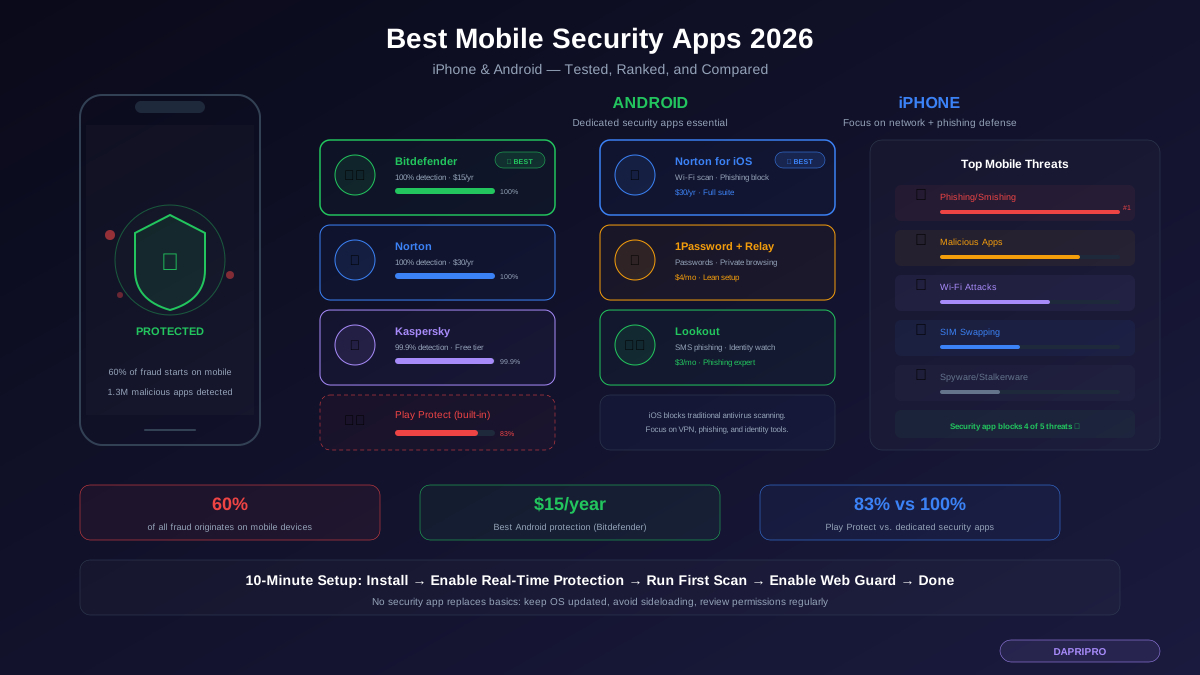
Mobile threats are growing rapidly: 60% of all fraud now originates on mobile devices. Mobile phishing attacks increased 178% in 2024. Over 1.3 million malicious apps were detected on the Google Play Store alone in 2023. Android users face particular risk because the platform allows sideloading, has a fragmented update ecosystem where many devices run outdated software, and has a more open architecture that malware can exploit.
The right security app cannot replace good habits — but it adds a critical layer of protection against the threats that slip through.
How We Tested
We evaluated each app across five categories: malware detection rates (using AV-TEST and AV-Comparatives independent lab results), phishing protection effectiveness, privacy features (VPN, identity monitoring, app scanning), performance impact (battery drain, memory usage, speed impact), and value (features per dollar spent). Apps were tested on both a Pixel 8 Pro running Android 15 and an iPhone 15 Pro running iOS 18.
Best Mobile Security Apps for Android
1. Bitdefender Mobile Security — Best Overall for Android
Bitdefender consistently scores 100% malware detection in independent testing by AV-TEST and AV-Comparatives, making it the most reliable Android security app available. It scans apps at installation, checks for malicious behavior in real-time, and has virtually zero false positives.
Key features: Real-time malware scanning, web protection that blocks phishing and fraudulent sites in any browser, app lock (PIN-protect sensitive apps like banking and messaging), anti-theft features (remote locate, lock, and wipe), VPN included (200 MB/day free, unlimited with premium), account privacy checker that scans if your email has appeared in data breaches.
Performance: Bitdefender is engineered to be lightweight. In our testing it consumed less than 2% additional battery over a full day, used minimal RAM, and did not noticeably slow app launches or browsing. It runs most of its scanning in the cloud, which keeps the on-device footprint small.
Price: $14.99 per year for a single device. This is among the lowest prices for a premium mobile security app and makes the cost argument against going unprotected hard to justify.
Best for: Anyone who wants maximum protection with minimum fuss. Install it, enable real-time protection, and forget about it.
2. Norton Mobile Security — Best All-in-One Suite
Norton matches Bitdefender with 100% malware detection rates and adds features that make it more of a complete digital security platform. Norton's App Advisor scans apps before you install them, checking the Play Store listing for privacy risks, excessive permissions, and battery drain — so you can avoid bad apps entirely.
Key features: Real-time malware protection, Wi-Fi security scanner (alerts you about unsecured or man-in-the-middle-compromised networks), web protection across all browsers, call blocking for spam and scam calls, dark web monitoring that alerts you if your personal information (email, phone, SSN, bank accounts) appears on the dark web, VPN with unlimited data.
Performance: Slightly heavier than Bitdefender — about 3-4% additional battery drain — but still acceptable. The dark web monitoring and VPN are always-on services that justify the additional resource usage.
Price: $29.99 per year for Norton Mobile Security standalone, or included with Norton 360 plans ($49.99+/year) that cover multiple devices including desktop.
Best for: Users who want a single security subscription covering their phone, laptop, and identity monitoring in one package.
3. Kaspersky Mobile Security — Best Free Option
Kaspersky offers a generous free tier that includes real-time malware scanning with 99.9% detection rates, making it the best free Android security app available. The free version includes app scanning, anti-theft features, and call filtering.
Note on Kaspersky: In 2024, the US government banned sales of Kaspersky products to US consumers over concerns about Russian government influence. Kaspersky relocated some operations to Switzerland and maintains it has never provided user data to any government. If you are in the US, consider this risk. If you are outside the US, Kaspersky remains one of the highest-rated security solutions available.
Price: Free tier available. Premium at $19.99/year adds VPN, anti-phishing, and safe browsing.
4. Lookout Mobile Security — Best for Phishing Protection
Lookout specializes in protecting against the top mobile threat: phishing. Its Safe Browsing feature intercepts malicious URLs not just in browsers but across all apps including SMS, messaging apps, social media, and email. This is particularly valuable because mobile phishing increasingly happens through SMS (smishing) and messaging apps rather than email.
Price: Free basic tier. Premium at $2.99/month ($35.88/year). Premium Plus at $9.99/month includes identity theft protection.
Best Mobile Security for iPhone
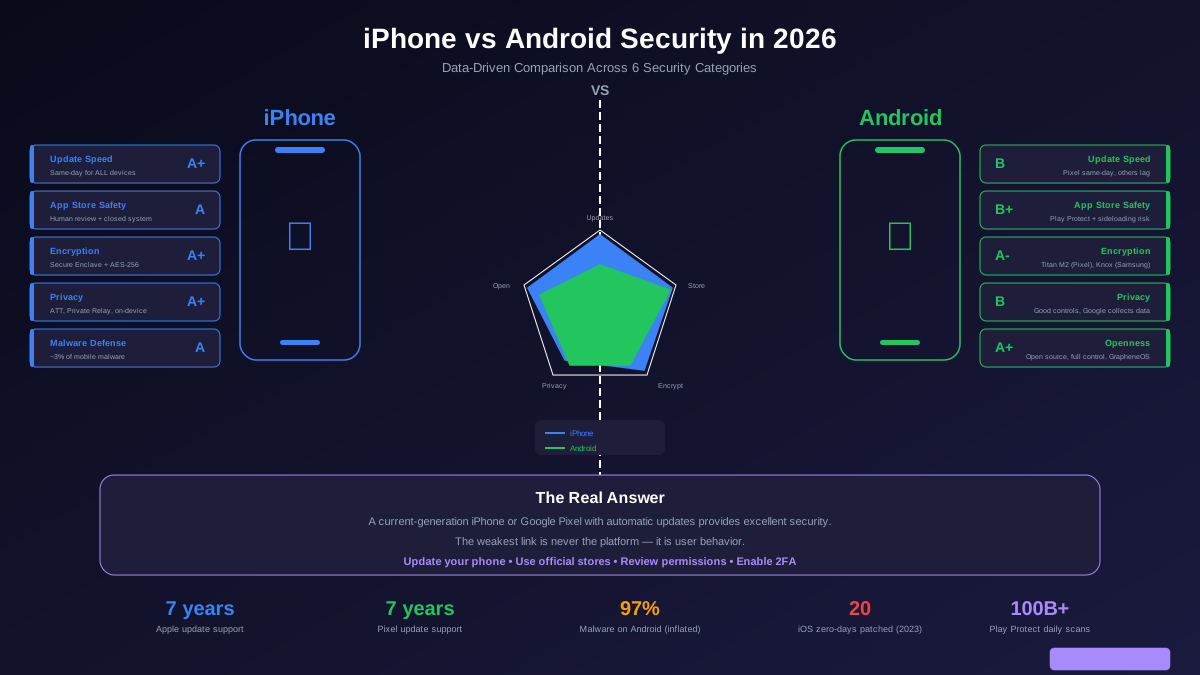
iPhone security is architecturally different from Android. iOS does not allow apps to scan other apps for malware, so traditional antivirus does not exist on iPhone. Instead, the best iPhone security apps focus on the threats iOS cannot prevent: network attacks, phishing, identity theft, and data breaches.
1. Norton Mobile Security for iOS — Best iPhone Security App
Norton for iOS focuses on the threats that Apple's built-in security does not address. Its Wi-Fi Security scanner detects compromised networks and man-in-the-middle attacks in real-time. Web Protection blocks phishing sites and malicious downloads across Safari and any in-app browser. Device Security alerts you when your iOS version has known vulnerabilities and needs updating.
Price: $29.99/year standalone or included with Norton 360 subscriptions.
2. 1Password + iCloud Private Relay — Best Lean Setup
If you prefer a minimal approach, combining 1Password ($2.99/month) for password management with iCloud Private Relay (included with iCloud+, from $0.99/month) gives you strong credential security and browsing privacy without installing a traditional security app. Add the built-in Lockdown Mode for extreme situations, and iPhone's native security covers most threat vectors.
3. Lookout for iOS — Best Phishing Defense
Lookout's iOS app excels at catching phishing attempts across SMS, email, and messaging apps. It also monitors your Apple ID and any connected email addresses for data breach exposure, alerting you immediately if your credentials appear in a new breach.
Price: Free basic. Premium at $2.99/month.
Features That Actually Matter vs. Marketing Fluff
Security Apps to Avoid
Several categories of security apps do more harm than good:
Free VPNs from unknown companies: Over 60% of free VPN apps on the Play Store contain tracking libraries. Many log and sell your browsing data — the exact thing a VPN is supposed to prevent. If you need a free VPN, use Proton VPN's free tier, which is the only trustworthy free option.
"Cleaner" and "booster" apps: Apps that promise to speed up your phone by cleaning RAM or cache are universally useless on modern smartphones. Android and iOS manage memory automatically. These apps typically show fake "threats detected" to scare you into paying for premium versions while running constant ads.
Apps with excessive permissions: A security app that requests access to your contacts, SMS messages, call logs, and camera should justify each permission. If a flashlight app asks for these permissions, it is harvesting your data. Apply the same scrutiny to security apps — they should request only the permissions necessary for their features.
Setup Guide: Maximum Protection in 10 Minutes
Android setup (10 minutes):
1. Install Bitdefender Mobile Security from the Play Store ($14.99/year). 2. Enable real-time protection and web protection in settings. 3. Run an initial full-device scan. 4. Enable the account privacy feature and enter your email to check for breach exposure. 5. Verify Google Play Protect is also enabled in Play Store → Settings → Play Protect. 6. Enable automatic app updates in Play Store → Settings.
iPhone setup (10 minutes):
1. Enable automatic iOS updates: Settings → General → Software Update → Automatic Updates → turn on all options. 2. Enable Lockdown Mode if you are a high-risk user: Settings → Privacy & Security → Lockdown Mode. 3. Install Norton Mobile Security for Wi-Fi scanning and phishing protection. 4. Enable iCloud Private Relay: Settings → your name → iCloud → Private Relay. 5. Enable Stolen Device Protection: Settings → Face ID & Passcode → Stolen Device Protection.
The Free Security Baseline
If you are not ready to pay for a security app, these free steps provide significant protection:
Keep your OS updated. The single most important security action. Every update patches known vulnerabilities. Enable automatic updates on both Android and iPhone.
Only install apps from official stores. Do not sideload APKs on Android. Do not jailbreak your iPhone. The overwhelming majority of mobile malware comes from unofficial app sources.
Review app permissions quarterly. Go through Settings → Apps → Permissions and revoke anything unnecessary. A weather app does not need your microphone. A game does not need your contacts.
Enable built-in protections. Google Play Protect on Android. Stolen Device Protection on iPhone. These are free, built-in, and catch the most common threats.
Use a password manager. Bitwarden is free and prevents the biggest risk: reusing passwords across multiple apps and services.