Quick Verdict: Which Should You Pick?
I have been testing password managers for years. Here is the short version:
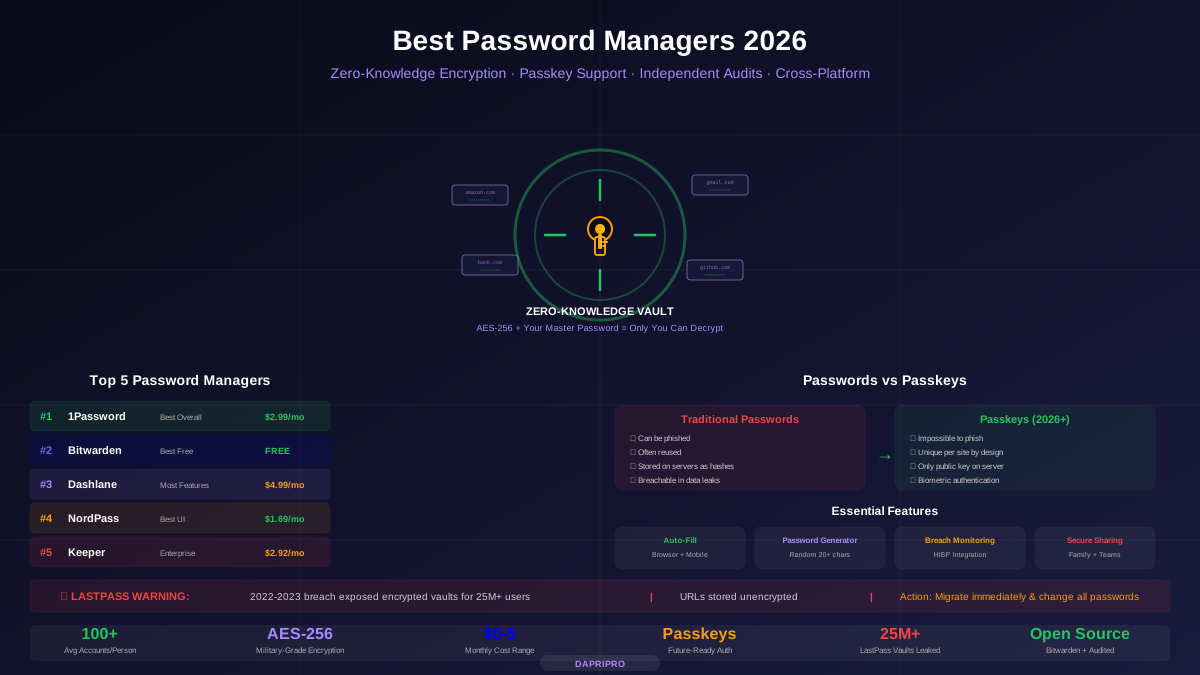
- 1Password — Best overall. Beautiful apps, smart security features, great family plan. It is the iPhone of password managers: everything just works.
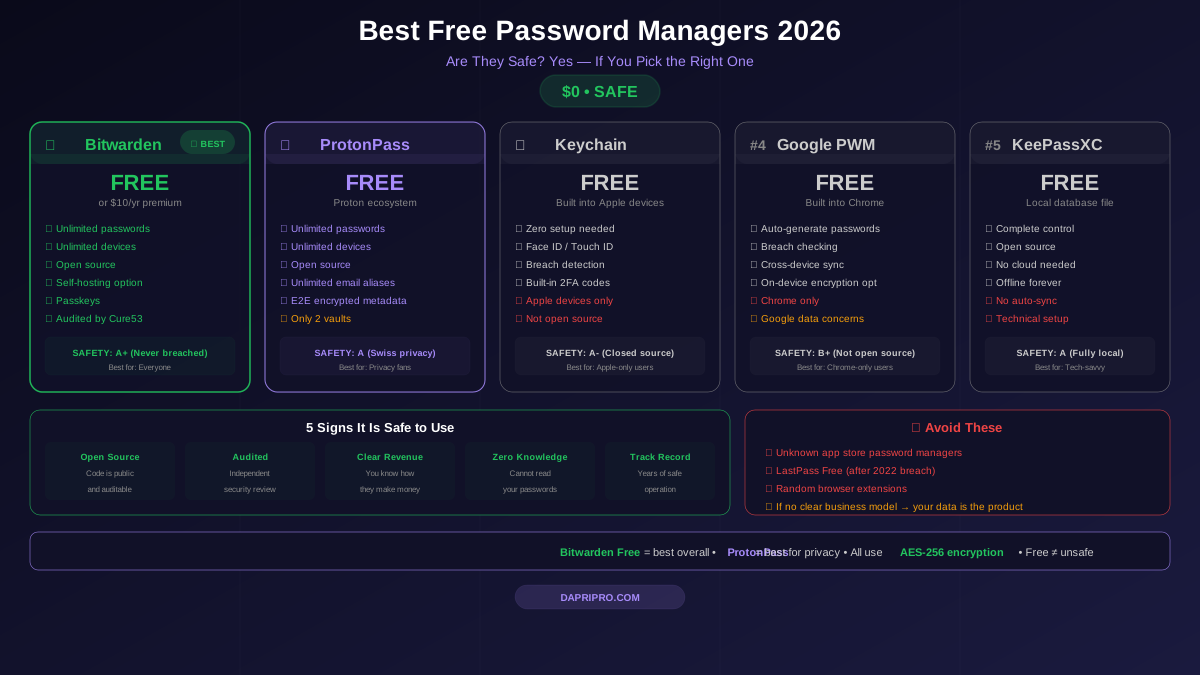
- Bitwarden — Best value. Open source, free tier with unlimited passwords, paid plan costs less than a single coffee per year. It is the Android of password managers: powerful and affordable.
- Dashlane — Best extras. Built-in VPN, dark web monitoring, automatic password changing. It is the Tesla of password managers: premium features everywhere, but you pay for it.
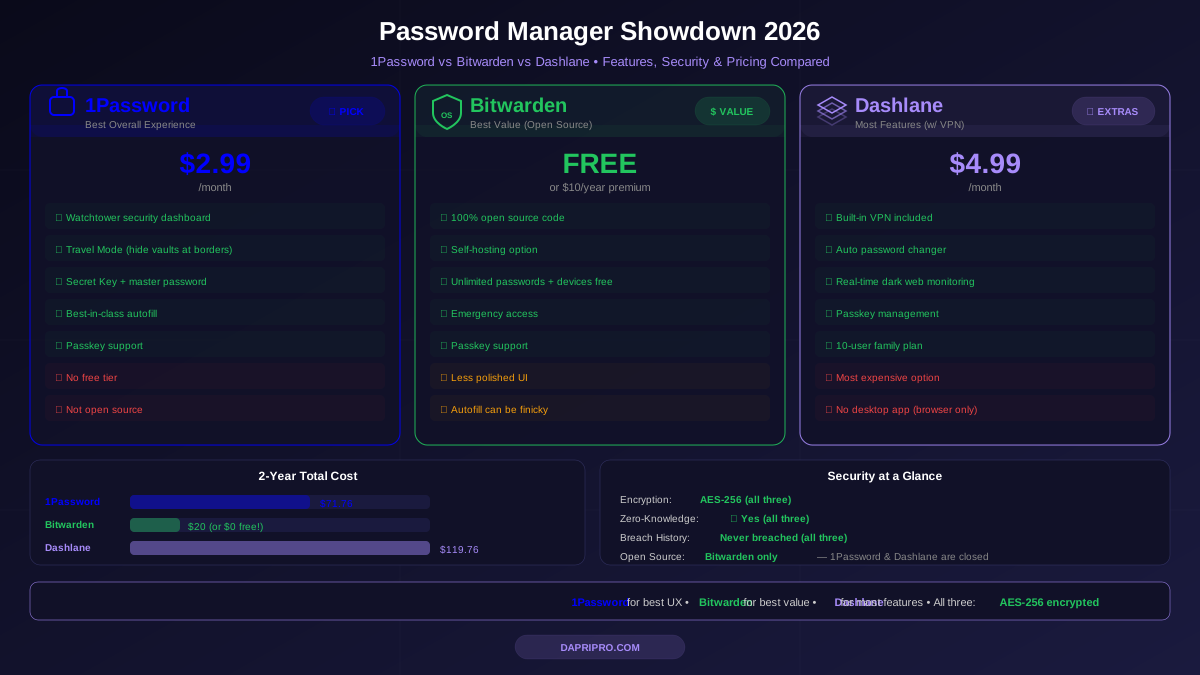
| Feature | 1Password | Bitwarden | Dashlane |
|---|---|---|---|
| Price (Monthly) | $2.99 | $0.83 ($10/yr) | $4.99 |
| Free Tier | ❌ 14-day trial | ✅ Unlimited | ❌ 30-day trial |
| Open Source | ❌ | ✅ Fully | ❌ |
| Built-in VPN | ❌ | ❌ | ✅ Included |
| Dark Web Monitor | ✅ Watchtower | ✅ Reports | ✅ Real-time |
| Passkey Support | ✅ | ✅ | ✅ |
| Travel Mode | ✅ Unique | ❌ | ❌ |
| Family Plan | $4.99 (5 users) | $3.33 (6 users) | $7.49 (10 users) |
| Security Audits | ✅ Regular | ✅ Regular | ✅ Regular |
Now let me break down each one so you can make the right choice for your situation.
1Password: The Best Overall Experience
1Password feels like it was designed by people who actually use a password manager every day. The apps are clean, fast, and work the same way on every device. When you need a password, it pops up instantly. When a password is weak or reused, it tells you right away.
What Makes 1Password Special
Watchtower is 1Password's security dashboard. It scans all your passwords and tells you:
- Which passwords have appeared in data breaches
- Which passwords are weak (too short or too simple)
- Which passwords you are reusing across multiple sites
- Which accounts support two-factor authentication but you have not turned it on yet
- Which websites are using outdated security (like HTTP instead of HTTPS)
Think of Watchtower as a health checkup for all your passwords. It shows you exactly what needs fixing and how urgent each problem is.
Travel Mode is something only 1Password offers. When you turn it on, specific vaults are hidden from your device completely. This means if border agents force you to unlock your phone, they will not see your sensitive passwords. When you arrive safely and turn Travel Mode off, everything comes back. No other password manager has this feature.
Secret Key is 1Password's extra layer of security. When you create your account, you get a long random key in addition to your master password. Both are needed to decrypt your data. This means even if 1Password's servers were hacked, attackers could not access your vault without your Secret Key — which only exists on your devices.
1Password's Weaknesses
- No free tier — only a 14-day trial, then you pay
- Not open source — you have to trust 1Password's code
- No standalone license — subscription only, no one-time purchase option
Bitwarden: The Best Value (Open Source)
Bitwarden proves that great security does not have to cost a lot. The free tier gives you unlimited passwords on unlimited devices — something most competitors restrict. And the paid plan at $10 per year is absurdly cheap.
What Makes Bitwarden Special
Open source everything. Bitwarden's code is publicly available on GitHub. Security researchers, developers, and anyone curious can look at exactly how it works. This is the gold standard for trust in security software. If there was a backdoor or a flaw, someone would find it.
Self-hosting option. Bitwarden is the only mainstream password manager that lets you host the entire thing on your own server. If you do not want your encrypted passwords stored on anyone else's computers, you can run your own Bitwarden server at home. This is popular with IT professionals and privacy enthusiasts.
Generous free tier. Here is what you get for $0:
- Unlimited passwords
- Unlimited devices
- Password generator
- Autofill on all platforms
- Basic two-factor authentication (authenticator app or email)
- Secure notes
The $10/year Premium plan adds:
- Advanced 2FA options (YubiKey, FIDO2)
- 1 GB encrypted file storage
- Emergency access (let someone access your vault if something happens to you)
- Password health reports
- TOTP authenticator (built-in 2FA code generator)
Bitwarden's Weaknesses
- Less polished UI — the apps work well but look a bit plain compared to 1Password
- Autofill can be finicky — it sometimes does not detect login fields on unusual websites
- No travel mode — no way to temporarily hide vaults
Dashlane: The Feature-Packed Premium Choice
Dashlane is the most expensive option, but it packs in features that the other two do not offer. The biggest standout is a built-in VPN — something no other password manager includes.
What Makes Dashlane Special
Built-in VPN. Dashlane Premium includes a VPN powered by Hotspot Shield. It is not as powerful as a dedicated VPN service, but it works for protecting your browsing on public Wi-Fi networks. If you do not already pay for a VPN, this saves you $5-10 per month on a separate subscription.
Automatic password changer. Dashlane can change your passwords on supported websites automatically. Click a button, and it logs into the site, generates a new strong password, and updates your vault — all without you doing anything. It works with hundreds of popular sites.
Real-time dark web monitoring. Dashlane continuously scans the dark web for your email addresses and personal information. When your data appears in a breach, you get an instant alert with specific steps to protect yourself.
Passkey management. Dashlane was one of the first password managers to fully support passkeys — the new passwordless login technology that is replacing traditional passwords on many websites.
Dashlane's Weaknesses
- Most expensive — $4.99/month for Premium, $7.49/month for Family
- No desktop app — Dashlane dropped its desktop app and now only works through browser extensions and mobile apps
- Not open source — you have to trust their code
- VPN is basic — good enough for public Wi-Fi, not for streaming or heavy use
Security Deep Dive: How They Protect Your Passwords
All three password managers use the same core security approach, but there are important differences in how they implement it.
How Password Encryption Works
Imagine your master password is a key to a safe. But it is not used directly — instead, it is put through a special machine called a Key Derivation Function (KDF) that makes it much stronger. Think of it like turning a simple house key into a complex vault key.
Here is what each manager uses:
| Security Detail | 1Password | Bitwarden | Dashlane |
|---|---|---|---|
| Encryption | AES-256-GCM | AES-256-CBC | AES-256-GCM |
| KDF | Argon2id | Argon2id / PBKDF2 | Argon2id |
| Zero-Knowledge | ✅ Yes | ✅ Yes | ✅ Yes |
| Extra Protection | Secret Key | Open source audit | Confidential computing |
| Bug Bounty | ✅ Up to $100K | ✅ Via HackerOne | ✅ Via HackerOne |
| Breach History | Never breached | Never breached | Never breached |
Zero-knowledge means the company cannot see your passwords. Your data is encrypted on your device before it leaves. Even if the FBI knocked on their door with a warrant, they could not hand over your passwords because they literally do not have them.
Argon2id is the latest and strongest key derivation function. It makes brute-force attacks (trying millions of master passwords) extremely slow and expensive. All three support it, which is excellent.
Autofill and Browser Extensions
The browser extension is where you interact with your password manager the most. Here is how they compare in everyday use:
1Password has the smoothest autofill. It detects login fields almost instantly, fills them accurately, and rarely makes mistakes. The browser extension also lets you save new logins, generate passwords, and access your vault — all without opening the main app. The inline suggestions appear right below the login field, which feels natural.
Bitwarden works well but sometimes stumbles on unusual websites. It occasionally does not detect a login field, requiring you to manually click the extension icon. The popup interface is functional but not as polished as 1Password. However, it is improving with every update.
Dashlane has a good autofill that also handles forms like addresses and credit cards. Since Dashlane no longer has a desktop app and works entirely through the browser extension, they have put a lot of effort into making it capable. It works well on popular sites.
Platform Support
| Platform | 1Password | Bitwarden | Dashlane |
|---|---|---|---|
| Windows | ✅ Desktop app | ✅ Desktop app | ⚠ Extension only |
| macOS | ✅ Desktop app | ✅ Desktop app | ⚠ Extension only |
| Linux | ✅ Desktop app | ✅ Desktop app | ⚠ Extension only |
| Android | ✅ | ✅ | ✅ |
| iOS | ✅ | ✅ | ✅ |
| Chrome | ✅ | ✅ | ✅ |
| Firefox | ✅ | ✅ | ✅ |
| Safari | ✅ | ✅ | ✅ |
| CLI (command line) | ✅ | ✅ | ❌ |
The big difference here: Dashlane dropped its desktop apps. It now works entirely through browser extensions and mobile apps. This means you cannot access your passwords if your browser is not open. 1Password and Bitwarden both have full desktop apps that work independently.
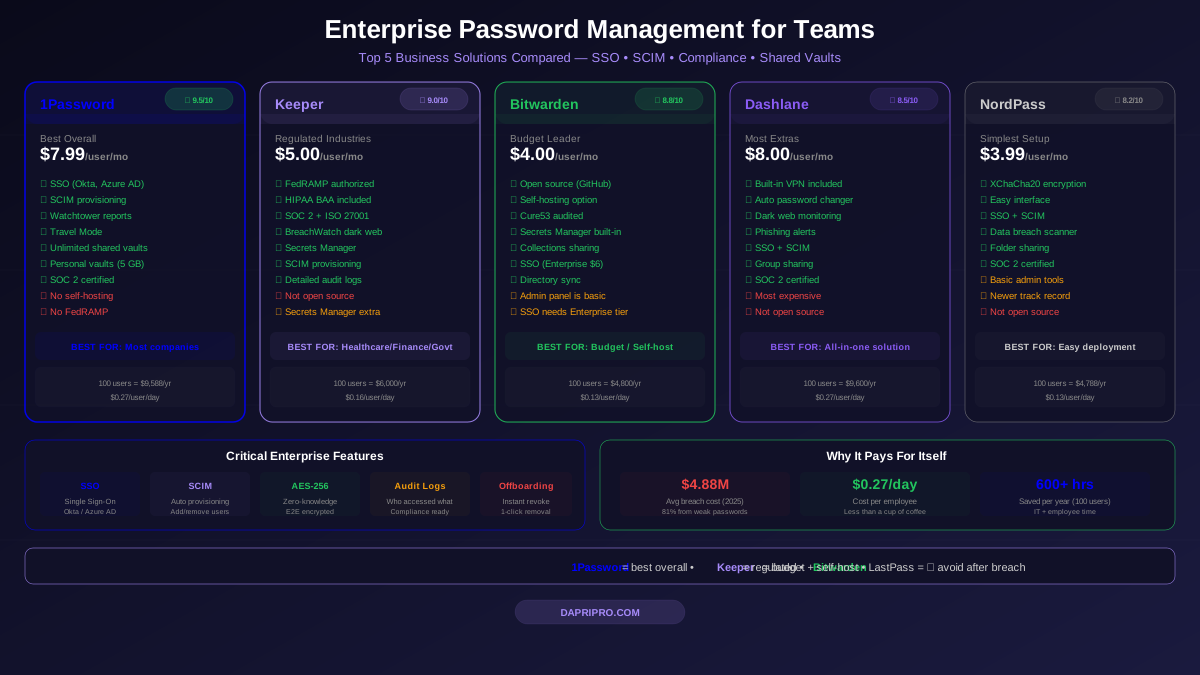
Family and Team Plans Compared
If you need a password manager for your whole family or a small team, here is how the plans compare:
| Family Feature | 1Password | Bitwarden | Dashlane |
|---|---|---|---|
| Family Price | $4.99/mo | $3.33/mo ($40/yr) | $7.49/mo |
| Max Users | 5 | 6 | 10 |
| Shared Vaults | ✅ Unlimited | ✅ Collections | ✅ Groups |
| Account Recovery | ✅ Family organizer | ✅ Emergency access | ✅ Limited |
| Per-User Cost | $1.00 | $0.56 | $0.75 |
Best family plan: 1Password. Even though Bitwarden is cheaper, 1Password's family sharing is more intuitive. The family organizer can help members who forget their master password, manage permissions, and see who has access to which vaults. For families with kids or less tech-savvy members, this extra hand-holding is worth the price difference.
Final Verdict: My Recommendations
After testing all three extensively, here is my honest advice:
For most people: Get 1Password. It strikes the perfect balance of security, usability, and features. The $2.99/month is worth it for the polished experience, Watchtower alerts, and Travel Mode. If you can afford a few dollars a month, this is the one.
For budget-conscious users: Get Bitwarden. The free tier is genuinely excellent, and the $10/year Premium plan is the best deal in the entire password manager market. Being open source is a massive trust advantage. If you are comfortable with a slightly less polished interface, Bitwarden is unbeatable on value.
For people who want everything: Get Dashlane. If you do not already have a VPN and want dark web monitoring plus automatic password changing, Dashlane packages it all together. The $4.99/month is steep for a password manager, but not when you factor in the bundled VPN.
The one thing that matters most: Use ANY of these three. All are excellent. The worst password manager is the one you do not use. If you are still saving passwords in your browser or using the same password everywhere, pick one today and start. You will be safer in 10 minutes.