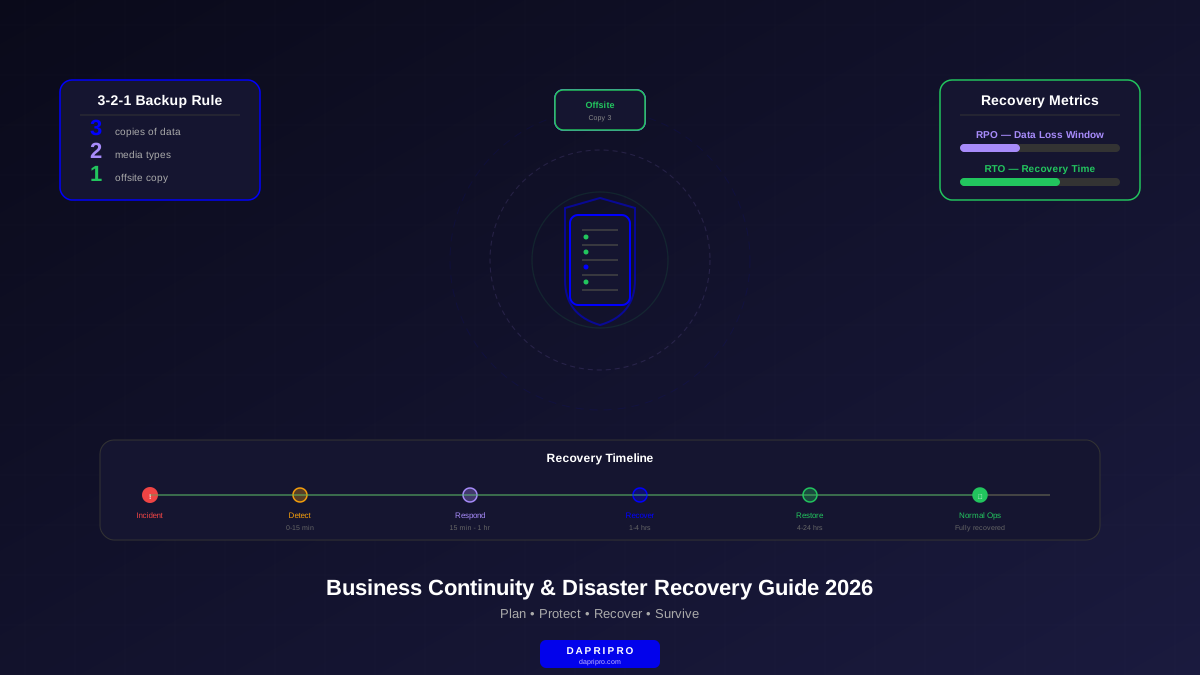
When a cyberattack hits, most organizations discover an uncomfortable truth: their incident response plan tells them how to stop the attacker, but not how to get the business running again. Response and recovery are fundamentally different disciplines, and the gap between them is where businesses fail. The average time to fully recover from a ransomware attack is 24 days — not because the malware is hard to remove, but because organizations do not have a clear plan for rebuilding.
This guide walks you through building a complete incident recovery plan from scratch. Not a template you will file away and forget — a living document your team can actually execute when systems are down, leadership is panicking, and every hour of downtime is costing real money.
Why Recovery Plans and Response Plans Are Different Documents
The NIST Cybersecurity Framework (CSF 2.0) defines five core functions: Identify, Protect, Detect, Respond, and Recover. Most organizations invest heavily in the first four and treat recovery as an afterthought. Here is why that is a critical mistake:
- Response is hours — containing the threat, preserving evidence, stopping lateral movement. The SOC team leads this.
- Recovery is days to weeks — restoring systems, validating data integrity, rebuilding infrastructure, resuming operations. IT operations, app owners, and business units lead this.
- Different teams, different skills — your threat hunters and forensic analysts are not the people who manage Active Directory, restore databases, or reconfigure network infrastructure
- Different timelines — response operates in minutes and hours with adrenaline-fueled urgency. Recovery is a structured, methodical process that can take weeks
- Different stakeholders — response involves security and IT. Recovery involves every business unit, legal, communications, HR, customers, regulators, and the board
The Four Phases of Incident Recovery
Building on NIST SP 800-61, an effective recovery plan follows four distinct phases. Each phase has specific objectives, deliverables, and decision points.
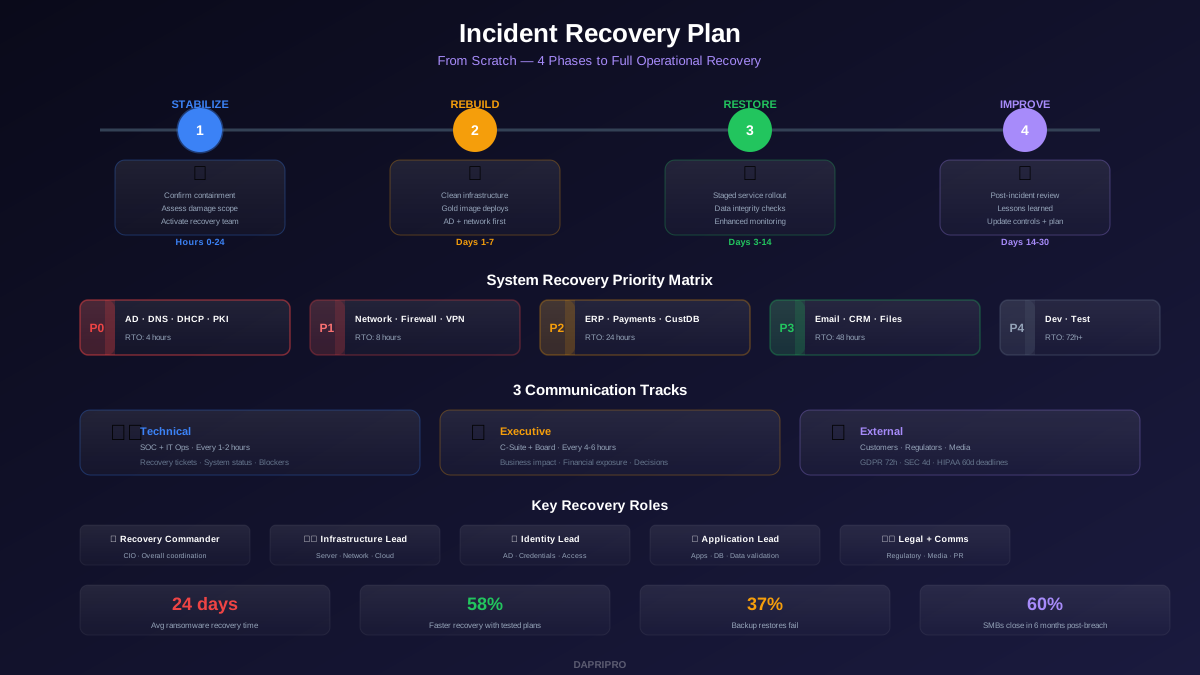
Phase 1: Stabilization (Hours 0-24)
Stabilization bridges the gap between incident response and recovery. The threat has been contained, but nothing is restored yet. This phase has three objectives:
Confirm Containment Is Complete
Before any recovery begins, verify with the incident response team that the threat is actually contained — not just believed to be contained. Premature recovery is the number one reason organizations get re-compromised during restoration. Require written confirmation from the IR lead that:
- All attacker access has been eliminated (compromised credentials rotated, backdoors removed)
- The attack vector is understood and closed
- Lateral movement has been fully mapped
- No active command-and-control channels remain
Assess Damage Scope
Document exactly what was affected. This determines your recovery sequence and resource requirements:
- Systems compromised — which servers, endpoints, network devices, and cloud services were directly affected
- Data impact — was data encrypted, exfiltrated, modified, or destroyed? Which datasets are affected?
- Infrastructure damage — are domain controllers, DNS servers, certificate authorities, or backup systems compromised?
- Business process impact — which business functions are completely down vs degraded vs unaffected?
Activate the Recovery Team
The recovery team is different from the response team. Key roles you need to assign before an incident:
| Role | Responsibility | Typical Owner |
|---|---|---|
| Recovery Commander | Overall recovery coordination, resource allocation, executive communication | CIO or VP of IT |
| Infrastructure Lead | Server, network, and cloud infrastructure restoration | Director of Infrastructure |
| Application Lead | Application restoration, database recovery, data validation | Director of Applications |
| Identity Lead | Active Directory rebuild, credential resets, access restoration | IAM Manager |
| Communications Lead | Internal updates, external notifications, media management | VP of Communications |
| Legal Coordinator | Regulatory notifications, privilege protection, contract review | General Counsel |
| Business Unit Liaisons | Translate business priorities into recovery decisions | Department heads |
Phase 2: Rebuild (Days 1-7)
This is the most technically intensive phase. The goal is to rebuild trusted infrastructure from known-good sources.
System Recovery Priority Matrix
Not everything gets rebuilt at once. Your recovery sequence follows a strict dependency chain:
| Priority | Systems | RTO Target | Why First |
|---|---|---|---|
| P0 | Active Directory, DNS, DHCP, PKI | 4 hours | Everything else depends on identity and network services |
| P1 | Core networking, firewalls, VPN, MFA | 8 hours | Enables secure access for recovery teams |
| P2 | ERP, payment processing, customer DB | 24 hours | Revenue-generating and legally required systems |
| P3 | Email, collaboration, file shares, CRM | 48 hours | Business communication and customer-facing operations |
| P4 | Development, testing, non-critical internal tools | 72+ hours | Important but not immediately business-critical |
The Golden Rule: Rebuild, Do Not Restore
After a significant compromise, you cannot trust existing systems. Even if malware has been "removed," sophisticated attackers leave persistence mechanisms that survive antivirus scans and even OS reinstalls. The correct approach:
- Wipe and rebuild from gold images — every compromised server gets a fresh OS install from a known-good baseline image
- Restore data separately — only data (databases, files) gets restored from backups, never entire system images of compromised machines
- Scan everything before reconnecting — every restored system goes through security validation before joining the production network
- New credentials everywhere — all service accounts, admin passwords, API keys, certificates. Assume every credential is compromised
Active Directory Recovery
If Active Directory was compromised — and in most enterprise attacks, it is — AD recovery becomes the single most critical and complex task. The process involves:
- Restoring from a backup taken before the compromise window (this requires knowing exactly when the attacker gained AD access)
- Rebuilding if no clean backup exists: new forest, new domain controllers, re-join every machine
- Resetting the KRBTGT password twice (with a 10+ hour gap between resets)
- Resetting every privileged account password
- Reviewing and cleaning all Group Policy Objects
- Removing all unknown trust relationships
Phase 3: Restore Operations (Days 3-14)
With infrastructure rebuilt, the focus shifts to bringing services online and getting users back to work.
Staged Restoration
Never bring everything online at once. Use a staged approach that limits blast radius if something goes wrong:
- Pilot group — 5-10 IT staff test restored systems for 4-8 hours. They validate functionality, look for anomalies, and confirm data integrity
- Early adopters — 50-100 users from each major business unit get access. They test real workflows and report issues
- General availability — full user base gets access, department by department, with monitoring ramped up
Data Integrity Validation
Restored data cannot be blindly trusted. Before declaring a system recovered, verify:
- Record counts — compare record counts in restored databases against the last known-good state
- Hash verification — verify file hashes against backup manifests where available
- Transaction integrity — for financial systems, reconcile transactions against external records (bank statements, payment processor logs)
- User sampling — have business users spot-check critical records: customer data, orders, contracts, configurations
Enhanced Monitoring During Recovery
Attackers frequently attempt to re-compromise organizations during recovery when teams are exhausted and security tools are being reconfigured. During the recovery period, implement:
- 24/7 SOC monitoring with reduced alert thresholds
- Network traffic analysis looking for C2 callbacks from restored systems
- Aggressive logging on all restored systems (full audit logging, PowerShell script block logging)
- Honeypot accounts and canary files to detect unauthorized access
The Three Communication Tracks
Poor communication during recovery causes more organizational damage than the attack itself. You need three parallel communication tracks running throughout the recovery process.
Technical Communication
The recovery team needs a dedicated war room (physical or virtual) with hourly updates covering: systems currently being restored, estimated time to completion for each system, blockers and resource needs, and security clearance status for restored systems.
Executive Communication
Leadership needs business-impact summaries, not technical details. Every executive update should answer: What is the current business impact? What is the financial exposure? When will critical systems be back? What decisions do you need from us?
External Communication
This track is legally the most dangerous. Every external communication should go through legal review. Key deadlines:
- GDPR — 72 hours to notify supervisory authority
- SEC — 4 business days for material incidents (public companies)
- State breach notification laws — vary from "without unreasonable delay" to specific day counts (30-90 days)
- HIPAA — 60 days for breaches affecting 500+ individuals
- PCI-DSS — immediate notification to acquiring bank and card brands
Phase 4: Post-Incident Improvement (Days 14-30)
The most neglected phase. After the crisis adrenaline fades, teams want to move on. But the post-incident review is where you extract lasting value from a painful experience.
Conducting the Post-Incident Review
Schedule the review within 2 weeks of recovery completion, while memories are fresh. The review must be blameless — the goal is system improvement, not individual accountability. Cover these areas:
- Timeline reconstruction — build a precise timeline from initial compromise through full recovery. Identify where time was lost
- What worked — celebrate and document what went well. This reinforces good practices
- What failed — identify procedures that broke down, tools that did not work, and communication gaps
- What was missing — resources, tools, procedures, or expertise that would have accelerated recovery
- Root cause analysis — go beyond the technical root cause to organizational root causes: why was the vulnerability there? Why was it not patched?
Metrics to Track
| Metric | What It Measures | Target |
|---|---|---|
| Time to Recovery (TTR) | Time from incident declaration to full operational recovery | Under 72 hours for critical systems |
| Data Loss | Volume of data that could not be recovered (vs RPO) | Zero for Tier 1 systems |
| Recovery Cost | Total spend on recovery (internal labor + external services + tools) | Under 2x estimated budget |
| Re-compromise Attempts | Detected attacks during recovery window | All detected and blocked |
| Communication Effectiveness | Stakeholder satisfaction with update quality and frequency | Post-incident survey score 4+/5 |
Building the Plan Document: What to Include
Your incident recovery plan should be a standalone document that someone unfamiliar with your environment could follow in a crisis. Here is the structure:
- Plan overview — scope, objectives, assumptions, plan owner, review schedule
- Contact directory — recovery team roster with names, roles, phone numbers, personal email (corporate email may be down)
- Activation criteria — specific conditions that trigger the recovery plan (severity levels, system impact thresholds)
- System inventory and priorities — complete list of systems with RTOs, RPOs, dependencies, and recovery procedures
- Recovery procedures — step-by-step technical procedures for each critical system, written for the person who will execute them (not the person who designed them)
- Communication templates — pre-drafted messages for each communication track (fill-in-the-blank, not write-from-scratch)
- Vendor contacts and contracts — incident response retainers, backup vendors, hardware suppliers, cloud support escalation paths
- Decision authority matrix — who can authorize spending, system changes, external communications, and ransom payments at each escalation level
- Testing schedule — tabletop exercise dates, technical recovery drill dates, plan review dates
- Appendices — network diagrams, system architecture, backup locations, license keys, insurance policy details
Testing Your Plan: From Tabletop to Full Simulation
An untested plan is a plan that will fail. Organizations that test their recovery plans recover 58% faster than those that do not. Testing follows a progression:
- Document review (monthly) — verify contact info is current, procedures reflect actual infrastructure, and RTOs are still valid
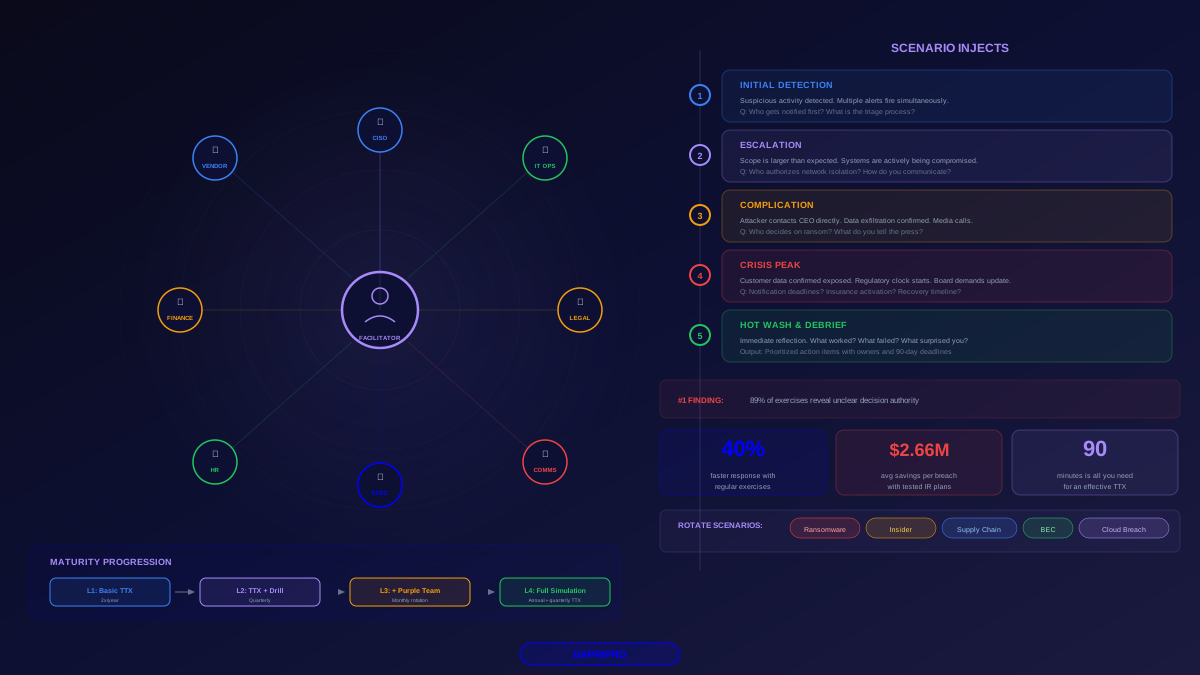
- Tabletop exercises (quarterly) — walk through scenarios verbally with the recovery team. Low cost, high value for identifying communication and decision-making gaps
- Technical drills (quarterly) — actually restore individual critical systems from backup in a test environment. Validates that backup and restoration procedures work
- Full simulation (annually) — simulate a real incident end-to-end. Involves all teams, triggers real communication procedures, and times the entire recovery process against RTOs
The 7 Mistakes That Make Recovery Plans Fail
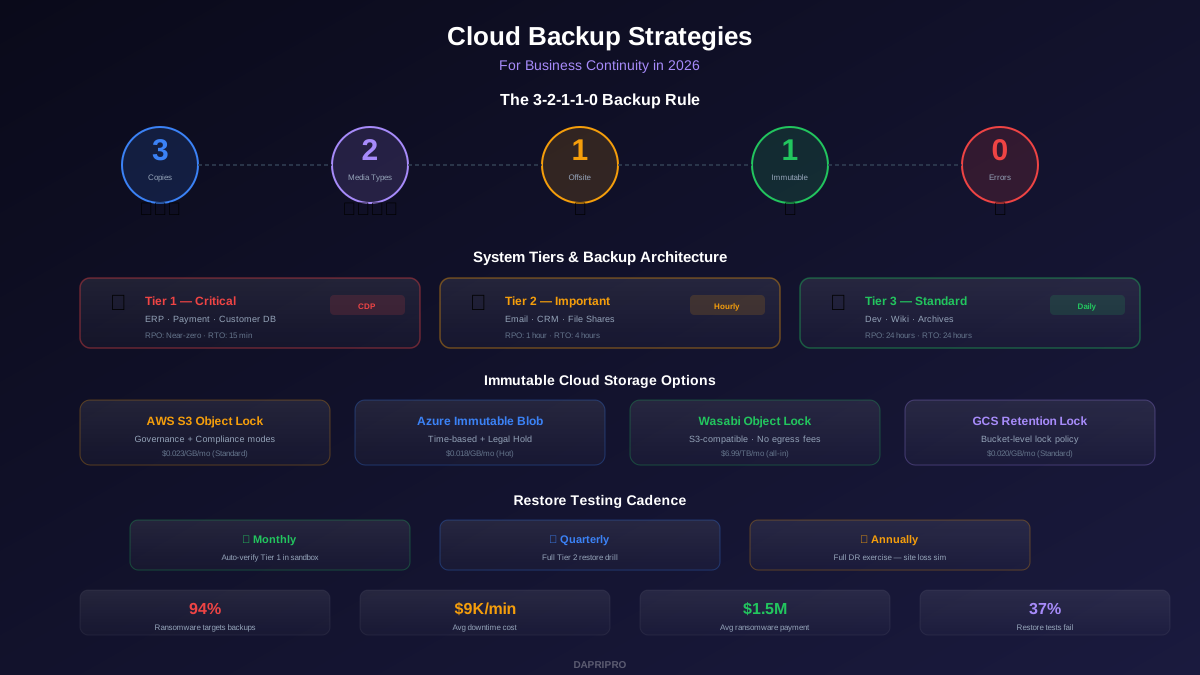
- Assuming backups work without testing — 37% of backup restoration attempts fail. Test monthly, not annually
- No offline copy of the plan — if your recovery plan is on the SharePoint that just got encrypted, it is useless. Keep printed copies and offline digital copies
- Ignoring Active Directory — AD recovery is the hardest and most critical task, yet most plans treat it as just another server restore
- Single points of failure in the recovery team — if only one person knows the backup system password, what happens when that person is on vacation during the incident?
- No legal pre-engagement — engaging outside legal counsel during a crisis takes days. Have a retainer in place before you need it
- Underestimating recovery time — teams consistently underestimate how long rebuilds take. Add 50% to every time estimate
- Forgetting the supply chain — you may need new hardware during recovery. Do you have vendor relationships and pre-negotiated emergency pricing?
Building a recovery plan from scratch takes weeks not hours. But every hour invested in planning saves days during an actual incident. Start with the system inventory and priority matrix, build out procedures for your top 10 critical systems, and run your first tabletop exercise within 90 days. Iterate from there. A good plan executed imperfectly beats a perfect plan that only exists in theory.