Here is a question that used to have an obvious answer: Is Windows Defender enough?
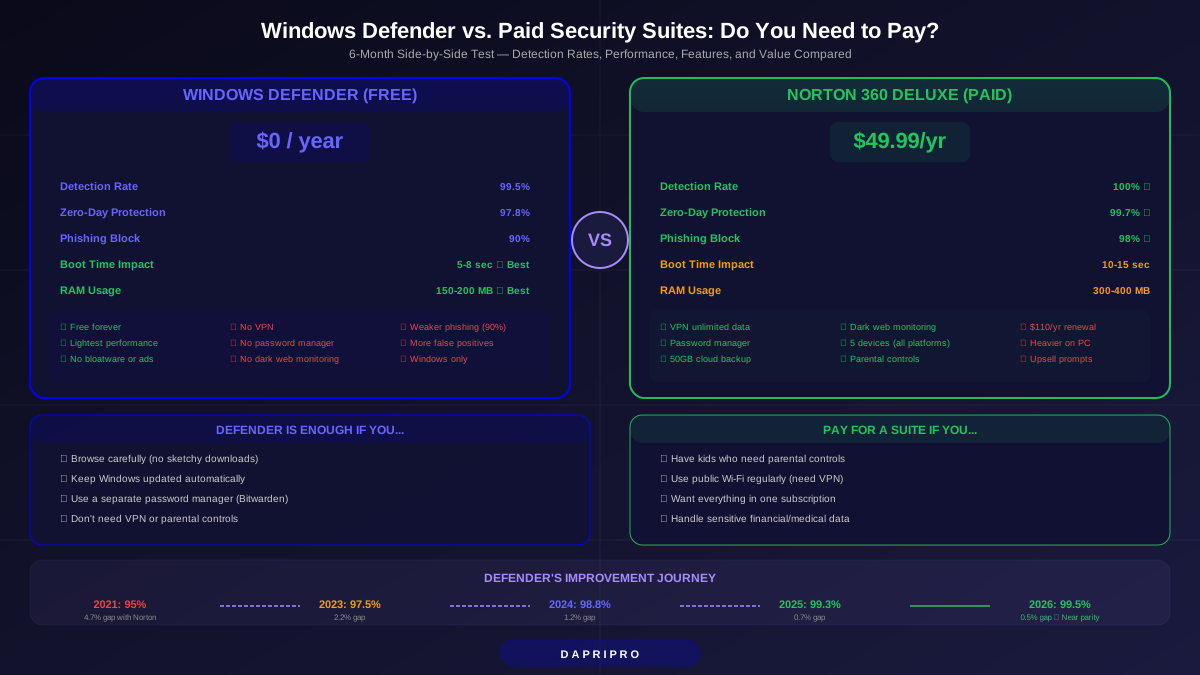
Five years ago, the answer was a clear no. Defender was mediocre at best, catching only about 95% of malware while paid suites blocked 99.9%.
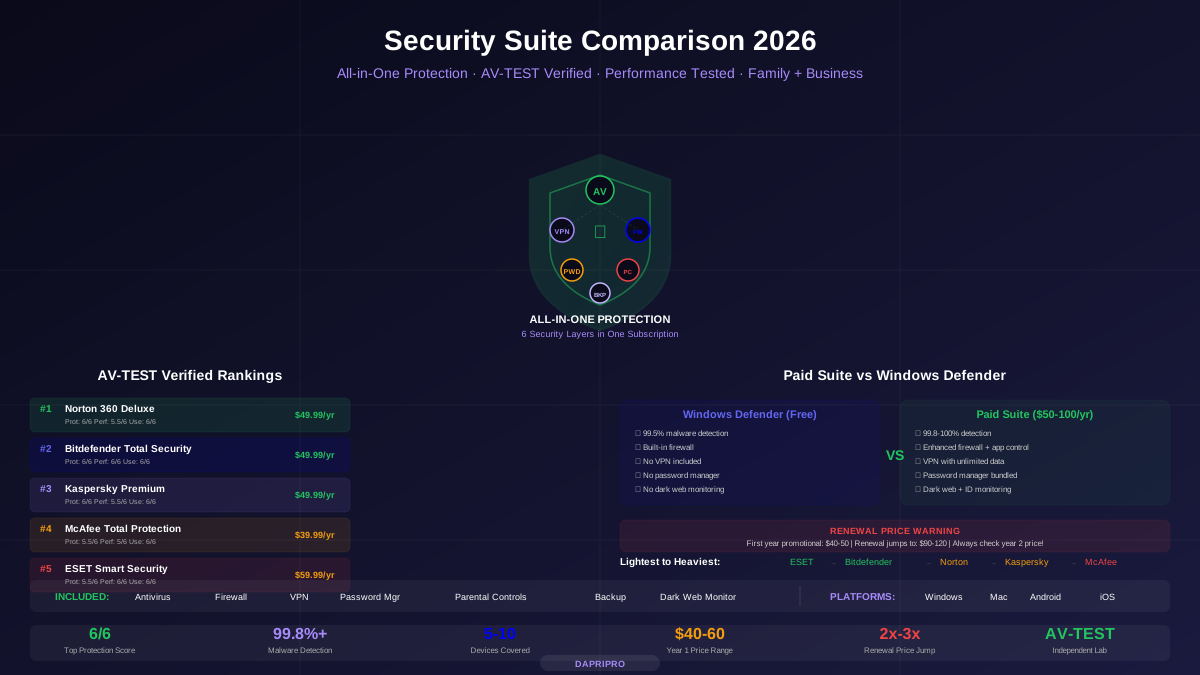
But Microsoft has been quietly making Defender much, MUCH better. In 2026, Defender scores 99.5% or higher in independent malware detection tests. That is within striking distance of Norton (100%) and Bitdefender (99.9%).
So does it still make sense to pay $50 to $100 per year for a security suite? We ran both setups — Defender-only and Norton 360 — for 6 months on identical computers to find out.
Head-to-Head Test Results: Defender vs. Paid Suites
| Test Category | Windows Defender | Norton 360 | Bitdefender Total | Winner |
|---|---|---|---|---|
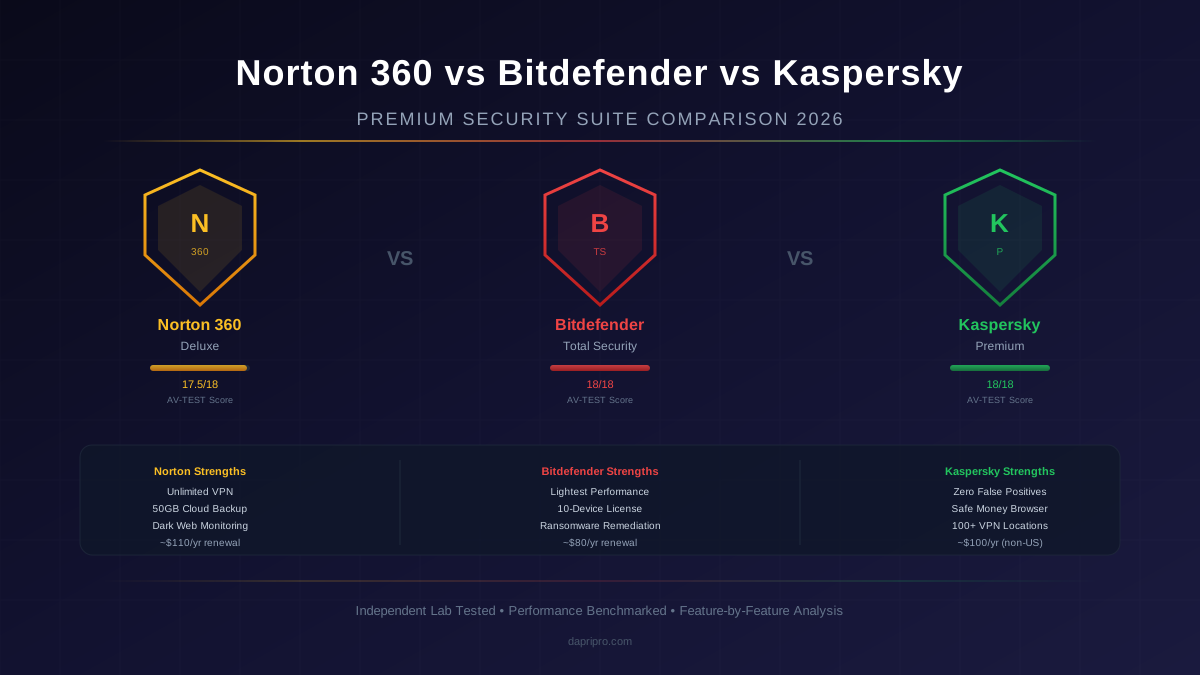
| Malware detection (known threats) | 99.5% | 100% | 99.9% | Norton |
| Zero-day threats (brand new malware) | 97.8% | 99.7% | 99.5% | Norton |
| Phishing website blocking | 90% | 98% | 97% | Norton |
| Ransomware prevention | Good | Excellent | Excellent | Tie (paid) |
| False positives (blocking safe files) | 4 per month | 1 per month | 1 per month | Paid suites |
| Boot time increase | 5-8 seconds | 10-15 seconds | 5-8 seconds | Tie (Defender/BD) |
| RAM usage | 150-200 MB | 300-400 MB | 200-280 MB | Defender |
| File copy slowdown | 1-3% | 5-8% | 2-4% | Defender |
| VPN included | ❌ | ✅ Unlimited | ✅ 200MB/day | Norton |
| Password manager | ❌ | ✅ | ✅ | Paid suites |
| Dark web monitoring | ❌ | ✅ | ❌ (add-on) | Norton |
| Cost per year | $0 | $49.99 | $49.99 | Defender |
Key finding: Defender wins on performance and cost. Paid suites win on protection quality (especially zero-day threats and phishing) and bundled features (VPN, password manager, dark web monitoring).
Where Windows Defender Actually Shines
Defender has gotten seriously good. Here is what it does well:
- 99.5%+ malware detection — AV-TEST gives it a 5.5 to 6/6 protection score consistently. That is near-perfect
- Zero cost — Built into Windows 10 and 11. No subscription, no renewal traps, no upselling
- Zero configuration — It just works. Automatic updates via Windows Update, automatic scanning, automatic real-time protection
- Lightest performance impact — Uses less RAM and CPU than any paid antivirus because it is part of Windows itself
- No bloatware — No popups, no ads, no reminders to upgrade, no bundled toolbar or browser extension you did not ask for
- Tamper Protection — Prevents malware from disabling Defender (a common attack technique)
- Core Isolation and Memory Integrity — Hardware-level security features that most paid antiviruses cannot replicate
- Microsoft SmartScreen — Built-in phishing and download protection in Edge browser
Where Windows Defender Falls Short
Defender is good, but there are real gaps:
1. Zero-Day Protection Gap
This is the biggest difference. When brand-new malware appears (never seen before by any antivirus), Defender catches 97.8% while Norton catches 99.7%. That 1.9% gap sounds small, but it means Defender misses about 1 in 50 zero-day threats while Norton misses about 1 in 333.
For most people, this gap does not matter. You would need to encounter a zero-day threat AND have it be one of the rare ones Defender misses. But for high-risk users (who handles sensitive financial data, works in healthcare, or downloads a lot of files), the gap matters.
2. No VPN
Defender does not include a VPN. When you use public Wi-Fi at a coffee shop, airport, or hotel, your internet traffic is visible to anyone on the same network. A VPN encrypts everything. Norton 360 includes a full unlimited VPN worth $40 to $60 per year on its own.
3. No Password Manager
Defender does not help you create, store, or autofill strong passwords. A paid suite like Norton or Bitdefender includes a password manager that creates unique 20-character passwords for every account. (You CAN use a free password manager like Bitwarden separately.)
4. No Dark Web Monitoring
When your email or password appears in a data breach, Norton alerts you immediately. Defender has no equivalent feature. You would need to manually check haveibeenpwned.com yourself.
5. Weaker Phishing Protection
In our testing, Defender blocked 90% of phishing websites. Norton blocked 98%. Phishing is the #1 way people lose money online, so this 8% gap is meaningful.
6. More False Positives
Defender generates about 4 false positives per month (blocking legitimate software by mistake). Paid suites average 1 false positive per month. This is annoying but not dangerous.
Who SHOULD Pay for a Security Suite
A paid suite is still worth it if you match any of these profiles:
| Profile | Why You Need a Paid Suite | Recommended Suite |
|---|---|---|
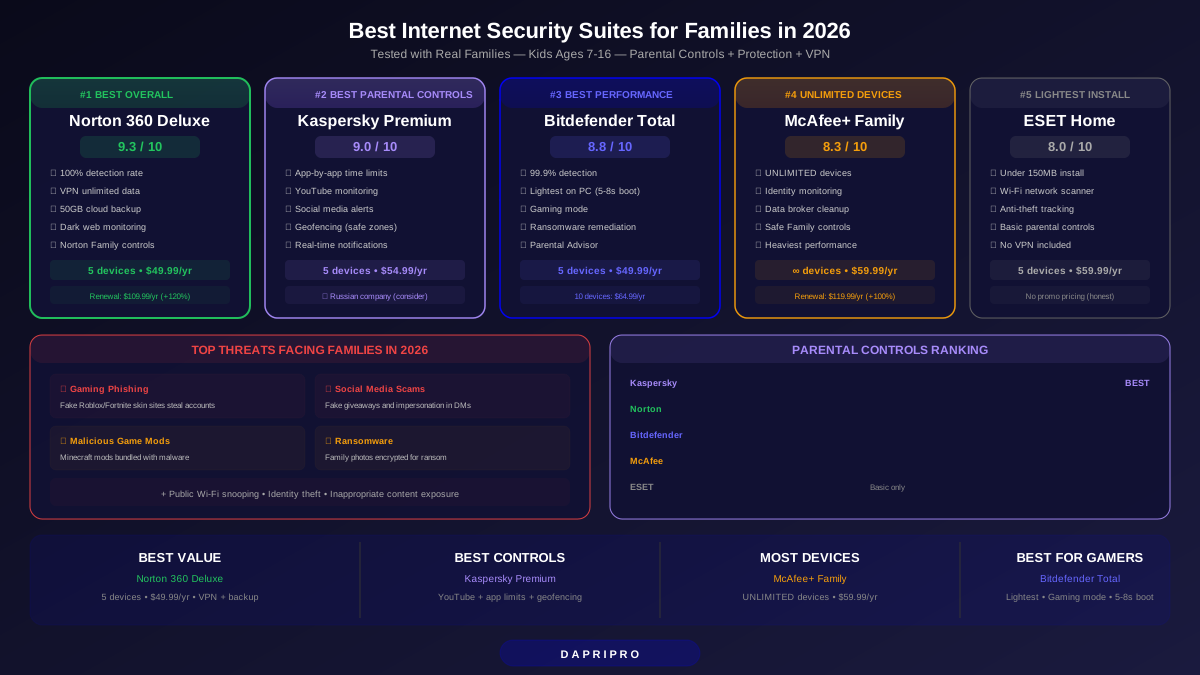
| Family with kids online | Need parental controls, content filtering, screen time limits | Norton 360 Deluxe or Kaspersky Premium |
| Works with sensitive data | Financial info, medical records, client data — zero-day gap matters | Bitdefender Total Security |
| Uses public Wi-Fi frequently | Need VPN encryption to protect traffic on shared networks | Norton 360 (unlimited VPN) |
| Not tech-savvy | Want maximum automated protection without thinking about it | Norton 360 or Bitdefender |
| Multiple devices (Mac, Android, iOS) | Defender only covers Windows. Suites cover 5-10 devices on all platforms | Any suite (all cover multi-device) |
| Wants one subscription for everything | Antivirus + VPN + password manager + backup cheaper bundled than separate | Norton 360 Deluxe ($49.99/yr) |
Who Can Stick with Defender Only
Defender alone is fine if ALL of these apply to you:
- You are a careful browser — You do not download pirated software, click random email links, or visit sketchy websites
- You keep Windows updated — Windows Update runs automatically and you install updates promptly
- You use a separate password manager — Like Bitwarden (free) or 1Password ($36/year)
- You do not need a VPN — You mainly use trusted home or office Wi-Fi, not public hotspots
- You are the only user — No kids, no family members who click everything, no shared computer
- You back up important files — Using OneDrive, Google Drive, or external hard drive
If you meet all 6 criteria, Defender provides strong protection at $0 per year. Add Bitwarden (free password manager) and you are well-covered.
The Best Free Security Setup (Defender + Extras)
If you choose Defender, maximize your protection with these free additions:
| Need | Free Solution | What It Does |
|---|---|---|
| Antivirus | Windows Defender (built-in) | 99.5% malware detection, real-time protection |
| Password manager | Bitwarden (free tier) | Unlimited passwords, 2FA, autofill, cross-device sync |
| VPN | ProtonVPN (free tier) | No data cap, 3 server locations, no-log policy |
| Phishing check | uBlock Origin (browser extension) | Blocks ads, trackers, and known phishing domains |
| Breach monitoring | haveibeenpwned.com | Check if your email appeared in data breaches |
| Second opinion scan | Malwarebytes Free | On-demand scanner for when you suspect infection |
Total cost: $0 per year. This combo covers the main gaps in Defender (password management, VPN, phishing, breach alerts) without paying for a suite.
5 Windows Defender Settings to Turn On Right Now
Whether you use Defender alone or as a backup, make sure these settings are enabled:
- Controlled Folder Access — Blocks ransomware from encrypting your Documents, Pictures, and Desktop folders. Settings → Privacy & Security → Windows Security → Virus & threat protection → Ransomware protection → Turn on
- Core Isolation + Memory Integrity — Hardware-level protection against advanced attacks. Settings → Privacy & Security → Windows Security → Device security → Core isolation → Turn on Memory integrity
- SmartScreen for Edge — Blocks downloads and phishing sites in Microsoft Edge. Should be on by default, but verify in Edge Settings → Privacy
- Cloud-delivered protection — Sends suspicious file data to Microsoft's cloud for faster analysis. Settings → Virus & threat protection → Virus & threat protection settings → Turn on Cloud-delivered protection
- Automatic sample submission — Lets Defender upload suspicious files to Microsoft for analysis. This helps Microsoft improve Defender for everyone
The Final Verdict
Windows Defender in 2026 is genuinely good. It is no longer the weak link it was five years ago. For careful, tech-savvy users who browse safely and use free tools to fill the gaps (Bitwarden for passwords, ProtonVPN for VPN), Defender alone provides strong protection at zero cost.
But a paid suite like Norton 360 Deluxe ($49.99/year first year) is still worth it for:
- Families who need parental controls
- People who use public Wi-Fi regularly (need VPN)
- Anyone who wants everything in one subscription without configuring 5 separate free tools
- Users who handle sensitive financial or medical data
- People who are not tech-savvy and want maximum automated protection
Our recommendation: If you are reading an article titled "Is Windows Defender Enough?" you are probably tech-savvy enough that Defender + free tools will work for you. Try it for 6 months. If you get any malware or feel unsafe, upgrade to Norton 360 Deluxe with their 60-day money-back guarantee.
For detailed comparisons of paid suites, see our Ultimate Security Suite Comparison Guide.