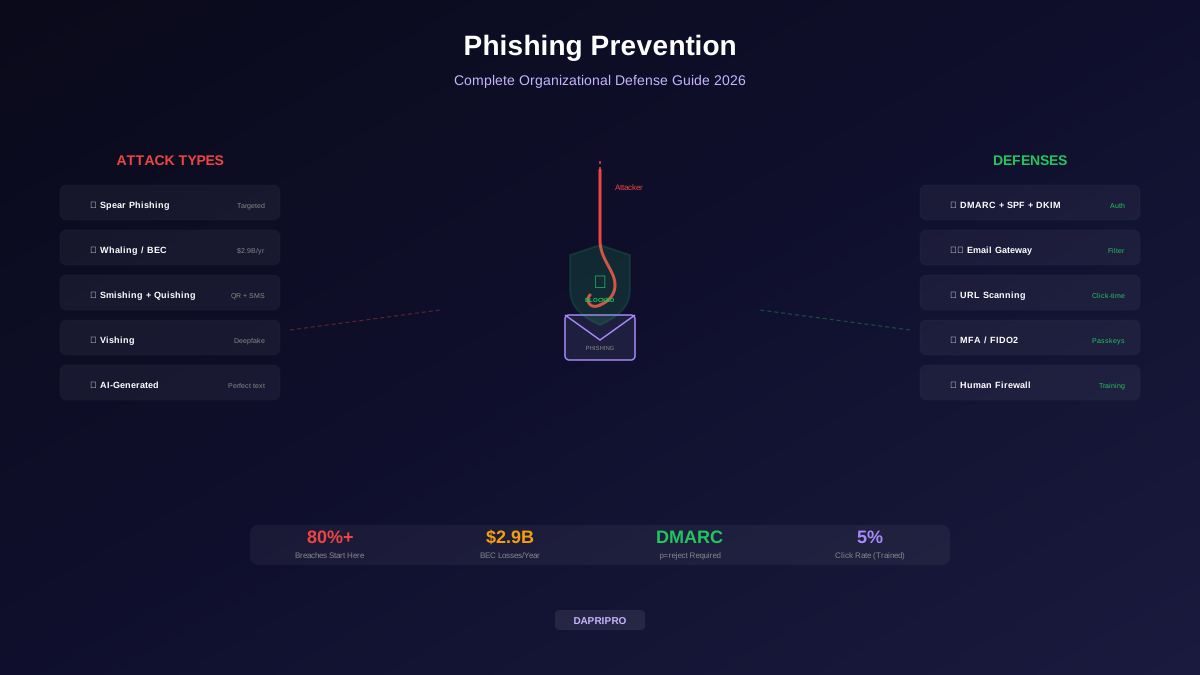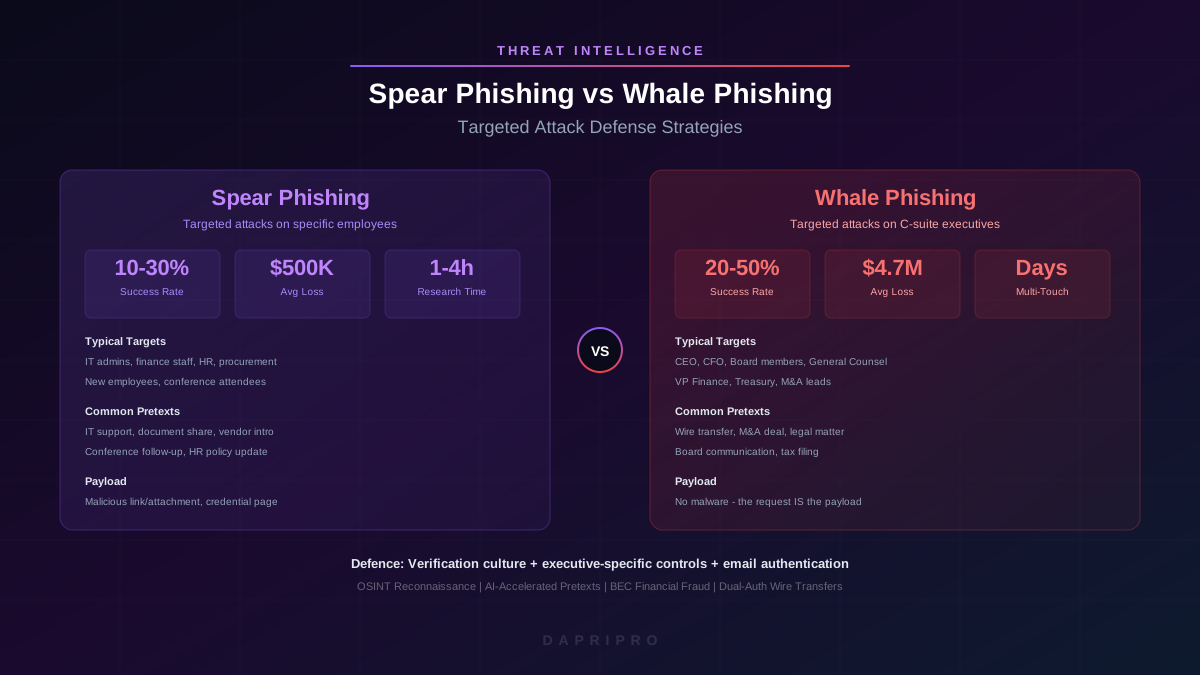
The most expensive email gateway, the most sophisticated EDR, and the most restrictive firewall all share the same limitation: they cannot stop an employee from voluntarily entering credentials into a convincing phishing page, approving a fraudulent wire transfer on a phone call, or scanning a malicious QR code taped to a parking meter. Technology catches the majority of phishing attempts, but the attacks that bypass technical controls are precisely the ones designed to exploit human psychology.
A human firewall is not a catchy metaphor. It is a measurable security control: a workforce trained, motivated, and equipped to detect, report, and resist social engineering attacks across every channel. Building one requires the same engineering rigour you apply to any other security control: defined objectives, evidence-based design, continuous testing, and metrics that prove effectiveness. This guide covers the full lifecycle from programme design to executive reporting.
Why Technology Alone Fails
Modern phishing has evolved beyond the grammatically broken Nigerian-prince email. AI-generated phishing messages are linguistically flawless, contextually relevant, and personalised using data scraped from LinkedIn, corporate websites, and data-breach dumps. In controlled testing, LLM-crafted spear-phishing emails produce click rates 3x higher than manually crafted ones, and they can be generated at the scale of thousands per hour with zero marginal cost.
The technology gap is measurable:
- Email gateways catch approximately 95-98% of bulk phishing. The remaining 2-5% that reaches inboxes is the most sophisticated, targeted, and dangerous.
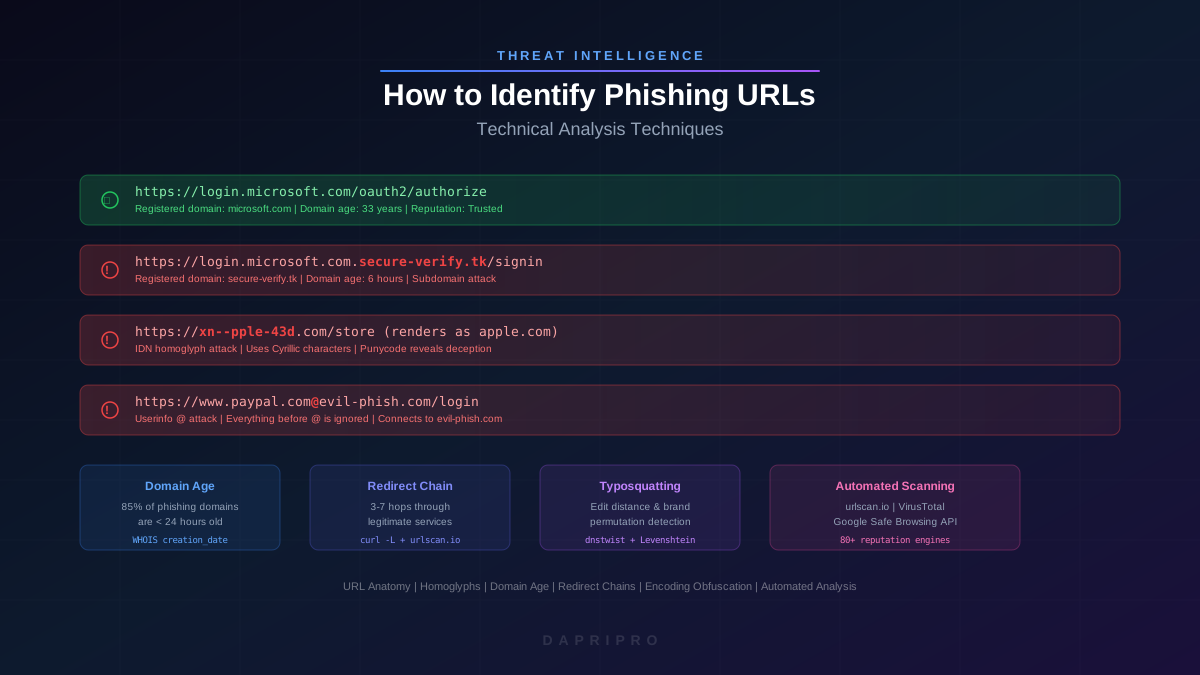
- URL filtering relies on reputation databases that lag 4-8 hours behind newly registered phishing domains. Attackers routinely use domains less than 24 hours old.
- Attachment sandboxing is evaded by time-delayed payloads, CAPTCHA-gated content, and password-protected archives.
- MFA is bypassed by real-time adversary-in-the-middle proxy frameworks like Evilginx2, which relay session tokens to the attacker's browser.
None of these failures mean technology is unimportant. They mean technology alone is insufficient. The human layer is not a workaround for failed technology; it is a distinct control that addresses threat vectors technology cannot cover.
Programme Design: Behavioural Science, Not Compliance Theatre
Most security awareness programmes fail because they are designed to satisfy audit requirements rather than change behaviour. An annual 45-minute compliance video followed by a 10-question quiz satisfies the checkbox. It does not produce employees who reliably report real phishing.
Principle 1 — Spaced Repetition
The forgetting curve (Ebbinghaus, 1885) shows that humans forget approximately 70% of learned material within 24 hours unless it is reinforced. Effective programmes distribute training in short modules (5-10 minutes) delivered at increasing intervals: day 1, day 3, day 7, day 14, day 30. This spacing moves knowledge from short-term to long-term memory. Platforms like KnowBe4 and Cofense automate spaced-repetition delivery.
Principle 2 — Immediate Feedback
When an employee clicks a simulated phishing link, the teachable moment is right now — not two weeks later in a quarterly review. Best-practice programmes redirect clickers to an immediate, brief (60-90 second) training module that explains exactly what indicators they missed in the message they just clicked. This contextual learning is 4x more effective than generic training delivered later.
Principle 3 — Social Proof
Humans are influenced by what their peers do. Publishing anonymised metrics ("87% of your department reported or ignored this simulation") leverages social proof to motivate the remaining 13%. Leaderboards showing departmental report rates (not click rates — this avoids shaming) create positive competitive dynamics. Research from Cialdini's influence framework confirms that descriptive norms are among the strongest behaviour-change levers.
Principle 4 — Loss Framing
Prospect theory (Kahneman and Tversky) demonstrates that humans are more motivated by loss avoidance than by equivalent gains. Framing training around what employees stand to lose ("Your personal banking credentials, your family photos, your professional reputation") rather than abstract corporate risks ("data breach", "regulatory fine") increases engagement by 40-60% in measured studies.
Principle 5 — Self-Efficacy
Employees must believe they can spot phishing to actually attempt it. Programmes that emphasise how sophisticated attacks are, without providing concrete detection heuristics, create learned helplessness ("I could never spot that, so why bother trying"). Effective training provides specific, actionable checks: hover before clicking, verify sender domains, call back on a known number. Each successful identification builds self-efficacy for the next.
Designing a Phishing Simulation Programme
Phishing simulations are the backbone of human-firewall measurement. Without them, you have no data on whether your training actually changes behaviour. But poorly designed simulations create a false sense of security or, worse, erode employee trust.
Simulation Design Rules
- Vary the channel — rotate between email phishing, SMS smishing, voice vishing, and QR quishing. Employees trained only on email phishing fail smishing tests at rates similar to untrained populations.
- Vary the difficulty — use a mix of easy (obvious grammar errors, suspicious sender), moderate (plausible pretext, spoofed domain), and hard (targeted using real internal information, near-identical to legitimate communications). Track click rates by difficulty tier.
- Vary the pretext — cover the full range of social-engineering triggers: urgency ("your account will be locked"), authority ("CEO requesting immediate wire transfer"), curiosity ("you have a package delivery"), fear ("security breach detected"), and opportunity ("bonus payment pending").
- Never use real consequences — simulations that threaten job loss, dock pay, or humiliate employees destroy reporting culture. The simulation landing page should be supportive: "This was a test. Here is what to look for next time."
- Coordinate with IT ops — ensure simulations do not trigger your own security stack (SPF failures, sandbox alerts). Whitelist simulation sender IPs at the gateway level only, not at the endpoint level.
What to Measure
Most organisations fixate on click rate. This is a mistake. Click rate tells you how many people failed. Report rate tells you how many people actively defended the organisation.
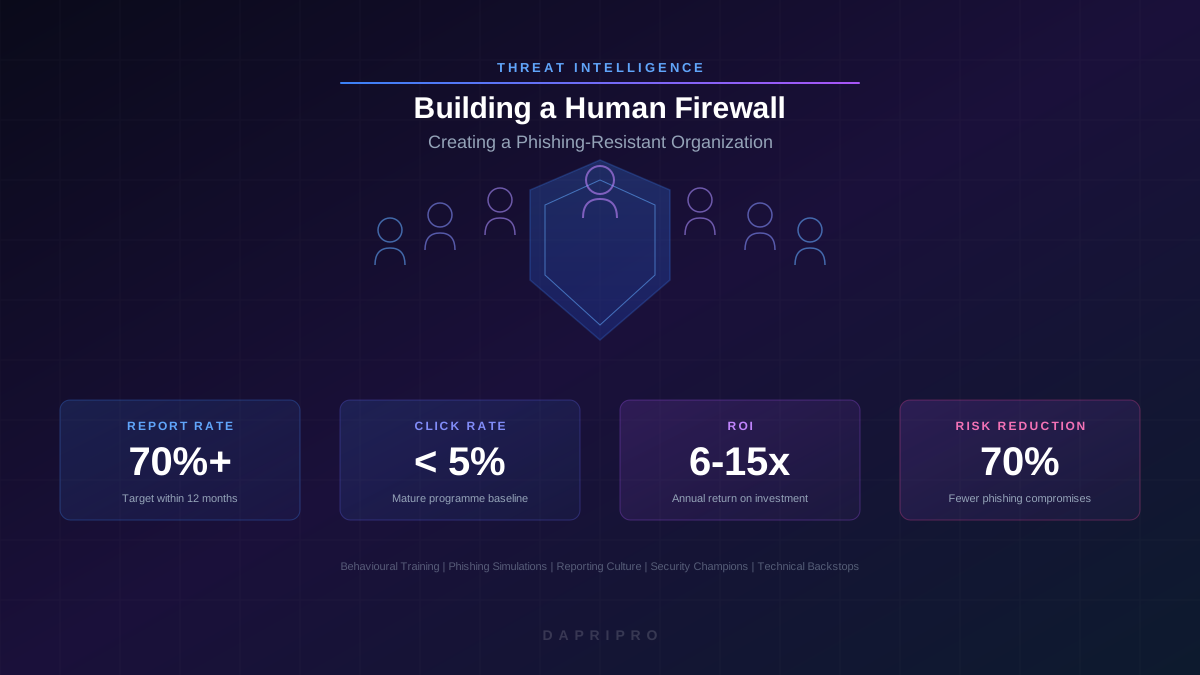
- Click rate — percentage who clicked the link or opened the attachment. Useful as a trend metric but not a KPI. Industry benchmarks: 15-20% (untrained), 3-5% (mature programme).
- Report rate — percentage who used the phishing-report button or forwarded to the SOC. This is your primary KPI. Target: above 70% within 12 months.
- Time to report — median time between simulation delivery and first report. A mature organisation sees first reports within 2-3 minutes. This metric matters because it determines how quickly your SOC can quarantine a real attack.
- Repeat clicker rate — percentage who clicked on two or more consecutive simulations. These employees need targeted one-on-one coaching, not more generic training.
- Department variance — some departments consistently underperform. Identifying them allows targeted interventions rather than organisation-wide retraining.
Handling Repeat Clickers
Every organisation has a small percentage (typically 3-8%) who click repeatedly despite standard training. Punishing them does not work. Instead:
- Provide one-on-one coaching with a security champion, not a manager
- Assign simplified, interactive micro-training (video-based, max 3 minutes)
- Increase their simulation frequency to accelerate learning
- If they hold privileged access, consider additional technical controls (stricter URL filtering, mandatory MFA for every session)
- If all else fails after 6 months of targeted coaching, implement role-specific access restrictions — this is a control, not a punishment
Building a Reporting Culture
The single most important metric for a human firewall is not click rate — it is whether employees report suspicious messages. A perfect click rate means nothing if the 3% who do click never tell anyone. A high report rate means your SOC knows about attacks in real time and can quarantine messages, block domains, and initiate incident response within minutes.
Infrastructure Requirements
- One-click reporting button — deploy a phishing-report button in the email client (Outlook Phish Alert Button, Gmail Report Phishing, or Cofense Reporter). Every additional click required to report reduces report rates by approximately 15%.
- Automated triage — reported messages should flow to an automated analysis pipeline (Cofense Triage, IRONSCALES, Sublime Security) that extracts URLs, checks reputation, detonates attachments, and assigns a risk score. Manual triage for every report burns out SOC analysts and creates a backlog.
- Feedback loop — when an employee reports a real phishing email, send them a thank-you notification within 24 hours: "Your report helped us block this campaign across the entire organisation." This positive reinforcement is the strongest driver of continued reporting behaviour.
- Escalation workflow — confirmed phishing triggers automated quarantine of all matching messages across all mailboxes, domain blocking at the proxy, and IOC sharing with threat-intelligence feeds.
Removing Barriers to Reporting
Employees do not report for three reasons: they do not know how, they think someone else already did, or they fear being wrong. Address each explicitly:
- Make the report button visible — pin it, brand it, mention it in every training module
- Normalise false positives — "We would rather investigate 100 false alarms than miss one real attack. Every report helps, even if it turns out to be legitimate."
- Show impact — publish monthly stats: "Last month, employees reported 342 suspicious messages. 17 were confirmed phishing and were quarantined within 8 minutes of the first report."
Beyond Email: Multi-Channel Human Firewall
Email phishing accounts for approximately 60% of social-engineering attacks. The remaining 40% comes through channels that most training programmes ignore entirely.
Voice Phishing (Vishing)
Vishing attacks use phone calls to impersonate IT support, executives, banks, or vendors. AI voice-cloning technology now produces convincing deepfakes from as little as 30 seconds of audio (scraped from earnings calls, conference talks, or social media). Training should cover:
- Never provide passwords, MFA codes, or sensitive data on inbound calls
- Verify caller identity by hanging up and calling back on a known number
- Establish verbal authentication codes for sensitive requests (e.g., wire transfers)
- Be suspicious of urgency and emotional pressure — legitimate callers can wait
SMS Phishing (Smishing)
Smishing exploits the implicit trust people place in text messages. Sender-ID spoofing allows attackers to make messages appear to come from "IT Department" or a known contact. Train employees to treat SMS links with the same suspicion as email links and to verify requests through an independent channel.
QR Code Phishing (Quishing)
Quishing attacks place malicious QR codes in physical locations (parking meters, restaurant tables, conference badges) or embed them in emails to bypass URL scanners. Because QR codes are opaque to the human eye, the training message is simple: "If you did not generate the QR code yourself, verify the URL displayed in the browser before entering any information."
Collaboration-Platform Phishing
Attacks through Microsoft Teams, Slack, and WhatsApp are increasing rapidly. Messages from "compromised" colleague accounts requesting urgent file access or credential sharing exploit the inherent trust within internal communication tools. Train employees that the same verification principles apply regardless of the channel.
Securing Executive Buy-In
The most common reason human-firewall programmes stall is lack of executive sponsorship. CISOs who pitch security awareness as a compliance obligation receive compliance-level budgets. CISOs who pitch it as a business-risk-reduction control receive investment-level budgets.
Framing the Business Case
Translate security metrics into business language:
- Instead of: "Our click rate is 18%" Say: "180 employees per thousand will comply with a fraudulent request. At our average BEC loss of $120,000 per incident, an untrained workforce exposes us to $2.4 million in annual expected loss."
- Instead of: "We need KnowBe4 licenses" Say: "A $30,000 annual investment in behavioural training reduces phishing success by 70%, lowering expected BEC losses from $2.4 million to $720,000 — a $1.65 million risk reduction for $30,000 in spend."
- Instead of: "Compliance requires annual training" Say: "Our cyber insurance underwriter offers a 15% premium discount for organisations demonstrating continuous phishing simulation with sub-5% click rates. That discount alone covers the programme cost."
Board-Level Reporting
Report quarterly to the board using three metrics that non-technical directors can understand:
- Phishing resilience score — composite of click rate and report rate, benchmarked against industry peers
- Financial risk exposure — estimated annual loss from social engineering at current performance levels
- Trend trajectory — quarter-over-quarter improvement showing return on training investment
The Security Champions Programme
Security awareness training scales through people, not technology. A security champions programme recruits voluntary representatives in each department who act as local security advocates, peer coaches, and early warning sensors.
Champion Selection
Do not recruit the most technically sophisticated employees. Recruit the most influential: people others listen to, team leads with social capital, and employees who are enthusiastic rather than expert. Technical skills can be trained; social influence cannot.
Champion Responsibilities
- Attend monthly security briefings from the security team
- Share relevant threat intelligence with their department in accessible language
- Provide peer coaching for employees who struggle with phishing simulations
- Report unusual incidents or concerns from their department to the security team
- Provide feedback on training effectiveness from the employee perspective
Champion Incentives
Recognise champions visibly: branded badges, mention in all-hands meetings, professional-development opportunities (conference attendance, certification sponsorship). The cost is minimal; the cultural impact is significant. Organisations with active champion programmes see report rates 25-30% higher than those relying solely on centralised training.
Technical Backstops: The Safety Net
A human firewall does not replace technical controls. It complements them. The 3-5% of employees who will always click must be caught by layered technology.
Email Authentication (DMARC at p=reject)
Deploy SPF, DKIM, and DMARC on all organisation domains. Set DMARC policy to p=reject (not p=none or p=quarantine) after validating legitimate senders. This prevents attackers from spoofing your exact domain in phishing emails targeting your employees and your customers.
URL Rewriting and Time-of-Click Analysis
Rewrite all URLs in inbound emails through a proxy that re-evaluates reputation at click time, not delivery time. This catches phishing pages that were clean at delivery (to bypass gateway scanning) but became malicious minutes later. Microsoft Defender for Office 365 Safe Links and Proofpoint TAP provide this capability.
Attachment Sandboxing
Detonate all inbound attachments in a cloud sandbox before delivery. Hold messages with suspicious attachments for 60-90 seconds while analysis completes. Accept the minor delivery delay as a trade-off for preventing weaponised document delivery.
Conditional Access and Continuous Authentication
Even when credentials are phished, conditional-access policies that require managed devices, compliant security posture, and risk-based re-authentication limit what attackers can do with stolen tokens. Entra ID Conditional Access, Okta Adaptive MFA, and similar platforms provide these controls.
Browser Isolation for High-Risk Activities
For roles that routinely interact with untrusted content (finance, legal, customer service), deploy browser isolation that renders external web content in a remote container. Even if a user clicks a phishing link, the credential-harvesting page runs in an isolated environment with no access to the local system.
Measuring Programme ROI
Quantifying the ROI of a human-firewall programme requires connecting training metrics to financial outcomes:
Cost-Avoidance Model
Annual programme cost:
  Platform license (KnowBe4/Cofense): $15-25/employee/year
  Security champion time: ~2 hrs/month/champion
  Security team administration: ~10 hrs/month
  Total for 1,000 employees: ~$25,000-$35,000/year

Expected loss reduction:
  Baseline BEC incidents/year: 3-5 (industry average for 1,000-person org)
  Average BEC loss: $120,000/incident
  Baseline expected annual loss: $360,000-$600,000
  Post-programme reduction: 60-75%
  Expected annual savings: $216,000-$450,000

ROI: 6x-15x investment
Payback period: 1-2 months
Insurance Premium Reduction
Many cyber-insurance underwriters now offer 10-20% premium discounts for organisations that can demonstrate continuous security awareness training with documented simulation results. For organisations paying $50,000+ in annual cyber-insurance premiums, this discount alone can fund the training programme.
Productivity Metrics
Track time saved by the SOC through automated triage of phishing reports. A mature programme with automated triage processes 200+ reports per month with less than 2 hours of analyst time. Without automation, the same volume could consume 40+ analyst hours — a cost savings of $3,000-5,000 per month in analyst time alone.
12-Month Implementation Timeline
Months 1-2: Foundation
- Select and deploy a phishing-simulation platform
- Deploy a one-click phishing-report button in all email clients
- Run a baseline phishing simulation (no prior announcement) to establish current click and report rates
- Brief executive leadership on baseline results and programme plan
Months 3-4: Launch
- Launch monthly phishing simulations with varied difficulty and pretext
- Deploy spaced-repetition micro-training modules
- Recruit security champions (target: 1 per 50 employees)
- Implement automated triage for reported emails
Months 5-8: Expand
- Add smishing and vishing simulations
- Launch departmental leaderboards (report rate, not click rate)
- Begin targeted coaching for repeat clickers
- Deliver first quarterly board report
Months 9-12: Mature
- Add quishing and collaboration-platform simulations
- Integrate phishing-report data with SIEM for automated response workflows
- Conduct tabletop exercises combining social engineering with technical attack scenarios
- Publish annual programme report with ROI analysis
- Set goals for year two: target report rate above 70%, click rate below 5%
Building a human firewall is not a project with an end date. It is an ongoing security programme that, like patching or vulnerability management, requires continuous investment, measurement, and iteration. The organisations that treat their people as a controllable security variable — not an unpredictable liability — are the ones that consistently resist the phishing attacks that bypass every piece of technology in their stack.