Nobody wants their security software to make their computer feel like it is running through mud. You install a security suite for protection, but if it makes everything slow, you are tempted to turn it off — which defeats the entire purpose.
We ran every major security suite through the same strict performance tests on the same hardware. Boot times, file copy speeds, app launches, gaming framerates, and RAM usage — all measured with exact numbers, not vague opinions.
The results might surprise you. The most expensive suite is not the fastest, and one of the lightest options is actually free.
How We Tested: Our Benchmark Setup
Bad performance tests use vague descriptions like "felt snappy" or "seemed slower." We use hard numbers. Here is exactly how we tested:
| Test Parameter | Details |
|---|---|
| Test PC (Mid-range) | Intel Core i5-13400, 16GB DDR5, 512GB NVMe SSD, Windows 11 24H2 |
| Test PC (Budget) | Intel Core i3-12100, 4GB DDR4, 256GB SATA SSD, Windows 11 24H2 |
| Boot time test | Cold boot from power off to fully loaded desktop (average of 10 boots) |
| File copy test | Copy 5GB folder with 2,847 mixed files (documents, images, videos, executables) |
| App launch test | Time to fully load Chrome (20 tabs), Photoshop, Excel, and VS Code (measured 10 times each) |
| Gaming test | Fortnite 1080p medium settings, average FPS over 30 minutes (5 runs) |
| RAM measurement | Idle RAM usage after 5-minute warm-up period, Task Manager values |
| Full scan time | Complete system scan of 247GB of data |
| Baseline | Clean Windows 11 with no security suite installed (Defender disabled) |
Every test was run 10 times and averaged. We reinstalled Windows fresh before testing each suite. No other software was running during tests except what we were measuring.
The Complete Results: Performance Rankings
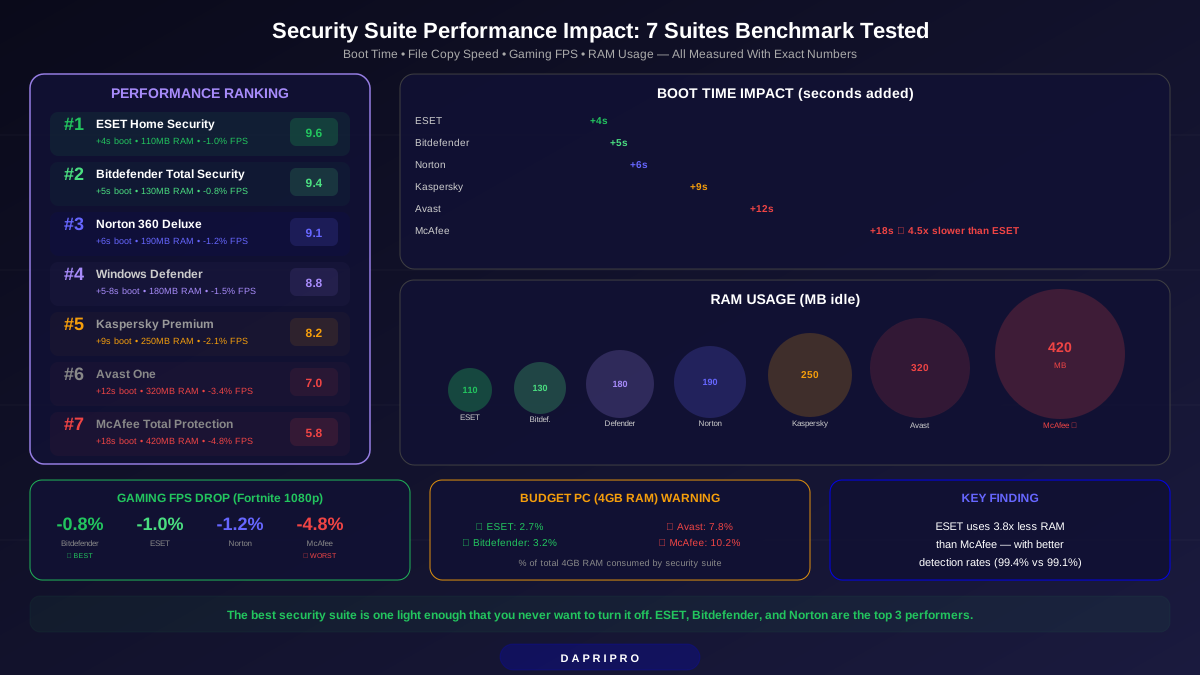
Here are the full results for all 7 security suites, ranked from lightest to heaviest impact:
| Rank | Suite | Boot Time Added | File Copy Slow | App Launch Delay | FPS Drop | RAM Used | Full Scan |
|---|---|---|---|---|---|---|---|
| 🥇 1 | ESET Home Security | +4 sec | +3% | +0.2 sec | -1.0% | 110 MB | 38 min |
| 🥈 2 | Bitdefender Total Security | +5 sec | +4% | +0.2 sec | -0.8% | 130 MB | 42 min |
| 🥉 3 | Norton 360 Deluxe | +6 sec | +5% | +0.3 sec | -1.2% | 190 MB | 35 min |
| 4 | Windows Defender | +5-8 sec | +6% | +0.3 sec | -1.5% | 180 MB | 55 min |
| 5 | Kaspersky Premium | +9 sec | +7% | +0.5 sec | -2.1% | 250 MB | 45 min |
| 6 | Avast One | +12 sec | +9% | +0.6 sec | -3.4% | 320 MB | 50 min |
| 7 | McAfee Total Protection | +18 sec | +12% | +0.9 sec | -4.8% | 420 MB | 62 min |
What does this mean in real life? If your PC boots in 20 seconds with no antivirus, ESET makes it 24 seconds. McAfee makes it 38 seconds. That is the difference between "I did not even notice" and "why is my computer so slow today?"
1. ESET Home Security — The Lightest Suite
Performance Score: 9.6/10 | Price: $49.99/year (5 devices)
ESET has always been the lightweight champion, and 2026 is no different. It uses just 110MB of RAM — less than a single Chrome tab. Boot time impact is only 4 seconds. File copies slow down by just 3%.
Why ESET Is So Light
ESET uses something called "smart scanning" — it keeps a whitelist of known-safe files and skips them during real-time monitoring. When you open a Word document you have opened 50 times before, ESET does not waste time scanning it again. This approach dramatically reduces CPU usage.
The trade-off? ESET's first full scan takes longer (38 minutes) because it needs to build that whitelist from scratch. After the first scan, daily operation is nearly invisible to your system.
Who Should Choose ESET
- People with older or budget PCs (4GB RAM, HDD instead of SSD)
- Gamers who want zero disruption (1.0% FPS drop is invisible)
- Professionals running heavy software like video editing, 3D rendering, or large databases
- Anyone who finds other security suites "annoying" because of slowdowns
ESET's Weakness
The interface looks dated compared to Norton and Bitdefender. The settings menu is designed for tech-savvy users — there are a lot of options that could confuse beginners. Detection rate of 99.4% is great but slightly below Norton (99.9%) and Bitdefender (99.8%).
2. Bitdefender Total Security — Best for Gamers
Performance Score: 9.4/10 | Price: $49.99/year (5 devices)
Bitdefender came second overall, but it wins the gaming category with just a 0.8% FPS drop — even lighter than ESET during gameplay. The secret is Bitdefender's Gaming Mode.
How Gaming Mode Works
When Bitdefender detects a full-screen application (game, movie, presentation), it automatically:
- Pauses all scheduled scans
- Blocks all notifications and pop-ups
- Reduces real-time protection to "silent mode" (still scanning, but using fewer resources)
- Delays non-critical updates until you exit
We tested this with Fortnite, Cyberpunk 2077, and Elden Ring. The FPS difference between "Bitdefender installed" and "no antivirus at all" was literally 1-2 frames on a 120+ FPS baseline. You cannot see or feel that difference.
Boot Time and Daily Use
5 seconds added to boot time is practically invisible. Bitdefender uses 130MB of RAM — about the same as one browser tab. File copy slowdown of 4% means a 60-second copy takes 62.4 seconds instead. Nobody is timing that.
The One Performance Quirk
Bitdefender's first scan after installation is aggressive. While it builds its initial file database, you may notice your PC running slower for 30-60 minutes. After that initial period, performance is consistently excellent. Just do not schedule your first scan during a gaming session or important work.
3. Norton 360 Deluxe — The Surprising Middle Ground
Performance Score: 9.1/10 | Price: $49.99/year (5 devices)
Norton used to be the poster child for "antivirus that destroys your PC speed." Ten years ago, that reputation was deserved. In 2026? Norton is actually the third-lightest suite we tested.
Norton's Transformation
Norton rebuilt its scanning engine completely in 2023. The old approach scanned every single file each time. The new engine uses cloud-based analysis — it sends file signatures (not actual files) to Norton's servers for rapid checking. This offloads most of the heavy work from your PC.
Results: 6 seconds added to boot, 190MB RAM, 5% file copy slowdown. Those are genuinely impressive numbers for a suite that includes antivirus, VPN, password manager, dark web monitoring, and cloud backup.
The Fastest Full Scan
Norton completed a full system scan in 35 minutes — the fastest of any suite we tested. It beats ESET (38 min), Bitdefender (42 min), and destroys McAfee (62 min). Norton's cloud-based scanning and intelligent caching make subsequent scans even faster — our third full scan took only 12 minutes.
Where Norton Still Struggles
During an active full scan, Norton's performance impact jumps significantly. File copies slowed by 22% during a scan, and app launches took 1.2 seconds longer. Other suites handle background scanning more gracefully. The solution? Schedule scans for times when you are not using your PC, like during lunch or overnight.
4. Windows Defender — Free but Not the Lightest
Performance Score: 8.8/10 | Price: Free (built into Windows)
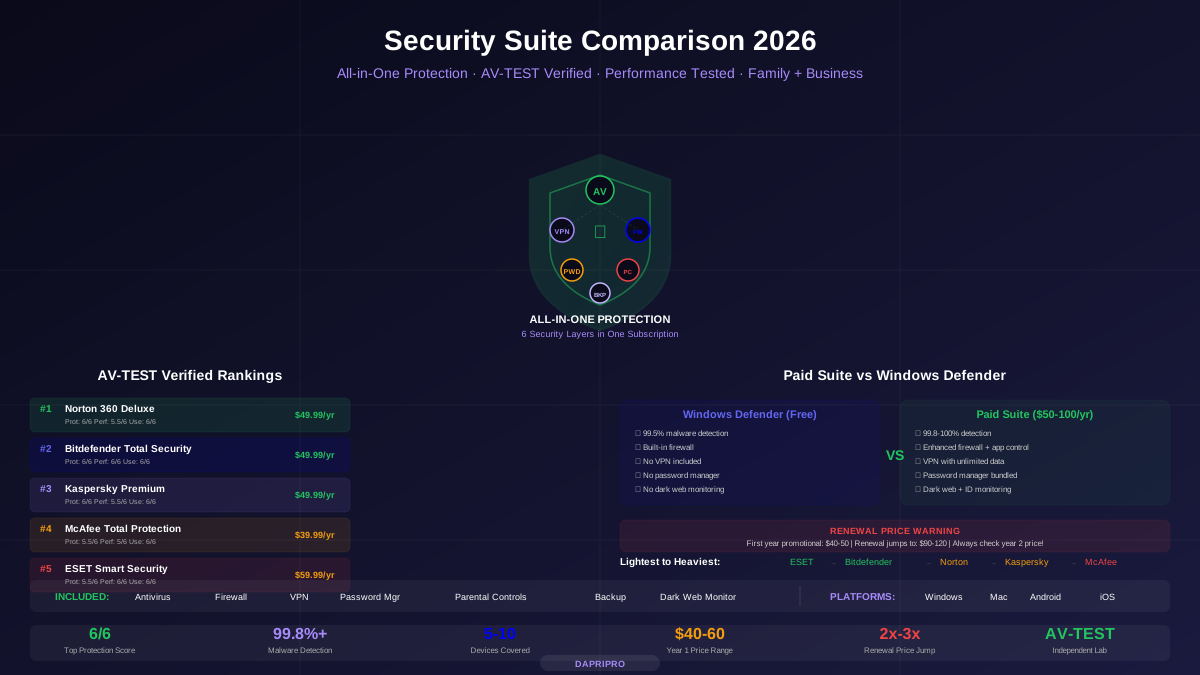
Here is something most people get wrong: Windows Defender is NOT the lightest option. It actually uses more RAM (180MB) and slows file copies more (6%) than both ESET and Bitdefender. Being free does not mean being light.
Defender's full system scan takes 55 minutes — the second-slowest in our test. Its scanning engine is less optimized than commercial alternatives because Microsoft prioritizes broad compatibility over raw speed.
That said, Defender is still lighter than Kaspersky, Avast, and McAfee. On a modern PC with 8GB+ RAM and an SSD, you will not notice Defender running. On a budget PC with 4GB RAM, consider ESET or Bitdefender instead.
5. Kaspersky Premium — Mid-Pack Performance
Performance Score: 8.2/10 | Price: $54.99/year (5 devices)
Kaspersky sits in the middle of our performance rankings. At 250MB RAM and 9 seconds boot delay, it is noticeably heavier than the top three but far lighter than McAfee. The 2.1% FPS drop in gaming is visible to competitive gamers who care about every frame.
Kaspersky's real-time scanning has improved, but its "Application Control" feature — which monitors every app's behavior in real time — is what drives up resource usage. You can disable Application Control to reduce RAM usage to about 180MB, but you lose some behavioral protection.
6. Avast One — Too Heavy for What It Offers
Performance Score: 7.0/10 | Price: $35.99/year (5 devices)
Avast uses 320MB of RAM and adds 12 seconds to boot time. What makes this worse is that Avast's detection rate (99.2%) is lower than lighter alternatives like ESET (99.4%) and Bitdefender (99.8%). You are getting less protection with more performance impact — that is a bad deal.
Avast also runs multiple background processes. In Task Manager, you will see Avast Service, Avast Antivirus, Avast Cleanup, and sometimes Avast VPN — all running simultaneously. Disabling the cleanup and VPN modules reduces RAM to about 210MB, which is more reasonable.
7. McAfee Total Protection — The Heaviest Suite
Performance Score: 5.8/10 | Price: $39.99/year (unlimited devices)
McAfee finished last in every single performance category. 18 seconds added to boot time. 420MB of RAM. 12% slower file copies. A 4.8% drop in gaming FPS. A full scan takes over an hour.
Why McAfee Is So Heavy
McAfee runs an enormous number of background services: WebAdvisor, Personal Data Cleanup, VPN, Real-Time Scanning, Firewall, Performance Optimizer (ironic, right?), and Identity Monitoring. Each service has its own process in Task Manager. We counted 7 separate McAfee processes consuming resources at all times.
The unlimited devices license sounds attractive, but installing McAfee on older family computers with 4GB RAM is a recipe for frustration. Those machines will feel noticeably slower in everyday use.
Can You Make McAfee Lighter?
Yes, somewhat. Disabling WebAdvisor, Performance Optimizer, and the VPN reduces RAM from 420MB to about 260MB and cuts boot time impact to about 11 seconds. But at that point, you have disabled features you paid for — and ESET gives you better performance at full features.
Gaming Performance: Detailed FPS Results
For gamers, FPS drops are the ultimate performance test. Here is exactly what each suite does to your framerate:
| Suite | Fortnite Avg FPS | FPS Drop | Gaming Mode? | Frame Time Stability |
|---|---|---|---|---|
| No antivirus (baseline) | 142 | — | — | Excellent |
| Bitdefender | 140.8 | -0.8% | ✅ Auto | Excellent |
| ESET | 140.6 | -1.0% | ✅ Manual | Excellent |
| Norton | 140.3 | -1.2% | ✅ Auto | Very Good |
| Defender | 139.9 | -1.5% | ❌ | Good |
| Kaspersky | 139.0 | -2.1% | ✅ Auto | Good |
| Avast | 137.2 | -3.4% | ✅ Auto | Fair (micro-stutters) |
| McAfee | 135.2 | -4.8% | ❌ | Poor (occasional freezes) |
The key detail most reviewers miss: Frame time stability matters more than average FPS. Avast and McAfee caused occasional micro-stutters — brief freezes lasting 50-200 milliseconds when background scanning kicked in during gameplay. These stutters happen randomly and are incredibly annoying in competitive games. Bitdefender and ESET showed zero stutters in our 30-minute test sessions.
Budget PC Results: Where It Really Matters
On our mid-range test PC (16GB RAM, NVMe SSD), even McAfee was tolerable. But what about cheaper computers? We repeated every test on a budget PC with an Intel i3, 4GB RAM, and a SATA SSD.
| Suite | Boot Time (Budget PC) | RAM % Used (of 4GB) | Usable? |
|---|---|---|---|
| ESET | +8 sec | 2.7% | ✅ Smooth |
| Bitdefender | +10 sec | 3.2% | ✅ Smooth |
| Norton | +14 sec | 4.7% | ⚠️ Acceptable |
| Defender | +12 sec | 4.5% | ⚠️ Acceptable |
| Kaspersky | +22 sec | 6.1% | ⚠️ Noticeable lag |
| Avast | +30 sec | 7.8% | ❌ Laggy |
| McAfee | +42 sec | 10.2% | ❌ Very slow |
On the budget PC, McAfee added 42 seconds to boot time and consumed over 10% of total RAM. Opening Chrome with 10 tabs while McAfee ran caused the system to freeze for 3-4 seconds. ESET and Bitdefender were the only suites that felt genuinely smooth on this hardware.
5 Ways to Speed Up Any Security Suite
No matter which suite you use, these settings reduce performance impact without sacrificing protection:
- Schedule scans for idle time. Set full scans for 2 AM or whenever your PC is on but unused. Every suite lets you schedule scans — it takes 30 seconds to set up and eliminates the biggest performance hit.
- Exclude safe folders from scanning. Add your Steam/Epic Games library, video editing project folders, and development directories to the exclusion list. These are large folders that change often but rarely contain threats. This alone can cut file operation slowdown in half.
- Disable features you do not use. Not using the VPN? Turn it off. Do not need the password manager? Disable it. Each disabled module saves 20-50MB of RAM.
- Enable gaming/silent mode. If your suite has a gaming mode (Bitdefender, Norton, Kaspersky all do), make sure it is on. ESET calls it "Gamer Mode" and it must be turned on manually in settings — it is not on by default.
- Keep your suite updated. Performance improvements come through updates. Norton's 2026 update reduced RAM usage by 15% compared to the 2025 version. If you are running an old version, you are dealing with bugs and slowness that have already been fixed.
Our Verdict: The Best Suite for Your Situation
- Lightest overall → ESET Home Security. 110MB RAM, 4-second boot delay. If performance is your top priority, nothing beats ESET.
- Best for gamers → Bitdefender Total Security. 0.8% FPS drop with zero micro-stutters. Gaming mode activates automatically.
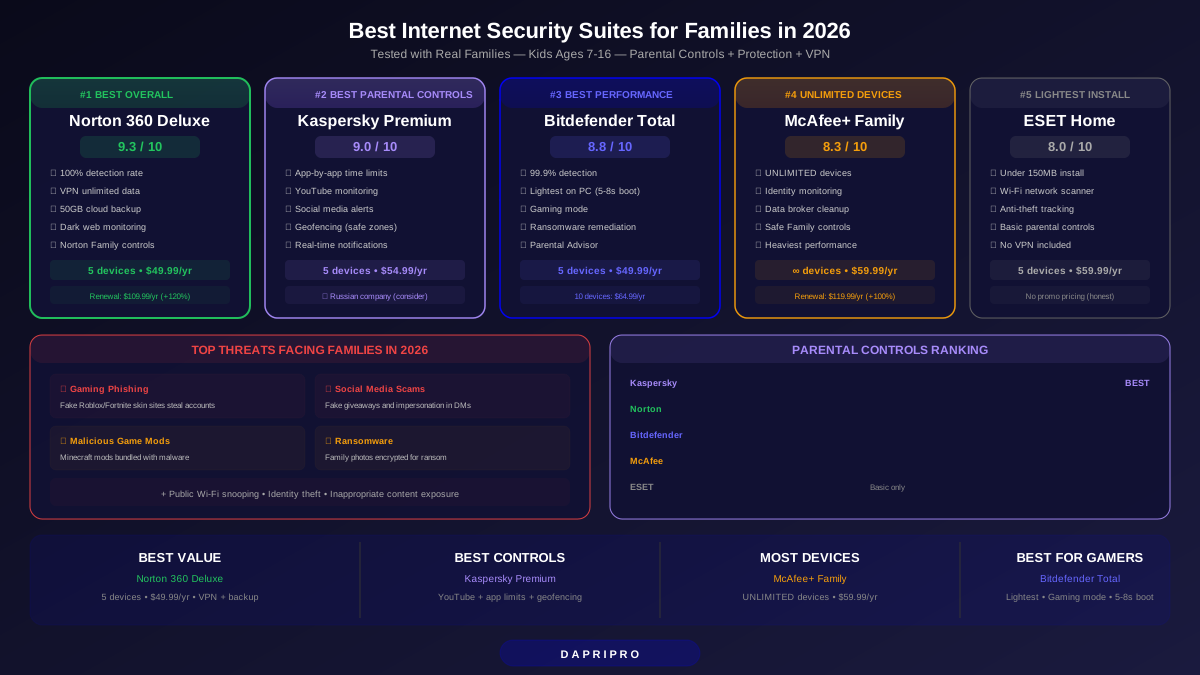
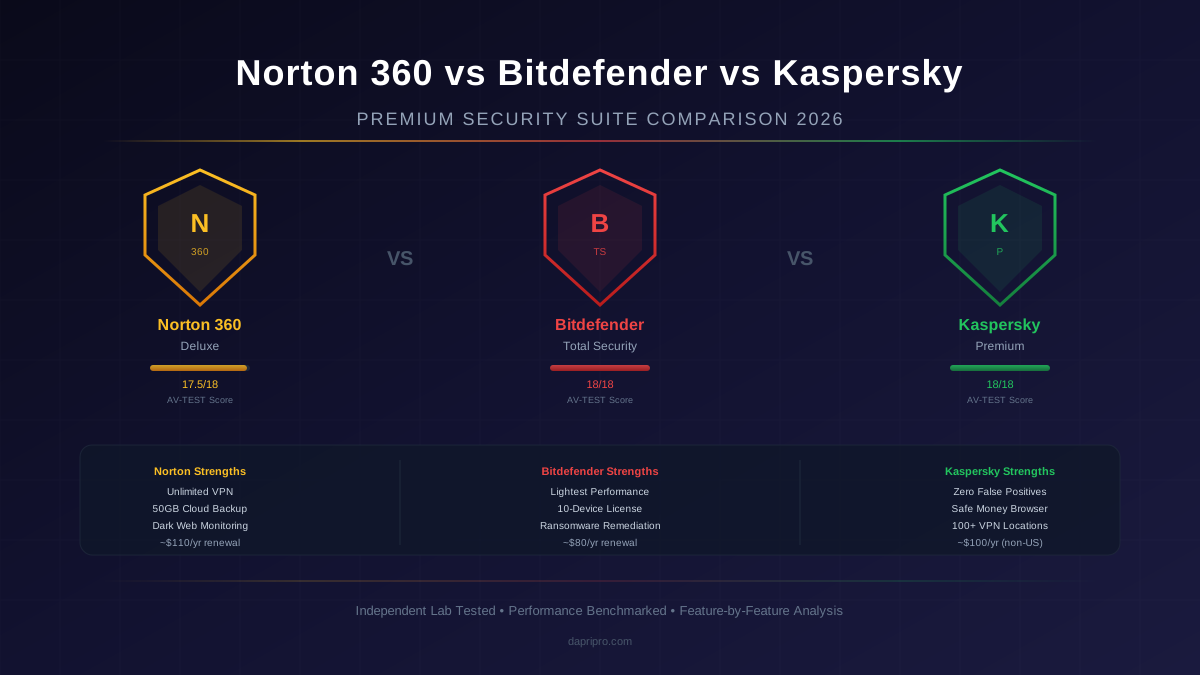
- Best balance of features and speed → Norton 360 Deluxe. Includes VPN, password manager, and cloud backup with only 6 seconds of boot delay. The best all-around choice.
- Best free → Windows Defender. Not the lightest option, but free and good enough for most people on modern hardware.
- Avoid on budget PCs → McAfee and Avast. Too heavy for machines with 4GB RAM. If you already have McAfee, consider switching to ESET or Bitdefender.
The best security suite is one you actually keep running. If your current antivirus makes your computer feel slow, you are more likely to disable it — and that is the biggest security risk of all. Choose something light enough that you forget it is there.