
You trust LinkedIn because it feels professional. Polished headshots, corporate titles, endorsements from people at Fortune 500 companies. That trust is exactly what scammers weaponize.
In the first half of 2026, LinkedIn scam reports jumped 137% compared to the same period in 2025. Fake recruiter schemes, AI-generated connection requests, and CEO impersonation attacks drained an estimated $680 million from professionals globally. Unlike Instagram or TikTok scams that prey on impulse, LinkedIn scams exploit your career ambitions, your professional network, and the implicit trust baked into a "business" platform.
This guide breaks down the nine most dangerous LinkedIn scams circulating right now, shows you exactly how each one works, and gives you the specific settings and habits that make you nearly impossible to target.
Why LinkedIn Is Now the #1 Social Engineering Target
LinkedIn is not just another social network. It is a self-updating intelligence database that professionals voluntarily populate with their real names, employers, job titles, locations, education histories, professional connections, and career ambitions. Attackers know this.
What makes LinkedIn uniquely dangerous:
- Real identity requirement — LinkedIn culture demands your actual name, photo, and employer, giving attackers verified starting points for social engineering
- Trust by association — A connection request from someone at your company or a partner firm triggers automatic trust responses that bypass normal skepticism
- Career vulnerability — Job seekers are emotionally invested and more likely to overlook red flags when they think an opportunity is real
- Business context — Messages about "partnerships," "investment opportunities," or "speaking invitations" feel normal on LinkedIn but would raise immediate suspicion on other platforms
- Data richness — A single LinkedIn profile typically provides enough information for a targeted spear-phishing attack against the individual or their employer
The FBI now categorizes LinkedIn-originated business email compromise (BEC) as a top-five cybercrime vector, with losses exceeding those from ransomware in certain sectors.
The 9 Most Dangerous LinkedIn Scams in 2026
1. The Fake Recruiter Advance-Fee Scam
How it works: A "recruiter" from a recognizable company reaches out with a dream job offer. The salary is above market rate. The role matches your skills perfectly. After a brief "interview" over chat, you are told you got the job — but you need to pay for background checks, training materials, or equipment that will be "reimbursed on your first paycheck."
Red flags:
- Job offer after a text-only interview with no video call
- Any request for payment — legitimate employers never charge candidates
- The recruiter profile was created in the last 90 days
- No matching job listing on the company official careers page
- Immediate push to move conversation to WhatsApp, Telegram, or personal email
Average loss: $3,200 per victim. Some sophisticated versions also harvest credentials through fake "onboarding portals."
2. AI-Generated Profile Networks
How it works: Threat actors deploy networks of 50-200 fake profiles created with AI-generated headshots, fabricated work histories, and auto-generated endorsements that cross-reference each other. These profiles build credibility over 2-3 months by posting AI-written thought leadership content, then pivot to targeting specific individuals or companies.
Red flags:
- Profile photo passes reverse image search (AI-generated images are unique) but shows subtle asymmetry in ears, glasses, or teeth
- Employment history has gaps that do not align with LinkedIn tenure
- Posts receive engagement exclusively from other new profiles
- Connection count jumps from 0 to 500+ within weeks
Why it is dangerous: AI headshots now fool human reviewers 78% of the time. The "network effect" — where fake profiles endorse each other — creates artificial credibility that defeats casual inspection.
3. LinkedIn Premium Trial Phishing
How it works: You receive an email that looks identical to a LinkedIn notification offering a free Premium trial or warning that your Premium subscription is about to expire. Clicking leads to a pixel-perfect login page that harvests your credentials.
Scale: This single campaign compromised 2.1 million accounts in the first half of 2026. The phishing pages used domains like linkedln-premium-upgrade.com (note the lowercase L replacing the I) and included your actual profile name and photo pulled from public data.
Protection: Never click links in LinkedIn emails. Open your browser, navigate to linkedin.com directly, and check your notifications there.
4. CEO / Executive Impersonation
How it works: An attacker creates a profile impersonating your CEO, CFO, or a senior executive. They connect with employees at the target company, then send urgent messages requesting wire transfers, gift card purchases, or access credentials. The LinkedIn context makes the request feel more legitimate than email-based BEC.
Average loss per successful attack: $47,000 for wire transfer fraud, $2,800 for gift card scams.
5. Crypto Investment / Romance Scams (Pig Butchering)
How it works: An attractive profile builds a professional relationship over weeks or months, gradually steering conversations toward cryptocurrency investments. Victims are directed to fake trading platforms that show fabricated returns, encouraging larger and larger deposits before the platform "goes offline."
Why LinkedIn specifically: The professional veneer makes victims less guarded. "Investment advice from a fellow executive" carries more weight than a random DM on Instagram.
6. Fake Partnership / Vendor Proposals
How it works: A message from a seemingly legitimate company proposes a partnership, speaking engagement, or vendor relationship. The attached "proposal document" or "NDA" contains malware, or the fake portal used to "sign" the agreement harvests credentials.
7. LinkedIn Learning Certification Scams
How it works: Promoted posts or messages offer "exclusive" LinkedIn Learning certifications, industry credentials, or professional development courses at steep discounts. Payment goes to the scammer, and the "certification" is worthless or the link installs malware.
8. Connection Request Malware Drops
How it works: A new connection sends a follow-up message with a link disguised as a portfolio, resume, or business proposal. The link either downloads malware directly or leads to a site that exploits browser vulnerabilities. In 2026, PDF attachments sent through LinkedIn messages are a growing vector.
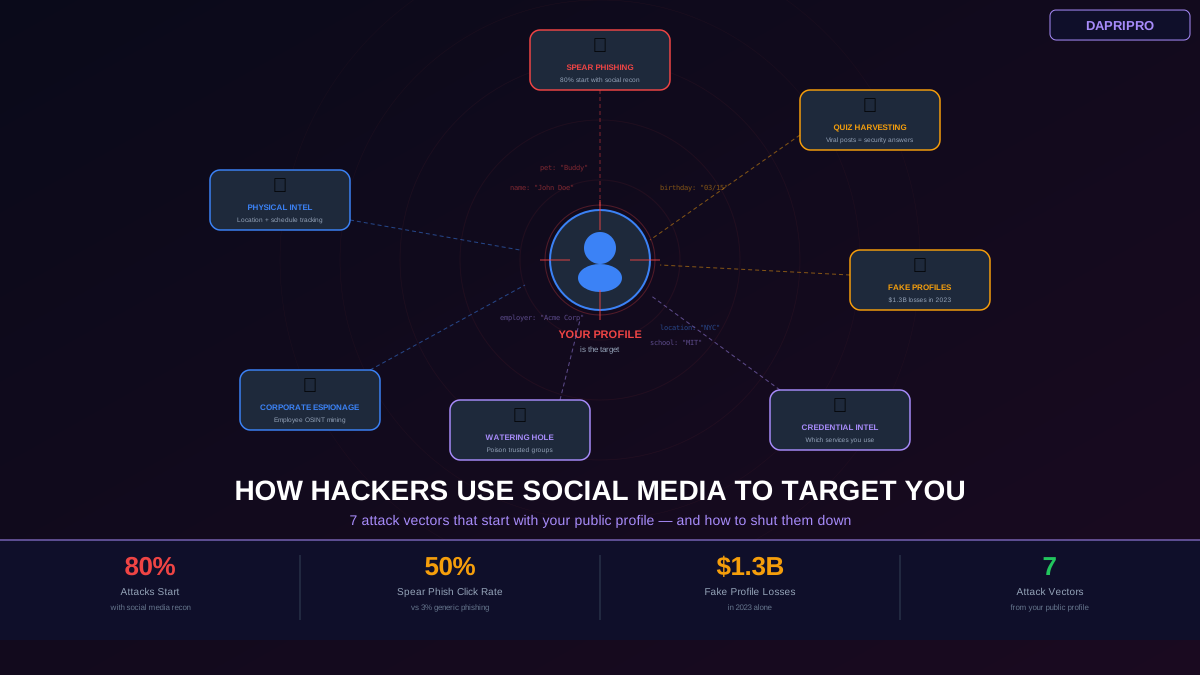
9. Data Harvesting for Spear-Phishing
How it works: This is not a scam you will notice happening. Attackers collect your LinkedIn data — name, employer, title, connections, posted content — to craft highly targeted phishing emails sent to your work address. The email references a real LinkedIn post you made or a connection you share, making it nearly impossible to identify as phishing without careful analysis.
How to Spot AI-Generated LinkedIn Profiles
AI-generated profiles are the foundation of most modern LinkedIn scam operations. Here is what to look for when the headshot alone is not enough:
Photo analysis:
- Check for asymmetry in earrings, glasses arms, or collar details — AI still struggles with these
- Background may be perfectly smooth or contain blurred impossible objects
- Hair at the edges where it meets the background often has artifacts
- Run the image through an AI detection tool like Hive Moderation or Illuminarty
Behavioral signals (more reliable than photo analysis):
- Profile age under 6 months with 500+ connections
- Posts receive engagement exclusively from other new or low-activity profiles
- Employment dates do not align with the account creation date (claims 10 years at a company but the profile is 3 months old)
- Generic endorsements from profiles that share similar characteristics
- About section uses vague buzzwords without specific accomplishments or metrics
- No mutual connections with anyone you actually know
The network test: Check the profile connections. If the first 20 visible connections all have similar creation dates, AI-generated photos, and generic bios, you are looking at a coordinated fake network.
LinkedIn Security Settings You Must Change Right Now
LinkedIn default settings prioritize visibility and engagement — not your security. These are the settings that need to change immediately:
Authentication and Access
- Enable two-step verification — Settings > Sign in & security > Two-step verification. Use an authenticator app, not SMS
- Review active sessions — Settings > Sign in & security > Where you are signed in. Revoke anything you do not recognize
- Set up passkey access — If your device supports it, add a passkey as your primary login method for phishing-resistant authentication
Profile Visibility Controls
- Edit your public profile — Settings > Visibility > Edit your public profile. Disable public listing entirely, or at minimum hide your email, phone, and connections list
- Profile viewing options — Switch to "Private mode" so your browsing activity is not visible to potential attackers conducting reconnaissance
- Connection list visibility — Set to "Only you." Your connection list is a targeting goldmine for attackers
- Last name display — Consider showing only your first name initial to reduce scraping value
Communication and Data Settings
- InMail preferences — Restrict who can send you messages to 1st-degree connections only if you are not actively job hunting
- Connection invitations — Require an email address for connection requests (this alone blocks most fake profile outreach)
- Data sharing with third parties — Settings > Data privacy > How LinkedIn uses your data. Disable everything unless you have a specific reason to keep it enabled
- Ad-related data — Turn off all ad targeting options under Data privacy > Advertising data
Notification Security
- Email notifications — Reduce to minimum. The fewer legitimate LinkedIn emails you receive, the easier it is to spot phishing attempts
- Login alerts — Enable notifications for unrecognized sign-in attempts
The LinkedIn Data Exposure Problem
Most professionals do not realize how much data LinkedIn exposes by default. Even with a "private" profile, significant information leaks through platform features:
- People Also Viewed — Reveals your browsing patterns and professional interests to anyone viewing your profile
- Endorsement data — Shows your skill set with social proof, useful for crafting targeted phishing lures
- Activity feed — Your likes, comments, and posts reveal your opinions, interests, and current projects
- Company page associations — Confirms your employment and department, enabling organizational charting
- Group memberships — Expose your professional interests and potential vulnerabilities (joining a "job seekers" group signals you may be susceptible to recruiter scams)
Every data point you add to LinkedIn is a potential attack vector. Before adding information, ask: "Would I want a stranger who means me harm to know this?"
What to Do When You Receive a Suspicious LinkedIn Message
Follow this exact process every time you receive an unexpected message on LinkedIn:
- Check the profile age — Click the sender profile, scroll to "About this profile" (three dots > About this profile). Note when the profile was created. Profiles under 6 months old warrant extra scrutiny
- Verify the company — If they claim to represent a company, go to that company actual LinkedIn page and check if the person appears in the employee list. Search the company career page for the mentioned job opening
- Reverse search the photo — Right-click the profile photo and search by image. AI-generated photos will not appear anywhere else, but stolen photos from real people will show up on other profiles
- Check mutual connections — No mutual connections with anyone you know is a significant red flag, especially if they claim to be in your industry
- Never open attachments from unverified contacts — If someone you do not know sends a PDF, document, or link, treat it as malicious until proven otherwise
- Report suspicious profiles — Click the three dots > Report/Block > select the appropriate reason. LinkedIn takes down an average of 32 million fake profiles per quarter
Protecting Your Employer from LinkedIn-Based Attacks
LinkedIn scams do not just target individuals. They are a primary entry vector for corporate attacks. If you hold any position of authority or access within your organization:
- Alert your security team about recruiter or executive impersonation attempts — these may be the opening move of a larger campaign targeting your company
- Do not confirm sensitive organizational details in LinkedIn messages, including project names, vendor relationships, internal tools, or org chart specifics
- Coordinate with HR to publish a clear company policy about how actual recruiters and partners will contact employees
- Advocate for LinkedIn security training as part of your organization security awareness program — most corporate training covers email phishing but ignores social media entirely
- Report impersonation of executives to LinkedIn Trust & Safety immediately. Also report to the FBI IC3 if financial loss occurred
LinkedIn Scam Response Checklist
If you think you have been targeted or have already interacted with a scam:
- Immediately — Change your LinkedIn password. Enable 2FA if not active. Revoke all sessions under Sign in & security
- Within 1 hour — Check if you reused that password anywhere else and change those too. Run a malware scan if you clicked any links or downloaded files
- Within 24 hours — Report the profile to LinkedIn. If financial information was shared, contact your bank. If work credentials were compromised, notify your IT/security team
- Within 1 week — Place a fraud alert on your credit if personal financial data was exposed. File a report with your local cybercrime authority and the FBI IC3 if applicable
- Ongoing — Monitor your email for suspicious password reset attempts. Watch for new accounts created using your identity. Consider a credit monitoring service
The Job Seeker's Survival Kit
Job seekers are the most vulnerable LinkedIn users. Your career anxiety makes you a perfect mark. These rules protect you without hurting your job search:
- Verify every recruiter independently — Search the recruiter name on the company website. Call the company number from their official site (not what the recruiter sends you) and ask to be transferred
- Legitimate jobs never require payment — No real employer charges for background checks, training materials, equipment, or application processing. Zero exceptions
- Interviews happen on video, not chat — Any company that "hires" you without a video interview in 2026 is not hiring you. They are scamming you
- Salary too good to be true — If a role offers 40%+ above market rate with minimal requirements, it is bait
- Keep your job search settings targeted — Use LinkedIn "Open to Work" visibility settings to show your availability only to recruiters, not your entire network
- Never share SSN, banking details, or passport copies before receiving and verifying a written offer on official company letterhead
The Bottom Line
LinkedIn scams work because the platform's professional context lowers your guard. A message that would immediately trigger suspicion on Instagram or Facebook feels normal when it comes from someone with "VP of Talent Acquisition" under their name and 500+ connections.
The defense is straightforward: lock down your security settings, verify every unsolicited contact independently, never click links or open attachments from people you have not verified, and remember that if something sounds too good — the perfect job, the incredible investment, the exclusive partnership — it almost certainly is.
Your LinkedIn profile is your professional identity. Treat its security with the same seriousness you would give to protecting your company network, because increasingly, they are the same thing.