Your Phone Number Is the Weakest Link in Your Security
Your phone number has become a skeleton key to your digital life. It is tied to your bank account, your email, your social media, your cryptocurrency exchange, your Amazon account, and dozens of other services. When these services need to verify your identity, they send a text message to your phone number. This creates a dangerous assumption: whoever receives texts at your number must be you.
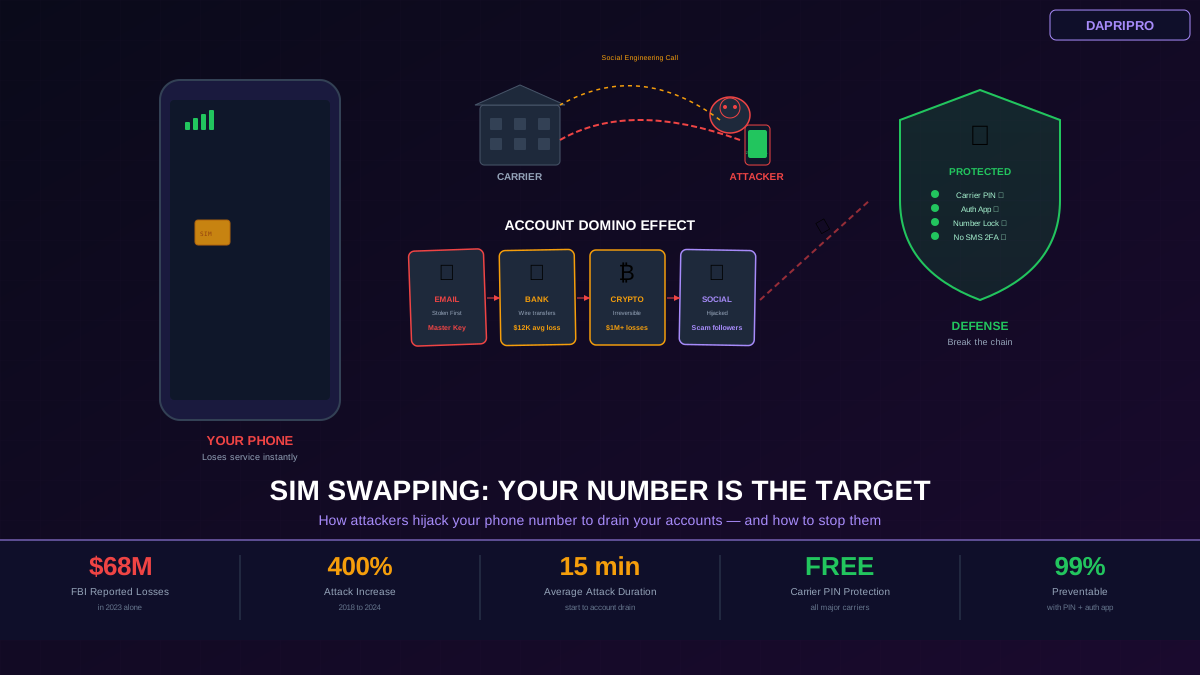
SIM swapping exploits this assumption. An attacker convinces your cellular carrier to transfer your phone number to a SIM card they control. Suddenly, they receive all your calls and texts. Every "Verify your identity" code goes to them. Within minutes, they can reset your email password, access your bank account, drain your cryptocurrency wallet, and lock you out of everything.
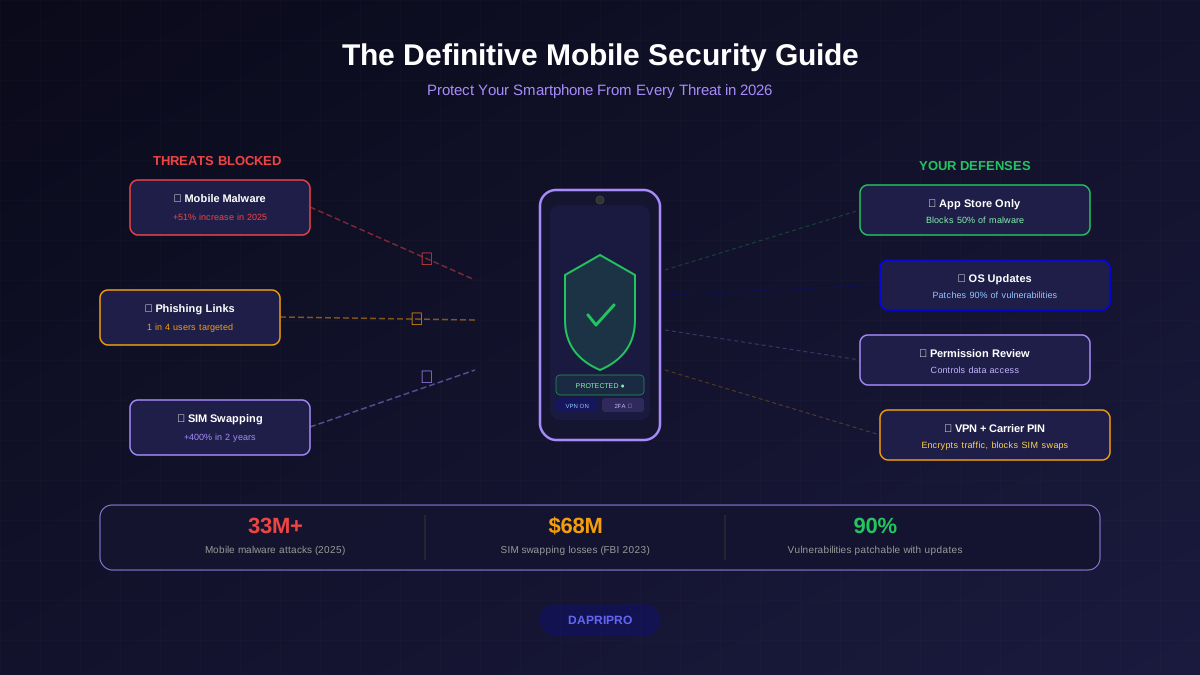
This is not theoretical. The FBI reported $68 million in SIM swapping losses in 2023, up from $12 million in 2020. Attacks have increased over 400% in five years. Victims include tech executives, cryptocurrency investors, social media influencers, and ordinary people whose phone numbers happened to be connected to valuable accounts.
How a SIM Swap Attack Works — Step by Step
Step 1: Information Gathering
Before calling your carrier, the attacker needs to know enough about you to pass identity verification. They collect your full name, date of birth, address, and last four digits of your SSN from data breaches (available on dark web marketplaces for $1 to $10 per record). They check social media for additional details — your birthday, hometown, school, and answers to common security questions. They may purchase your information from data brokers who aggregate public records.
Step 2: Contacting Your Carrier
The attacker calls your carrier customer service and says they lost their phone or need a new SIM card. Using the personal information gathered in step 1, they pass identity verification. Some attackers use a more direct approach: they bribe carrier retail employees ($500 to $1000 per swap is common) or use insider access within the carrier organization. T-Mobile alone has had multiple employees arrested for facilitating SIM swaps.
Step 3: Your Number Moves
Once the carrier processes the request, your phone number is transferred to the attacker SIM card. Your phone immediately loses cellular service — calls and texts now go to the attacker device. You might not notice right away if you are on Wi-Fi or asleep.
Step 4: Account Takeover
The attacker works fast. They go to your email provider, click "Forgot Password," and request a verification code via SMS. The code goes to their phone. They reset your email password. Now they own your email account, which is the master key to everything else. They search your email for bank statements, crypto exchange confirmations, and other financial account information. They repeat the password reset process for each account, using SMS verification codes that all come to their phone.
Step 5: Financial Theft
With access to your accounts, they transfer money from your bank account, sell or transfer cryptocurrency (these transactions are irreversible), rack up charges on stored payment methods, and apply for credit using your identity. Average financial loss per SIM swap victim is $12,000, but cryptocurrency-focused attacks have resulted in losses exceeding $1 million.
How to Protect Yourself from SIM Swapping
Set Up a Carrier PIN Immediately
Every major US carrier offers a PIN or passcode that must be provided before any account changes (including SIM swaps) can be processed. This is your first and most important defense.
T-Mobile: Log into your account at t-mobile.com → Account → Security → create an Account PIN and enable SIM Protection. SIM Protection specifically blocks SIM changes at retail stores and customer service until you verify through the T-Mobile app.
AT&T: Call 611 or log in at att.com → Account → Sign-in Info → set a Wireless Passcode. Also enable Extra Security, which requires this passcode for all account changes.
Verizon: Log in at verizon.com → Account → Security → set an Account PIN. Also activate Number Lock, which prevents your number from being ported to another carrier.
Important: Choose a PIN that is NOT your birthday, last four of your SSN, or any number an attacker could guess from your personal information. Use a random 6+ digit number and store it in your password manager.
Replace SMS 2FA with Authenticator Apps
This is the step that makes SIM swapping unprofitable. If your accounts use authenticator apps instead of SMS for two-factor authentication, a SIM swap gives the attacker your phone number but NOT your 2FA codes. The attacker cannot complete account takeovers without these codes.
Recommended authenticator apps:
1. Google Authenticator — Simple, reliable, now supports cloud backup. Available free on iOS and Android. 2. Authy — Multi-device sync, encrypted cloud backup, works across phone and desktop. Free. 3. Microsoft Authenticator — Integrates well with Microsoft accounts, supports push notifications for faster login. Free. 4. Hardware key (YubiKey, $25-$55) — Physical device that must be plugged in or tapped to authenticate. Cannot be phished, cloned, or remotely compromised. The strongest option for high-value accounts.
Switch these accounts first (highest ROI for your time): email (Gmail, Outlook, ProtonMail), banking and financial apps, cryptocurrency exchanges, social media (especially if you have a large following), Amazon and other shopping accounts with stored payment methods.
Lock Down Your Personal Information
SIM swaps succeed because attackers can gather enough personal information to pass carrier identity verification. Reduce your exposure:
1. Remove your information from data broker sites — use DeleteMe ($129/year) or manually opt out from the major brokers (Spokeo, WhitePages, BeenVerified, Intelius). 2. Set social media profiles to private and remove your birthday, phone number, and hometown from public profiles. 3. Use unique, random answers for security questions — "What city were you born in?" should be answered with something like "PurpleDinosaur42," not your actual birthplace. Store these answers in your password manager. 4. Use a Google Voice or other VoIP number for public-facing accounts, keeping your real carrier number private.
What to Do if You Get SIM Swapped
If you suddenly lose cellular service, act immediately. Every minute matters.
First 5 minutes: Call your carrier from a different phone (use a family member phone, a coworker phone, or a landline). Report an unauthorized SIM change. If you cannot reach your carrier by phone, go to a physical carrier store with government-issued ID. Demand immediate reversal of the SIM change.
Next 15 minutes: From a trusted computer (not your phone, which is compromised), change your email password first — this is the master key to all other accounts. Enable 2FA on your email using an authenticator app. Change passwords for banking and financial accounts next. Check bank accounts for unauthorized transactions and report any immediately.
Within the hour: Freeze your credit with all three bureaus (Equifax, Experian, TransUnion) — this can be done online and prevents the attacker from opening new credit in your name. Change passwords for all remaining accounts (social media, shopping, work). File a report with the FBI IC3 (ic3.gov) and local police — you will need these reports for any financial recovery claims.
Following days: Monitor all accounts for suspicious activity. Contact your bank fraud department for any unauthorized transactions. Review your credit reports for new accounts. Consider a professional identity theft recovery service like IdentityForce or Identity Guard if the attacker accessed significant personal information.
The Long-Term Fix: Make Your Phone Number Disposable
The fundamental problem is that your phone number has become an identity credential — something it was never designed to be. The long-term solution is to decouple your phone number from your digital identity:
1. Use authenticator apps instead of SMS for all 2FA. This removes the incentive for SIM swapping entirely. 2. Use a Google Voice number for non-critical accounts. Google Voice numbers cannot be SIM swapped because they are tied to your Google account, not a carrier SIM. 3. Use email-based recovery instead of phone-based recovery. Where services give you a choice, use email verification with a secure email provider (ProtonMail, Tutanota) instead of SMS verification. 4. Use a password manager. With unique, random passwords for every account, a SIM swap cannot be used for "Forgot Password" attacks because the attacker does not know the password to begin with and SMS reset is disabled.
These steps transform your phone number from a master key into just a way to make calls — which is all it should ever have been.