The Real State of Mobile Security in 2026
Every year the same debate rages: iPhone or Android for security? Both sides cherry-pick statistics to declare victory. Apple fans point to Android malware numbers. Android fans point to sideloading freedom and transparency. Neither side gives you the complete picture.
The reality: both platforms have evolved dramatically, and the security gap has narrowed significantly. Modern Android (14+) and iOS (17+) both offer hardware-backed encryption, app sandboxing, biometric authentication, and real-time threat detection. The differences that remain are architectural — how each platform approaches the fundamental trade-off between openness and control.
This comparison uses independent testing data from AV-TEST Institute, security research from organizations like Lookout and Zimperium, actual vulnerability databases (CVE/NVD), and documented attack campaigns rather than marketing claims from either Apple or Google.
Malware and Threat Landscape
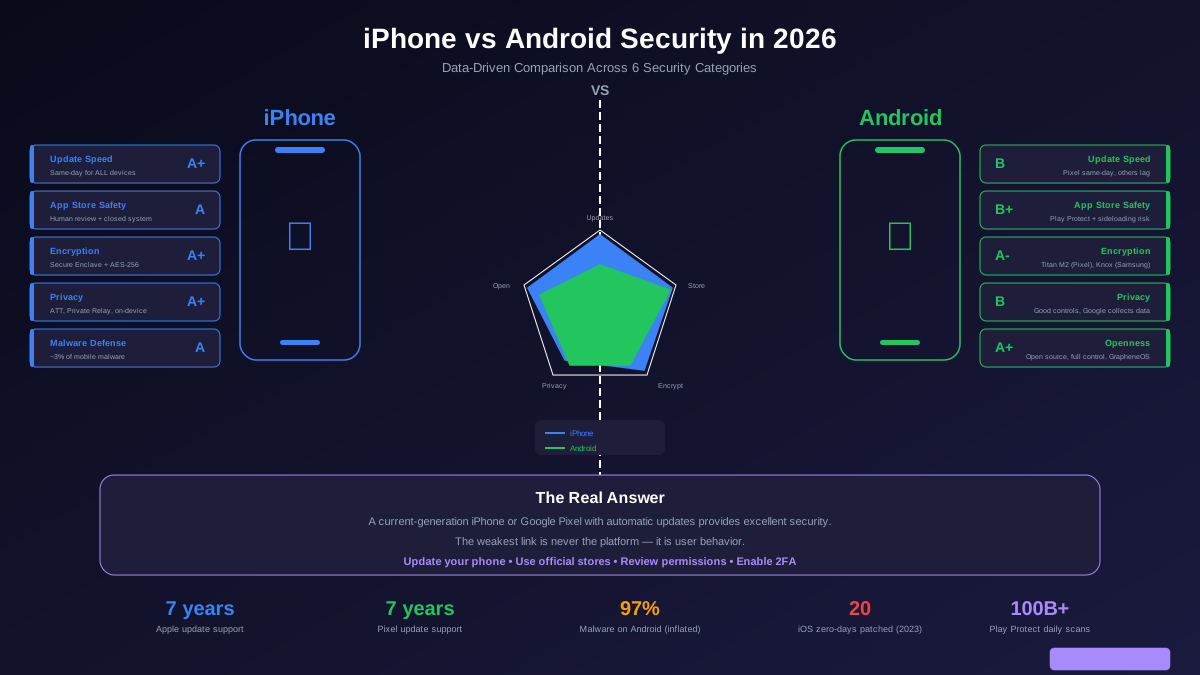
The most-cited statistic in this debate is that Android accounts for 97% of mobile malware. This is factually accurate but deeply misleading without context.
Why Android malware numbers are inflated: The vast majority of Android malware comes from sideloaded apps (installed outside the Play Store) and third-party app stores common in regions where Google Play is unavailable or restricted. In China alone, which represents the largest Android market, Google Play does not operate — users install apps from dozens of third-party stores with minimal security review. These markets inflate global Android malware statistics enormously.
Play Store vs App Store comparison: When comparing only official app stores, the gap narrows significantly. Google removed 700,000+ apps from Play Store in 2023 for policy violations. Apple removed approximately 1.7 million app submissions in the same period. Both stores have malware that slips through review, but Apple App Store detects threats at the review stage more consistently due to stricter human review and a smaller app volume to process.
Zero-day exploits: This is where the narrative flips. In 2023, Apple patched 20 actively exploited zero-day vulnerabilities in iOS. Android had fewer documented zero-days in the same period. This does not mean iOS is less secure — it means iOS is a higher-value target for sophisticated attackers, and Apple is aggressive about finding and patching these issues.
Update Speed and Patch Distribution
Security updates are the single most important factor in mobile security. An unpatched vulnerability is an open door, regardless of which platform you use.
iPhone: Apple controls both hardware and software, which means security patches go to every supported iPhone simultaneously. When Apple releases a patch for a critical vulnerability, an iPhone 12 and an iPhone 16 both get it on the same day. Apple supports devices for 6 to 7 years. This consistency is the single biggest security advantage iPhone has over Android.
Android: Android updates follow a fragmented path: Google releases a patch → the device manufacturer adapts it for their hardware → the carrier (if applicable) approves it → it reaches your phone. This process creates delays of weeks to months. Google Pixel phones get updates the same day as iOS since Google controls both hardware and software. Samsung Galaxy S and A series phones typically get monthly updates within a few weeks. Other manufacturers vary wildly — some push monthly updates, others quarterly, and budget brands may never update at all.
The verdict: If you care about updates, buy a Google Pixel or an iPhone. Both get same-day patches from the company that makes the operating system. If you buy a mid-range Android from a lesser-known brand, you are gambling on whether your phone will receive timely security patches.
App Ecosystem Security
iPhone App Store: Every app undergoes human review before publication. Apple mandates that apps use system APIs (no private API access), run in sandboxes with no cross-app data access, and declare all data collection in privacy nutrition labels. Apps cannot run background processes freely. Sideloading is limited to the EU (under DMA regulation) with additional security review. The closed system means fewer attack surfaces but also less user choice.
Google Play Store: Google uses a combination of automated scanning (Google Play Protect) and human review. Play Protect scans over 100 billion apps daily across all Android devices. Google has invested heavily in AI-powered threat detection that analyzes app behavior in real-time, not just at review time. However, the sheer volume of submissions (2 million+ annually) means some threats slip through. Android allows sideloading by default, which is a double-edged sword — power users benefit, but less technical users can be tricked into installing malicious apps.
Real-world impact: Both stores have had high-profile malware incidents. The Goldoson malware was found in 60+ Play Store apps with 100 million combined downloads. The XcodeGhost attack compromised apps in the Apple App Store through infected developer tools. Neither store is immune to threats, but the Play Store has a larger surface area for attacks due to volume and openness.
Encryption and Data Protection
iPhone: All iPhones use hardware-encrypted storage through the Secure Enclave, a dedicated security chip that handles encryption keys, biometric data, and cryptographic operations separately from the main processor. Full-disk encryption is enabled by default with AES-256. The Secure Enclave has its own boot ROM and processor, so even if the main OS is compromised, encryption keys remain protected.
Android: Modern Android devices (10+) require file-based encryption by default. Google Pixel phones include the Titan M2 security chip, which functions similarly to Apple Secure Enclave. Samsung uses Knox with the Secure Processor. However, the quality of hardware security varies across Android manufacturers — budget devices may use software-only encryption without a dedicated security chip, which is weaker than hardware-backed alternatives.
The verdict: Flagship Android phones (Google Pixel, Samsung Galaxy S series) match iPhone encryption quality. Budget and mid-range Android devices often fall short due to lacking dedicated security hardware.
Privacy and Data Collection
This is where the platforms diverge most dramatically because of their business models.
Apple business model: Apple makes money selling hardware. Privacy is a competitive differentiator. Features like App Tracking Transparency (which lets you block cross-app tracking), on-device processing for Siri and Photos, Private Relay (which encrypts Safari traffic), and Hide My Email reflect a business incentive to protect user privacy.
Google business model: Google makes money from advertising. Android collects significantly more user data by default — location history, search history, app usage, browsing activity, and voice recordings power the advertising network that generates most of Google revenue. Google has improved privacy controls significantly (Privacy Dashboard, auto-delete for location and activity history, improved permission management), but the default settings still favor data collection.
What this means for you: Out of the box, iPhone collects less personal data. Android can be configured for excellent privacy, but it requires actively changing default settings, disabling advertising personalization, and limiting Google service usage. For users who want privacy without effort, iPhone wins this category. For users willing to configure their device, tools like private DNS, per-app VPN, and alternative app stores on Android provide privacy options that iPhone does not offer.
Enterprise and High-Risk Security
Apple Lockdown Mode: Available since iOS 16, Lockdown Mode is designed for high-risk individuals — journalists, activists, political dissidents, and government officials. It blocks most message attachment types (preventing zero-click exploits), disables complex web technologies (preventing browser exploits), blocks unknown FaceTime callers, removes shared albums, and prevents profile installation. No equivalent feature exists on stock Android.
GrapheneOS: An open-source, security-hardened version of Android available for Google Pixel phones. GrapheneOS provides security features that exceed both stock Android and iOS: hardened memory allocator, network permission per app (no app can access the internet without explicit permission, a feature neither stock Android nor iOS offers), verified boot, scrambled PIN layout, and zero Google services by default. For technically sophisticated users willing to use a custom OS, GrapheneOS represents the most secure mobile option available.
Enterprise MDM: Both platforms support enterprise mobile device management. Apple Business Manager and Android Enterprise both offer containerization (separating work and personal data), remote wipe, enforced security policies, and managed app distribution. Apple is historically preferred in enterprise due to update consistency and predictable hardware, but Samsung Knox has gained significant enterprise market share by offering hardware-backed security with enterprise management tools.
The Verdict: It Depends on You
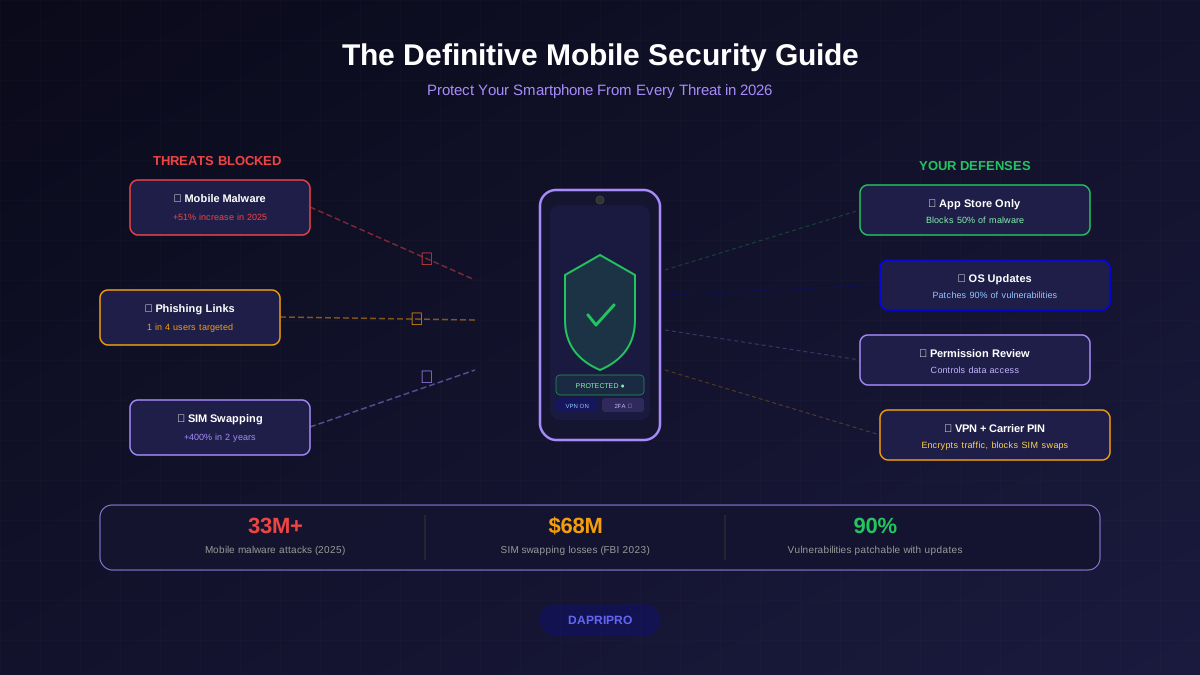
If you want the simple answer: A current-generation iPhone or Google Pixel with automatic updates enabled provides excellent security for the vast majority of people. The specific platform matters far less than these universal best practices:
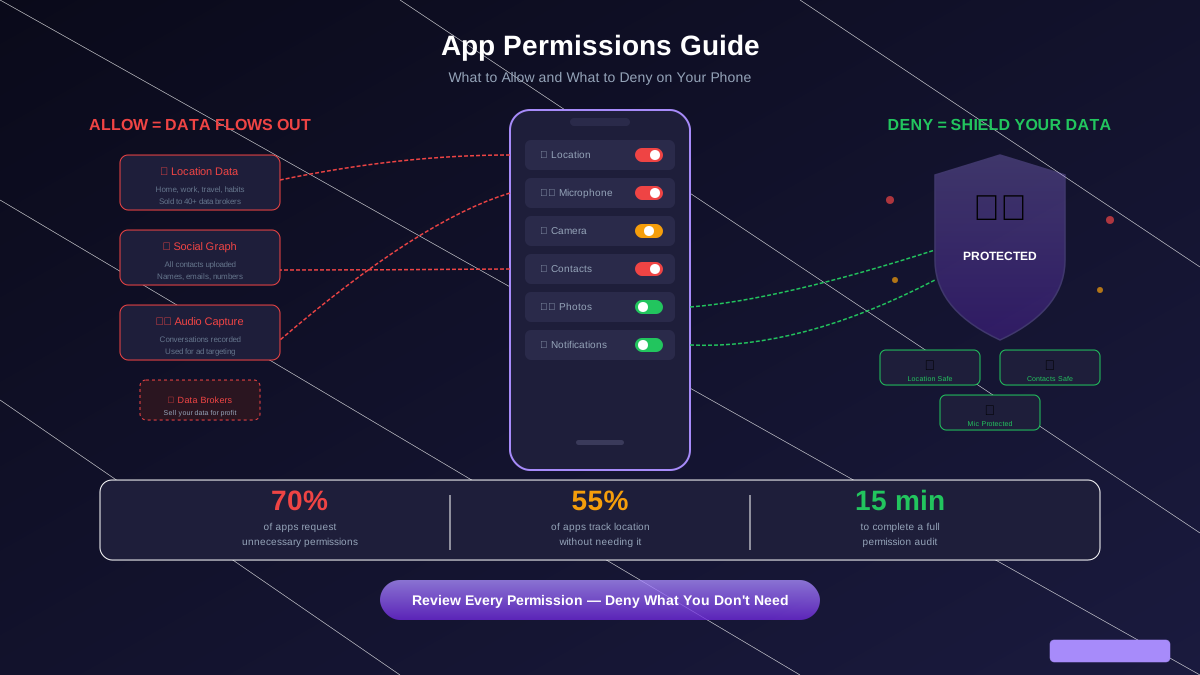
1. Keep your OS and apps updated — enable automatic updates. 2. Install apps only from the official app store. 3. Use a strong passcode and biometric authentication. 4. Review app permissions regularly. 5. Enable two-factor authentication on all important accounts. 6. Do not jailbreak or root your device. 7. Be skeptical of links in messages and emails.
The weakest link in mobile security is never the platform — it is the person using it. A security-conscious Android user is safer than a careless iPhone user who clicks every link and grants every permission. Choose the platform that fits your needs, keep it updated, and practice good security habits.