Your email provider reads your email. Not metaphorically — literally. Gmail processes the content of every message for spam detection, phishing protection, Smart Compose suggestions, and package tracking notifications. Outlook.com scans email for Microsoft 365 Copilot features and advertising in the free tier. Yahoo Mail disclosed in its 2024 privacy policy that it scans email content for "personalized advertising and content." Every free email service from a major tech company treats your inbox as a data source.
Even when these companies say they "stopped using email for ad targeting" (as Google did in 2017), they still process email content and collect metadata — who you email, how often, when, subject lines, attachment types, and behavioral patterns. This metadata feeds advertising profiles, AI training datasets, and product development. You are the product being refined.
Privacy-focused email services operate on a fundamentally different model: they encrypt your email so that even the email provider cannot read it, they are funded by subscriptions rather than advertising, and they are headquartered in jurisdictions with strong privacy protections. This guide evaluates the leading privacy email services in depth — their encryption methods, their limitations, their jurisdiction implications, and whether they actually deliver on their privacy promises.
Why Standard Email Is a Privacy Failure
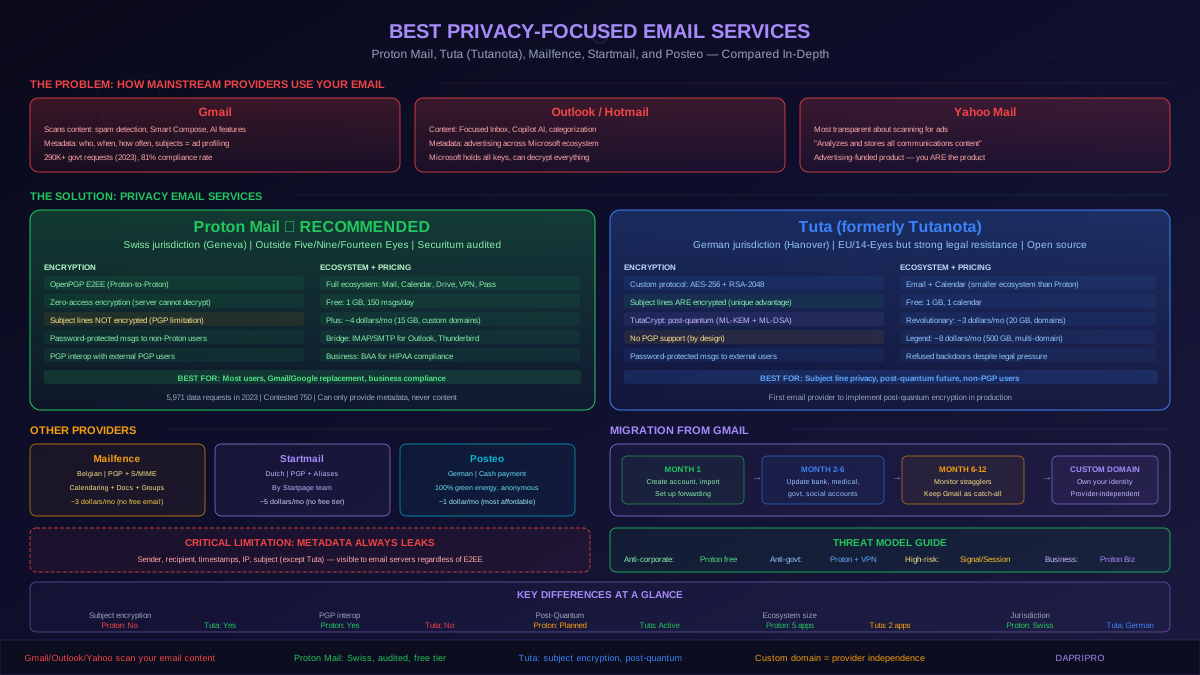
How Gmail, Outlook, and Yahoo handle your data
Email was invented in 1971 and standardized in the 1980s with zero encryption. SMTP (Simple Mail Transfer Protocol) transmits messages in plaintext between servers. Modern email providers added TLS for in-transit encryption (so messages are encrypted between your browser and the email server, and usually between email servers), but the email provider has full access to the plaintext content on their servers.
Gmail: Google processes every email for spam filtering (which requires reading content), phishing detection, Smart Compose (which requires understanding context), smart categorization (Primary, Social, Promotions tabs), and Google Assistant notifications (detecting flights, packages, appointments from email content). Google stopped scanning email for ad personalization in 2017 for Gmail, but continues to use Gmail metadata (sender, recipient, timestamp, frequency, subject lines) to build advertising profiles across its platform. Google holds encryption keys for all Gmail data at rest (AES-128) and can decrypt any email at will. Google received 290,662 government requests for user data globally in 2023 and complied with 81 percent.
Outlook.com / Hotmail: Microsoft processes emails for similar purposes: spam filtering, Focused Inbox categorization, Cortana calendar integration, and Microsoft 365 Copilot features. The free Outlook.com previously displayed ads personalized using email content — Microsoft officially ended this in 2014 but still uses metadata for advertising across its ecosystem. Enterprise Microsoft 365 customers have stronger data processing agreements, but Microsoft still holds all encryption keys and can access content.
Yahoo Mail: Yahoo (now part of Yahoo Inc, formerly Verizon Media / Oath) is the most transparent about scanning email for advertising. Yahoo's privacy policy states it "analyzes and stores all communications content, including email content" for purposes including personalized advertising. Yahoo Mail is an advertising-funded product. If ongoing email privacy is important to you, Yahoo Mail should be the first service you leave.
Understanding the metadata problem
Even if your email content is encrypted, metadata tells a detailed story. Metadata includes: sender email address, all recipient addresses (To, CC, BCC is visible to the sender's server), timestamps (sent, received, read), IP addresses of sender and recipient, subject lines (encrypted only by Tuta, not by Proton Mail or standard PGP), message size and attachment presence, email client and operating system fingerprint, and communication frequency patterns.
Former NSA Director Michael Hayden stated: "We kill people based on metadata." This is not hyperbole — metadata analysis reveals communication networks, behavioral patterns, relationships, and movements. For most threat models, metadata leakage is a more significant privacy risk than content exposure. No email service can eliminate metadata — email protocols fundamentally require sender and recipient addresses in plaintext for routing. For communication where metadata protection is critical (sources, whistleblowers, activists in authoritarian regimes), use Signal, Session, or Briar instead of email.
Proton Mail: The Most Mature Privacy Email
Encryption architecture
Proton Mail uses two layers of encryption. Zero-access encryption means all emails stored on Proton servers are encrypted with keys derived from your account password — Proton cannot decrypt them even if compelled by law. When you log in, your private key is decrypted locally in your browser or app. Your password never leaves your device; the server receives only a hash for authentication.
For Proton-to-Proton emails, end-to-end encryption uses OpenPGP. When you send an email to another Proton Mail user, the message is encrypted with the recipient's public key before leaving your device. Only the recipient's private key (decrypted by their password) can read it. Proton does not have access to either the content or the private keys.
For emails to non-Proton users (Gmail, Outlook, corporate email), you have two options: send unencrypted (standard SMTP with TLS in transit, but readable by the recipient's email provider), or send a password-protected message (the recipient receives a link to view the message on Proton's servers, entering a pre-shared password you communicate through a separate channel). Non-Proton recipients who use PGP can receive encrypted email if you import their public key.
What Proton Mail does NOT encrypt: Subject lines (visible in plaintext), sender and recipient email addresses, timestamps, and IP addresses (Proton logs IP addresses only under Swiss court orders, and recommends using Proton VPN or Tor for IP privacy). Email subject lines are a notable gap — they often contain sensitive information ("Invoice #12345," "Medical test results," "Job offer from CompanyX") and remain unencrypted in Proton Mail.
Jurisdiction and legal framework
Proton is headquartered in Geneva, Switzerland, and incorporated under Swiss law. Switzerland is not a member of the European Union and is not part of the Five Eyes, Nine Eyes, or Fourteen Eyes intelligence-sharing alliances. Swiss privacy law (the revised Federal Act on Data Protection, nFADP, effective September 2023) provides strong privacy protections — however, Switzerland does cooperate with international law enforcement through Mutual Legal Assistance Treaties (MLAT).
Proton must comply with valid Swiss court orders. In practice, this has meant providing: account recovery email addresses (if provided by the user), IP address logs (when ordered by a Swiss court — Proton routes requests through Swiss courts even if the original request comes from a foreign government), and creation timestamp of the account. Proton publishes a transparency report: in 2023, Proton received 5,971 data requests, contested 750 of them as invalid, and complied with the remainder by providing limited metadata (never email content, which they cannot decrypt).
Ecosystem and practical considerations
Proton has expanded from email into a full privacy ecosystem: Proton Mail (email), Proton Calendar (encrypted calendar), Proton Drive (encrypted cloud storage), Proton VPN (no-logs VPN, independently audited), and Proton Pass (end-to-end encrypted password manager). This ecosystem integration is Proton's strongest competitive advantage — it provides a genuinely usable alternative to the Google ecosystem (Gmail + Calendar + Drive) with privacy built in.
Free tier: 1 GB storage, 150 messages per day, limited folders/labels. Sufficient for personal use if you do not receive high email volume. Proton Mail Plus: 15 GB storage, unlimited messages, custom domain support, Proton Mail Bridge (IMAP/SMTP for desktop clients), approximately 4 dollars per month billed annually. Proton Unlimited: 500 GB storage, all Proton services included, approximately 10 dollars per month billed annually.
Tuta (Formerly Tutanota): Post-Quantum Ready Privacy Email
Encryption architecture
Tuta (rebranded from Tutanota in 2023) uses a proprietary encryption protocol rather than OpenPGP. The current protocol uses AES-256 for symmetric encryption and RSA-2048 for asymmetric key exchange. Tuta is migrating to TutaCrypt, its post-quantum encryption protocol that adds CRYSTALS-Kyber (ML-KEM) for key encapsulation and CRYSTALS-Dilithium (ML-DSA) for signatures — making Tuta the first email provider to implement post-quantum encryption in production.
Tuta's key advantage over Proton Mail is subject line encryption. Unlike OpenPGP (which leaves subject lines in plaintext), Tuta encrypts the entire message including the subject. This is meaningful because subject lines frequently contain sensitive information that standard email encryption leaves exposed.
For Tuta-to-Tuta emails, encryption is automatic and end-to-end. For emails to external users, Tuta offers password-protected messages (similar to Proton): the recipient receives a notification with a link to view the encrypted message on Tuta's servers, entering a pre-shared password. Tuta does NOT support PGP — this is a deliberate architectural choice prioritizing a cleaner encryption model over backward compatibility.
Jurisdiction and legal framework
Tuta is based in Hanover, Germany. Germany is a member of the European Union and part of the Fourteen Eyes intelligence-sharing alliance. German law includes the Telecommunications Monitoring Ordinance (TTKUEV), which requires telecommunications providers to facilitate lawful interception. However, Tuta has successfully argued in German courts that it is not a telecommunications provider under this definition, because its encrypted email service is fundamentally different from traditional telecom — Tuta cannot provide plaintext content because it does not hold decryption keys.
In 2020, a German court ordered Tuta to implement a monitoring capability for a specific account. Tuta complied by providing encrypted email data (which it could not decrypt), and the court acknowledged that plaintext content was not available. Tuta has consistently challenged legal requests that it considers overreaching and publishes a transparency report documenting all requests received.
Free tier: 1 GB storage, 1 calendar. Tuta Revolutionary: 20 GB storage, unlimited calendars, custom domains, approximately 3 dollars per month. Tuta Legend: 500 GB storage, multiple custom domains, approximately 8 dollars per month.
Other Privacy Email Providers Worth Considering
Mailfence
Mailfence is a Belgian privacy email service that supports OpenPGP, S/MIME, and password-protected messages — the most protocol flexibility of any privacy email provider. Mailfence includes integrated calendaring, contacts, documents, and group workspaces, making it competitive for small business use. Belgium has strong privacy protections under EU GDPR and Belgian privacy law, and Mailfence states it complies only with Belgian court orders (not foreign government requests).
The encryption architecture is solid but not zero-access for all emails: OpenPGP E2EE is available but requires manual key management or key import. Emails not explicitly encrypted with PGP are stored encrypted at rest with Mailfence-held keys (similar to Gmail). This makes Mailfence less consistently private than Proton Mail or Tuta, where all stored emails are encrypted with user-held keys. Plans start at approximately 3 dollars per month (no free tier for email, only a limited free document collaboration plan).
Startmail
Startmail is from the team behind Startpage (the privacy search engine) and is based in the Netherlands. It supports OpenPGP encryption and offers disposable email aliases — temporary addresses that forward to your main Startmail inbox, useful for signing up for services without revealing your real email. Dutch jurisdiction (EU member, Fourteen Eyes) is less favorable than Switzerland, but the Netherlands has stronger data protection enforcement than many EU countries.
Startmail is a paid-only service (no free tier), approximately 5 dollars per month or 3 dollars per month annually. It is a smaller operation than Proton or Tuta, with fewer features and a smaller security team — this means fewer independent audits and a less battle-tested infrastructure. Suitable for users who want simple PGP-enabled email without the ecosystem complexity of Proton.
Posteo
Posteo is a German email provider focused on sustainability and anonymity. Posteo runs on 100 percent green energy and accepts cash payment by mail (no credit card, PayPal, or cryptocurrency required — you literally mail cash in an envelope). This makes Posteo uniquely anonymous at the signup level. Posteo supports OpenPGP encryption for stored emails and offers IMAP access from standard email clients.
Posteo costs 1 euro per month (approximately 1.10 dollars) with 2 GB storage — the most affordable paid privacy email option. The limitation is that Posteo does not support custom domains and has a smaller feature set than Proton or Tuta. For users who prioritize anonymity (no identity verification at signup, cash payment) and environmental sustainability, Posteo is a unique option.
Choosing the Right Privacy Email Service
Threat model alignment
The "best" privacy email depends entirely on your threat model — what you are protecting against:
Protecting against corporate data mining (Google, Microsoft, Yahoo): Any privacy email provider works. Proton Mail free tier is the easiest starting point. This is the most common threat model and the easiest to address.
Protecting against government surveillance (Western democracies): Proton Mail (Swiss jurisdiction, independent courts, published transparency report) or Tuta (German jurisdiction but strong legal resistance record). Use with VPN or Tor for IP address protection. Remember that email metadata is still visible regardless of E2EE.
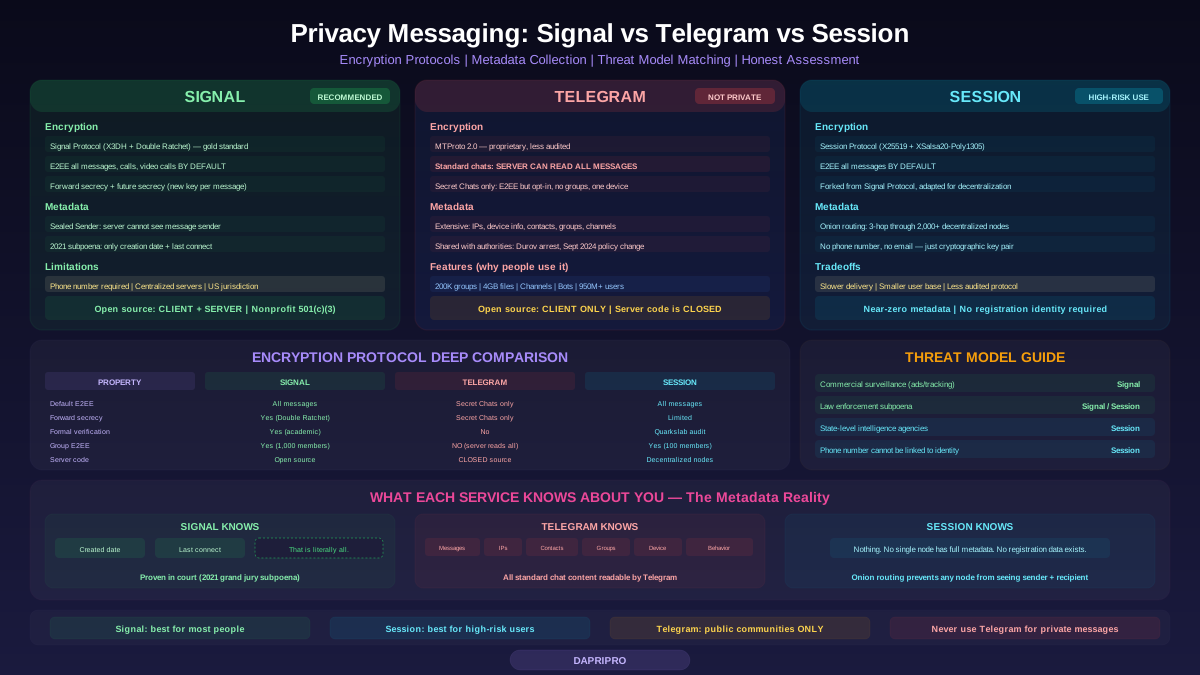
Protecting against sophisticated nation-state adversaries: Email is the wrong tool. Email inherently leaks metadata, and metadata alone is sufficient for traffic analysis and network mapping. Use Signal (with disappearing messages), Session (decentralized, no phone number required), or Briar (peer-to-peer, Tor-based) for high-risk communications. Privacy email is a complement, not a substitute.
Business compliance (HIPAA, GDPR, PCI DSS): Proton Mail for Business (offers BAA for HIPAA), Tuta for Business (GDPR compliance with EU jurisdiction), or Mailfence (OpenPGP + S/MIME + calendaring for organizational use). Document your encryption architecture and key management for compliance audits.
Migrating from Gmail: A Practical Guide
Step-by-step migration process
Migrating from Gmail (or Outlook/Yahoo) to a privacy email provider does not require cutting off your existing address immediately. A gradual transition over 6-12 months is the most practical approach:
Month 1 — Setup: Create your privacy email account (Proton Mail or Tuta). Import existing contacts from Gmail (both Proton and Tuta offer import tools). If you use a password manager (which you should), start updating logins to use your new email address as you naturally sign into services.
Month 1-2 — Forwarding: Configure Gmail to forward all incoming mail to your new address (Gmail Settings, Forwarding and POP/IMAP, Add a forwarding address). This ensures you receive everything at both addresses during the transition. Set your new email as the default sender so replies come from your new address.
Month 2-6 — Active migration: Update your email address with: financial institutions (bank, credit cards, investments), healthcare providers, government services (IRS, DMV, Social Security), subscription services, social media accounts, and close contacts. Each time you receive an email at Gmail, consider updating the sender to use your new address.
Month 6-12 — Monitoring: Most important accounts should now use your new address. Monitor Gmail for stragglers — services you forgot to update. Keep Gmail active as a catch-all but check it less frequently.
Month 12+ — Optional deactivation: You can keep Gmail active indefinitely (it serves as a catch-all for forgotten services) or deactivate it. If you deactivate, download your Gmail archive first through Google Takeout.
Custom domain strategy
The most future-proof migration strategy is using a custom domain (yourname.com or yourbusiness.com) with your privacy email provider. This means if you ever need to switch providers (Proton to Tuta, or vice versa), your email address stays the same — you simply update the domain's MX records to point to the new provider.
Proton Mail supports custom domains on Plus plans and above. Tuta supports custom domains on Revolutionary plans and above. Setting up a custom domain requires purchasing a domain (approximately 10-15 dollars per year from registrars like Cloudflare, Namecheap, or Porkbun), configuring MX records (both providers offer guided setup), and adding SPF, DKIM, and DMARC DNS records for email authentication (providers offer auto-configuration).
A custom domain gives you complete independence from any email provider. Your email identity is yours, not ProtonMail's or Google's or Tuta's. If Proton changes its pricing, privacy policy, or gets acquired, you migrate your domain to another provider without changing your email address.
The Honest Limitations of Privacy Email
Privacy email services are not a complete solution. Understanding the limitations is essential for making informed decisions:
E2EE only works between users of the same service (or PGP users). If you send an email from Proton Mail to someone's Gmail, the email is encrypted in transit (TLS) but decrypted and stored in plaintext on Google's servers. Your privacy is only as strong as your recipient's email provider. For consistently encrypted communication, both parties need privacy email (or PGP) — or you need to use a messaging app like Signal where E2EE is default and universal.
Metadata always leaks. Email protocols require sender and recipient addresses in plaintext. No email provider can change this without breaking email compatibility. Your communication patterns (who, when, how often) are visible to your email provider, your recipient's email provider, and any intermediate servers.
PGP is user-hostile. Despite decades of development, PGP/OpenPGP key management remains difficult. Key exchange, key verification, key revocation, and key expiration confuse even technical users. Proton Mail abstracts much of this complexity, but PGP's fundamental usability problems persist when communicating with non-Proton PGP users.
Privacy email does not make you anonymous. Your email address is an identity. Even if the content is encrypted, the address "username@protonmail.com" is linked to your identity through the services you use it with, the people you email, and potentially through account recovery information. For anonymity, use disposable email services (SimpleLogin, AnonAddy) for service signups and keep your real encrypted email address for trusted contacts only.
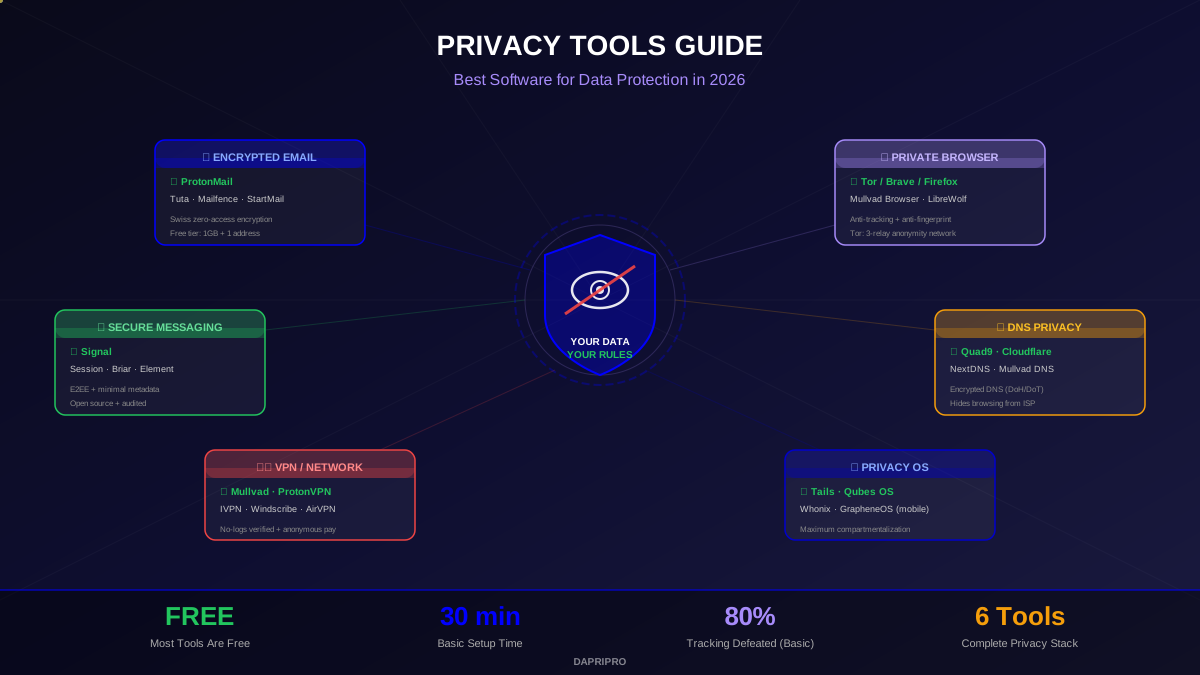
Privacy email is a significant improvement over Gmail and Outlook for content confidentiality. It eliminates corporate data mining of your inbox, protects email content from unauthorized access (including the provider itself), and reduces your exposure to mass surveillance. But it is one layer of a privacy strategy, not a complete solution. Pair it with a VPN, a privacy browser, an encrypted messenger, and good operational security habits for meaningful privacy protection.