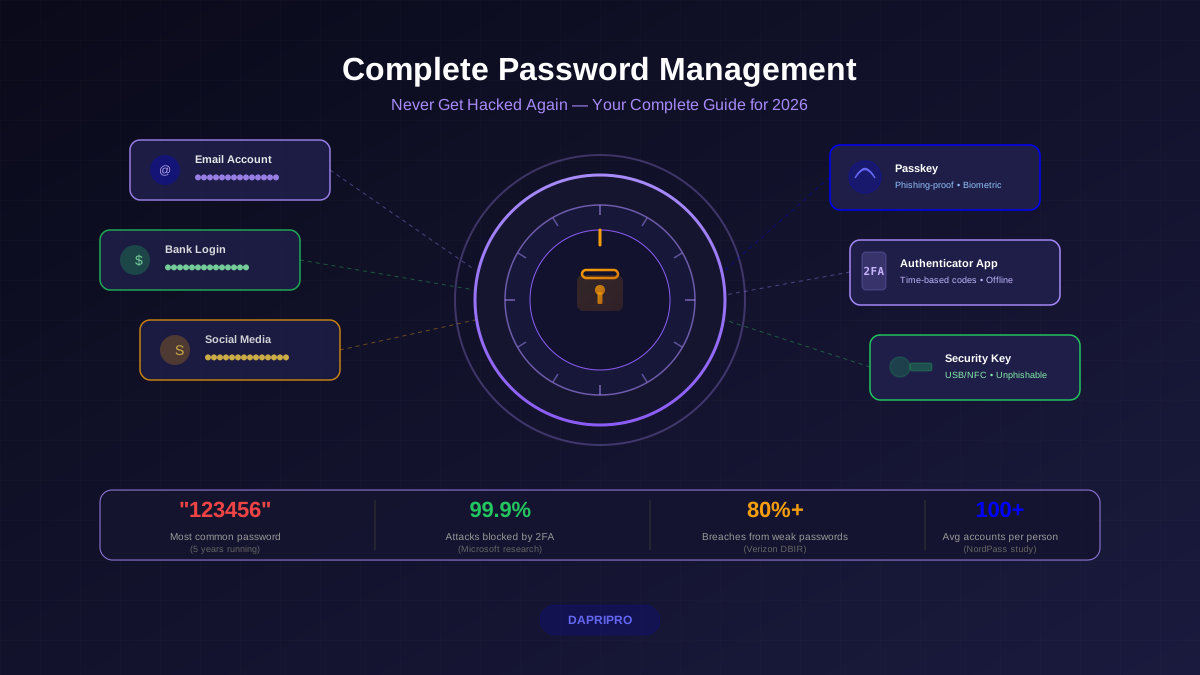
Passwords have protected online accounts for decades, but they have always been fundamentally broken. They can be guessed, stolen, phished, leaked in breaches, and reused across dozens of sites. In 2025 alone, over 24 billion username-password pairs were exposed in data breaches. Even strong, unique passwords managed by a password manager still have a critical weakness: they are a shared secret that exists on both your device and the server.
Passkeys fix this. Built on the FIDO2/WebAuthn standard developed by the FIDO Alliance, passkeys replace the shared-secret model with public-key cryptography. Your private key never leaves your device. The server only stores a public key that is useless to attackers. And authentication is cryptographically bound to the legitimate domain, making phishing structurally impossible — not just difficult.
With Google, Apple, and Microsoft all supporting passkeys natively, and over 200 major services accepting them, 2026 is the year passkeys shifted from "interesting experiment" to "default recommendation." But should you switch everything over right now? What are the real-world tradeoffs? This guide breaks it all down honestly.
How Passwords Actually Work (and Why They Keep Failing)
When you create an account with a password, the server stores a hashed version of your password (ideally using bcrypt, scrypt, or Argon2). When you log in, you send your password over TLS, the server hashes it, and compares the result. Simple, proven, and riddled with problems:
- Server-side storage risk — even hashed passwords can be cracked if the database leaks. Weak hashing (MD5, SHA-1 without salting) makes it trivial.
- Phishing — users type passwords into fake login pages. No amount of training fully eliminates this. Real-time phishing proxies (like Evilginx) can intercept passwords and 2FA codes simultaneously.
- Credential stuffing — 65% of people reuse passwords across sites. One breach cascades to dozens of accounts.
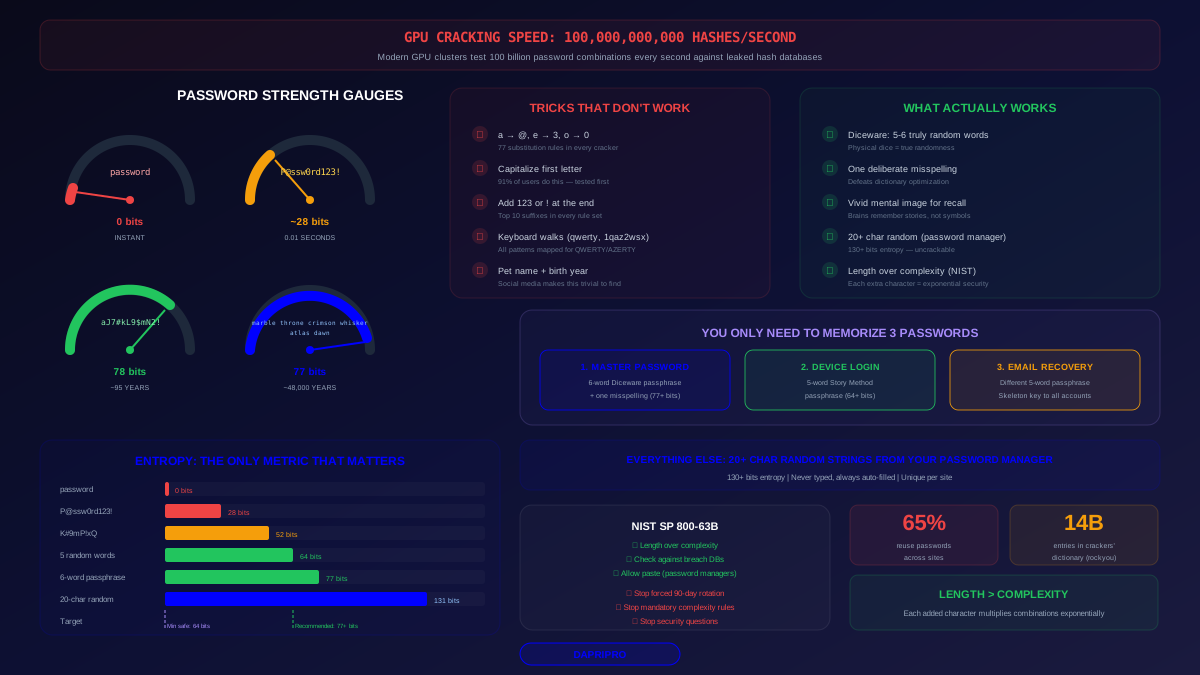
- Brute-force and dictionary attacks — GPU clusters can test billions of password combinations per second against leaked hashes.
- Social engineering — help desks, account recovery flows, and "verify your identity" scams trick users into revealing passwords regularly.
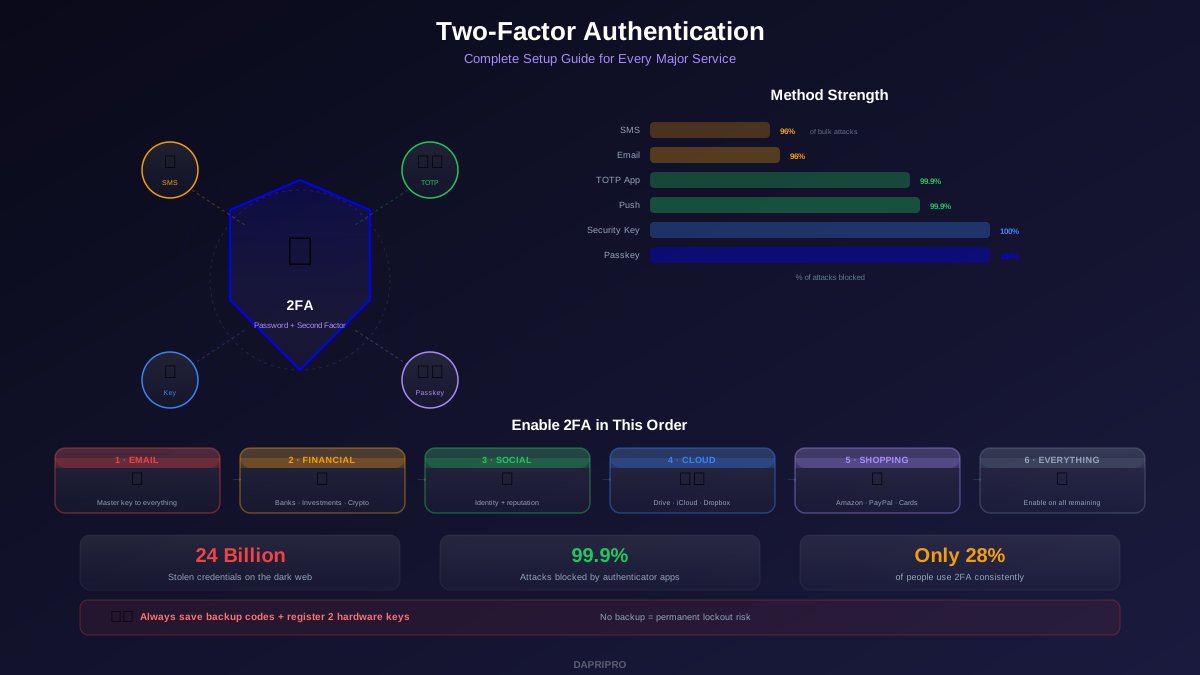
Adding 2FA helps significantly, but SMS-based 2FA is vulnerable to SIM-swapping, and even TOTP authenticator codes can be intercepted by real-time phishing proxies. Hardware security keys (FIDO U2F) solved phishing, but adoption remained tiny because the UX was inconvenient. Passkeys take the security of hardware keys and make it as simple as unlocking your phone.
How Passkeys Work Under the Hood
Passkeys are built on the WebAuthn standard (a W3C specification) and the FIDO2 protocol. Here is what happens when you create and use a passkey:
Registration (Creating a Passkey)
- Server sends a challenge — the website generates a random challenge and sends it to your browser along with its origin (domain).
- Your device creates a key pair — a unique public-private key pair is generated inside your device's secure hardware (Apple Secure Enclave, Android TEE, Windows TPM, or a password manager's encrypted vault).
- Private key stays on device — it never leaves the secure hardware. It cannot be exported, copied, or read by any software — including the operating system.
- Public key sent to server — only the public key is transmitted to the server and stored alongside your account. If the server is breached, attackers get public keys that are cryptographically useless.
Authentication (Using a Passkey)
- Server sends new challenge — random challenge plus the server's origin (domain).
- Browser verifies origin — the browser checks that the requesting domain matches the one registered with the passkey. A phishing site at g00gle.com cannot trigger a passkey for google.com. This is the critical phishing protection layer.
- User verifies identity locally — Face ID, fingerprint, PIN, or Windows Hello confirms you are the device owner.
- Device signs the challenge — the private key signs the challenge inside secure hardware. The signed response is sent to the server.
- Server verifies signature — using the stored public key, the server confirms the signature is valid. Authentication complete. No secret was transmitted.
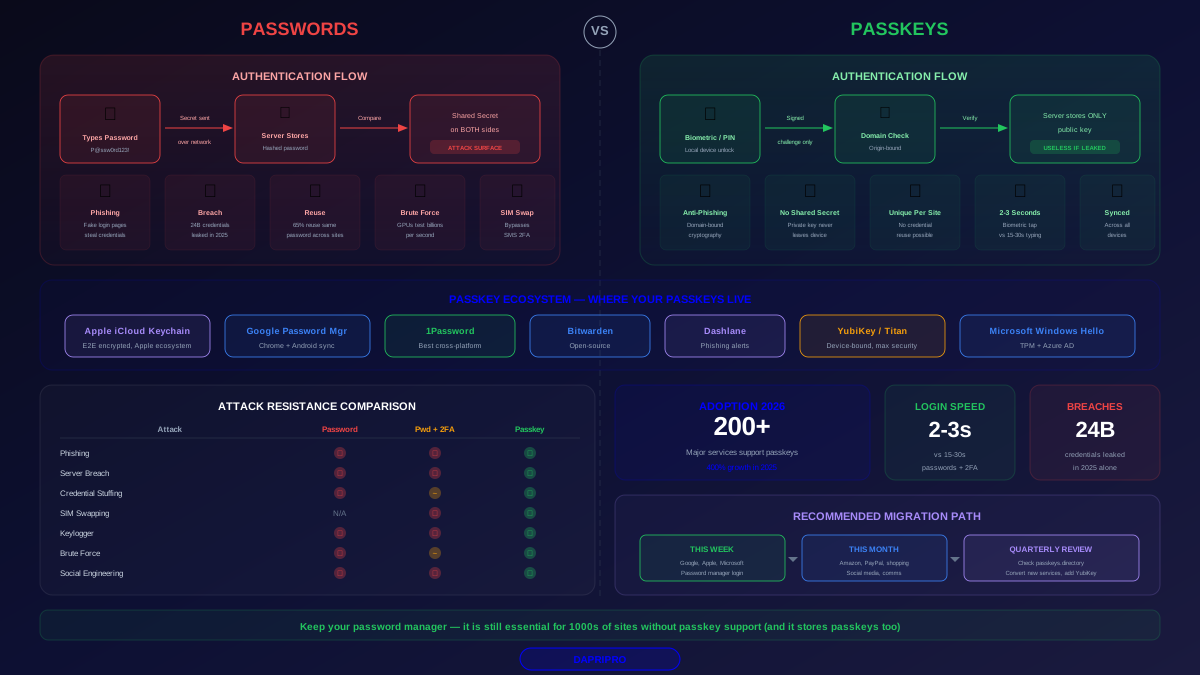
The key insight: with passwords, the secret (your password) crosses the network and exists on both sides. With passkeys, the secret (your private key) never leaves your device. There is nothing to phish, nothing to leak from a breach, and nothing to reuse across sites because every passkey is unique per domain.
Passkeys vs Passwords: The Full Comparison
Let us break down every dimension that matters:
Security
| Attack Vector | Passwords | Passwords + 2FA | Passkeys |
|---|---|---|---|
| Phishing | Highly vulnerable | Still vulnerable (real-time proxy) | Immune (domain-bound) |
| Credential stuffing | Major risk (reuse) | Partially mitigated | Impossible (unique per site) |
| Server breach | Hashes can be cracked | Hashes + seeds exposed | Public keys useless |
| SIM-swapping | N/A | SMS 2FA bypassed | Not applicable |
| Keylogger | Password captured | Password + code captured | Nothing to type |
| Brute-force | Possible offline | Rate-limited online only | Impossible (asymmetric crypto) |
| Social engineering | Can be tricked | Can be tricked | Nothing to reveal |
Usability
| Factor | Passwords | Passkeys |
|---|---|---|
| Login speed | Type + 2FA code: 15-30 sec | Biometric tap: 2-3 sec |
| Nothing to remember | No (need password manager) | Yes (just your biometric) |
| Works on shared devices | Yes (type password) | Limited (need your device nearby) |
| Cross-platform | Universal | Improving but still has friction |
| Account recovery | Email + security questions | Cloud sync + backup key |
Where Passwords Still Win (For Now)
Passkeys are not perfect in every scenario today:
- Shared/kiosk computers — logging into a library computer or a colleague's machine with a passkey requires your phone nearby for cross-device authentication via Bluetooth. Typing a password is simpler.
- Shared accounts — family Netflix passwords work because you can share the text. Passkey sharing is starting to roll out (Apple's Shared Passkey Groups, 1Password sharing) but is not universal yet.
- Legacy systems — enterprise VPNs, mainframes, and older web applications that only support username/password.
- Cross-ecosystem friction — an Apple passkey stored in iCloud Keychain can authenticate on a Windows machine, but the flow requires scanning a QR code with your phone. It works but is not seamless.
The Passkey Provider Ecosystem in 2026
Your passkeys need to live somewhere. Here is how the major providers compare:
Apple iCloud Keychain
- Passkeys sync across all Apple devices automatically via iCloud
- End-to-end encrypted — Apple cannot see your passkeys
- Cross-device auth works via QR code + Bluetooth on non-Apple devices
- Limitation: no native Windows or Android app for direct access
Google Password Manager
- Passkeys sync across Android devices and Chrome on any platform
- End-to-end encrypted as of late 2024
- Deepest integration with Google ecosystem (Gmail, YouTube, Google Workspace)
- Cross-device flow via QR code for non-Google browsers
Third-Party Password Managers
- 1Password — full passkey support across all platforms, best cross-platform story, passkey sharing within family/team vaults
- Bitwarden — passkey support in browser extension and mobile apps, open-source advantage for security auditing
- Dashlane — passkey management with built-in phishing alerts and dark web monitoring
Third-party managers solve the biggest passkey pain point: cross-platform sync. A passkey stored in 1Password works identically on your iPhone, Windows laptop, and Android tablet.
Hardware Security Keys (Device-Bound Passkeys)
- YubiKey 5 series, Google Titan — store passkeys that cannot be synced or cloned
- Highest security tier: passkey is physically bound to the key
- Best for high-value targets: system administrators, journalists, executives
- Limitation: typically store 25-100 passkeys per key, and if lost without a backup key, recovery is painful
Which Services Support Passkeys Right Now?
Passkey adoption has accelerated rapidly. Here are the major services that support passkeys as of mid-2026:
Full Passkey Support (can replace password entirely)
- Google — all Google services, password can be fully removed
- Apple — Apple ID, iCloud, App Store
- Microsoft — Microsoft accounts, Azure AD, Microsoft 365
- GitHub — full passkey support since 2023
- PayPal — passkey as primary sign-in
- Amazon — passkey support for shopping and AWS
- WhatsApp — passkey for app lock
- Best Buy, eBay, Kayak, Shopify — e-commerce leaders
Passkey as 2FA (password still required)
- Many banks — using passkeys as a second factor alongside existing credentials
- Enterprise tools — Okta, Duo, and identity providers supporting passkeys in their MFA flows
Not Yet Supported
- Most social media platforms (Facebook supports security keys but not synced passkeys)
- Many financial institutions (regulatory caution)
- Government portals (slowly adopting via Login.gov in the US)
- Thousands of smaller websites and services
You can check the live directory at passkeys.directory for an up-to-date list of supported services.
Setting Up Your First Passkey: Step by Step
Start with Google — it is the smoothest experience and you probably use it daily:
On an iPhone (iCloud Keychain)
- Open Safari and go to myaccount.google.com/signinoptions/passkeys
- Sign in and tap Create a passkey
- Your iPhone prompts Face ID or Touch ID — authenticate
- The passkey is created and stored in iCloud Keychain
- Next login: tap the passkey prompt, Face ID verifies you, done in 2 seconds
On Android (Google Password Manager)
- Open Chrome and go to the same URL
- Tap Create a passkey
- Authenticate with fingerprint or screen lock
- Passkey syncs via Google Password Manager across all your Android devices and Chrome browsers
With a Password Manager (1Password, Bitwarden)
- Ensure your manager's browser extension is installed and updated
- When a site prompts passkey creation, your manager intercepts and offers to store it
- The passkey is now in your vault, accessible across every platform your manager supports
- This is the best approach if you use both Apple and Android devices
The Practical Migration Strategy for 2026
Do not try to switch everything at once. Here is a phased approach that balances security improvement with practical reality:
Phase 1: High-Value Accounts (This Week)
Create passkeys for your most critical accounts first:
- Google/Apple/Microsoft account (your identity foundation)
- Password manager itself (1Password now supports passkey login)
- Financial accounts that support passkeys
- GitHub/work accounts
Keep passwords active as a fallback. Do not delete them yet.
Phase 2: Everyday Accounts (This Month)
- Amazon, PayPal, shopping sites
- Social media accounts that support passkeys
- Communication tools (WhatsApp, Slack, Discord)
Phase 3: Evaluate and Expand (Quarterly)
- Check passkeys.directory for newly supported services
- Review remaining password-only accounts — push for passkey support via customer feedback
- Consider a hardware security key (YubiKey) for your most sensitive accounts as an additional backup
What to Do With Remaining Passwords
For sites that do not support passkeys yet:
- Use your password manager to generate unique 20+ character random passwords
- Enable the strongest 2FA available (authenticator app over SMS)
- Monitor for breach exposure via your password manager's dark web scanning
Common Passkey Concerns Addressed
“What if I’m locked out of my iCloud/Google account?”
This is the single biggest risk with synced passkeys. If you lose access to your cloud account (forgot password, locked account, lost all devices), your passkeys go with it. Mitigate this by:
- Storing a hardware security key as backup for your cloud account
- Keeping backup codes printed and stored securely
- Using a third-party password manager as a separate backup layer
“Are passkeys safe if my phone is stolen?”
Yes — passkeys require biometric verification or your device PIN to use. A thief with your locked phone cannot use your passkeys. With a stolen unlocked phone, they face the same risk as any other phone-stored credential. Enable lock screen immediately and remote wipe capability.
“Can websites track me using passkeys?”
No. Each passkey is unique per website. The public key stored by google.com reveals nothing about the public key stored by amazon.com. Unlike third-party cookies or tracking pixels, passkeys provide zero cross-site tracking capability by design.
“What about privacy? Is my biometric data shared?”
No. Biometric verification happens entirely on your device. The website never receives your fingerprint, face scan, or any biometric data. It only receives a cryptographic signature proving you authenticated locally.
The Road Ahead: What Changes in 2026-2027
- Conditional UI — browsers will autofill passkeys alongside password autofill, making discovery seamless. Already live in Chrome and Safari.
- Passkey attestation — enterprises can verify which type of authenticator created a passkey (enforcing hardware-key-only policies).
- Cross-device improvements — the QR-code-plus-Bluetooth flow for cross-platform auth is being replaced with smoother hybrid transport methods.
- Passkey portability — the FIDO Alliance's Credential Exchange Protocol will let you export/import passkeys between providers (Apple to Google, 1Password to Bitwarden) without re-registering.
- Regulatory push — CISA and the EU Cybersecurity Act are recommending phishing-resistant authentication. Passkeys fit perfectly.
The Bottom Line
Passkeys represent the most significant authentication upgrade since 2FA went mainstream. They eliminate phishing, credential stuffing, and server-side password breaches — not by making attacks harder, but by making them structurally impossible.
You should start using passkeys today for your highest-value accounts. You should not abandon your password manager — it is still essential for the hundreds of sites that do not support passkeys yet, and it is becoming the best cross-platform passkey provider anyway.
The transition will take 2-3 years to reach near-universal adoption. Use that time to systematically convert accounts, keep your password manager updated, and stay informed about new service support. The future of authentication is not about memorizing secrets. It is about proving who you are, cryptographically, without ever sharing a secret at all.