Why Default Settings Are Designed Against You
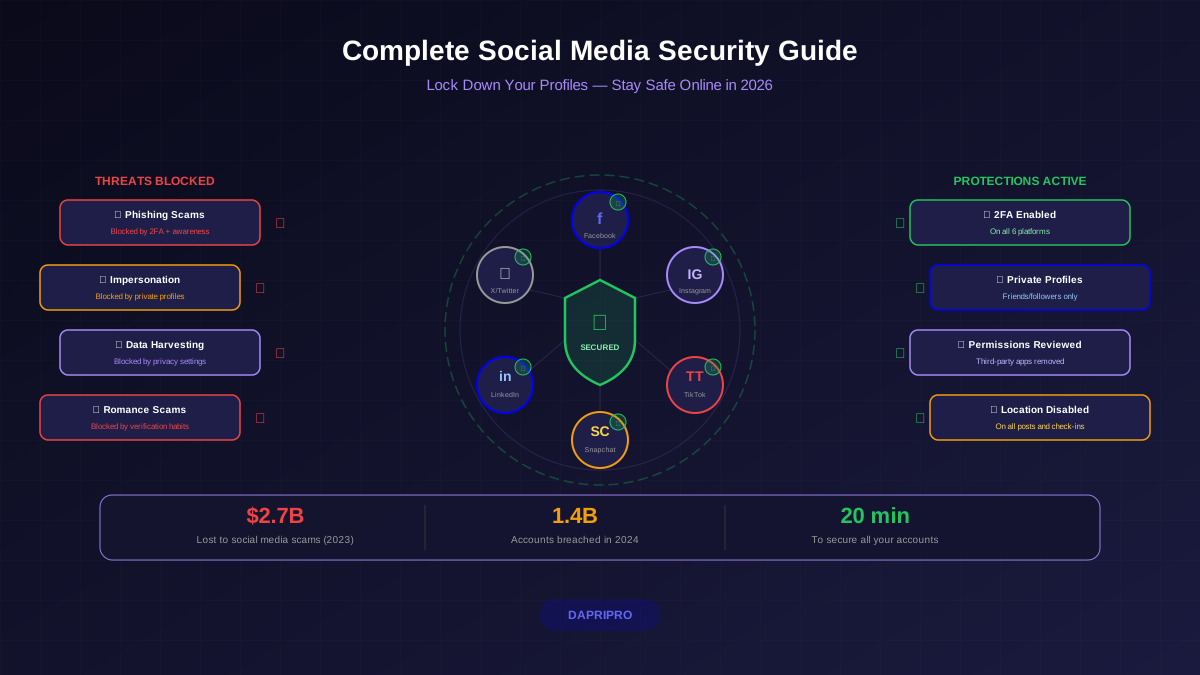
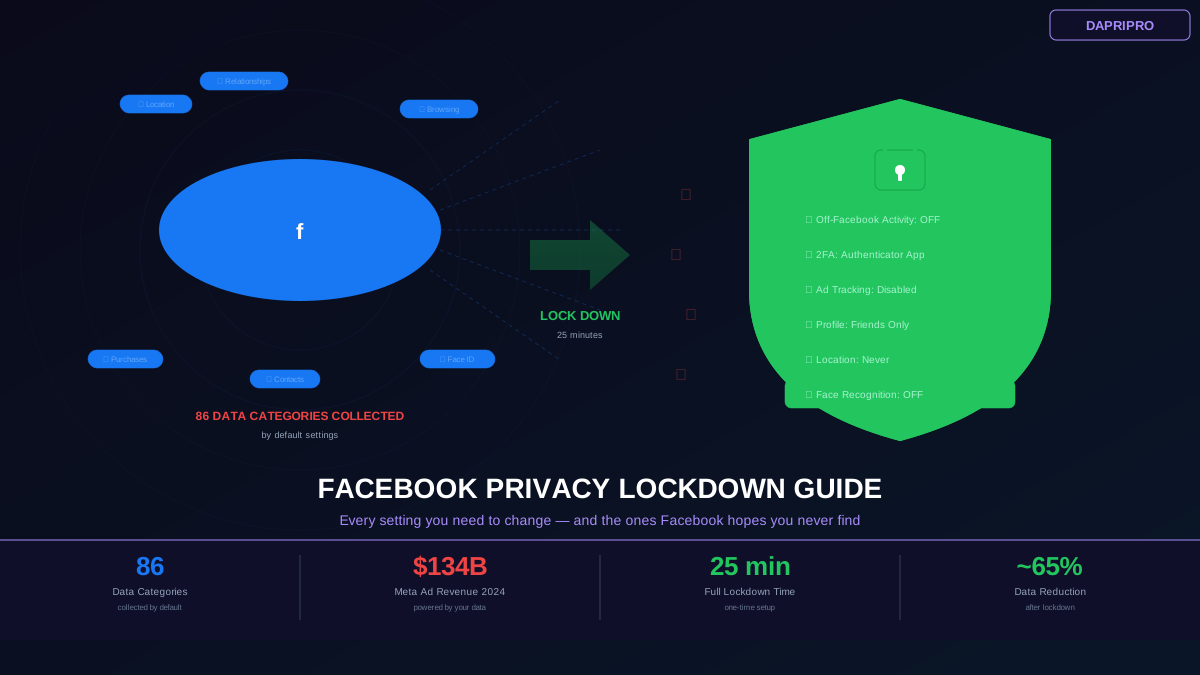
Every social media platform ships with privacy settings configured to maximize data collection — not because they forgot to protect you, but because your data is their product. Instagram, TikTok, and Snapchat are free because they monetize your attention and personal information. The more data they collect, the more precisely they can target ads, and the more they can charge advertisers.
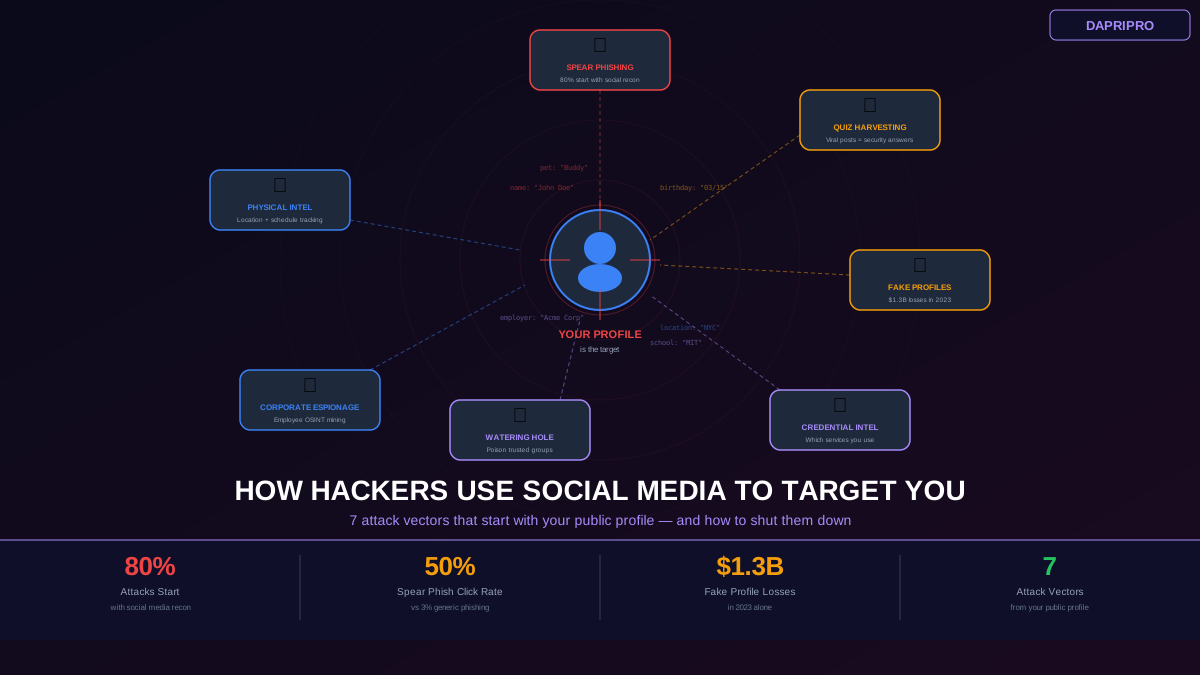
The problem is not just advertising. Default settings also expose you to stalking (Snapchat shows your location to all friends), identity theft (Instagram reveals personal details publicly), content theft (TikTok allows anyone to download your videos), and social engineering attacks (all platforms make it easy to impersonate you with publicly available information).
This guide covers every important security and privacy setting for each platform with exact navigation paths. Bookmark it and follow the steps for each app you use.
Instagram Security Settings
Instagram is owned by Meta and shares data across Facebook, WhatsApp, and the broader Meta advertising network. When you interact with an ad on Instagram, that data follows you to Facebook and vice versa.
Essential Instagram Security Steps
Enable Two-Factor Authentication: Settings → Accounts Center → Password and Security → Two-factor authentication → Select your Instagram account → choose "Authentication App" (not SMS). SMS-based 2FA is vulnerable to SIM swapping. Download Google Authenticator or Authy if you do not already have an authenticator app.
Switch to Private Account: Settings → Privacy → Account Privacy → toggle Private Account on. This prevents non-followers from seeing your posts, stories, Reels, and tagged content. If you are a creator who needs public reach, keep it public but understand the trade-offs.
Review Login Activity: Settings → Accounts Center → Password and Security → Where you're logged in. Review the list and remove any sessions you do not recognize. If you see logins from locations you have never been, your account may be compromised — change your password immediately.
Limit Data Sharing with Partners: Settings → Accounts Center → Ad Preferences → Ad Settings → Data about your activity from partners → toggle off. This prevents Meta from using data from third-party websites and apps to target you with ads.
Control Story and Reel Sharing: Settings → Privacy → Story → disable "Allow Sharing." Settings → Privacy → Reels → disable "Allow Sharing to Stories." This prevents your content from being reshared by others without your control.
Restrict Message Requests: Settings → Privacy → Messages → set message controls so that only people you follow can message you directly. This reduces phishing attempts, spam, and unsolicited contact.
Disable Activity Status: Settings → Privacy → Activity Status → toggle off. This prevents others from seeing when you were last active on Instagram.
TikTok Security Settings
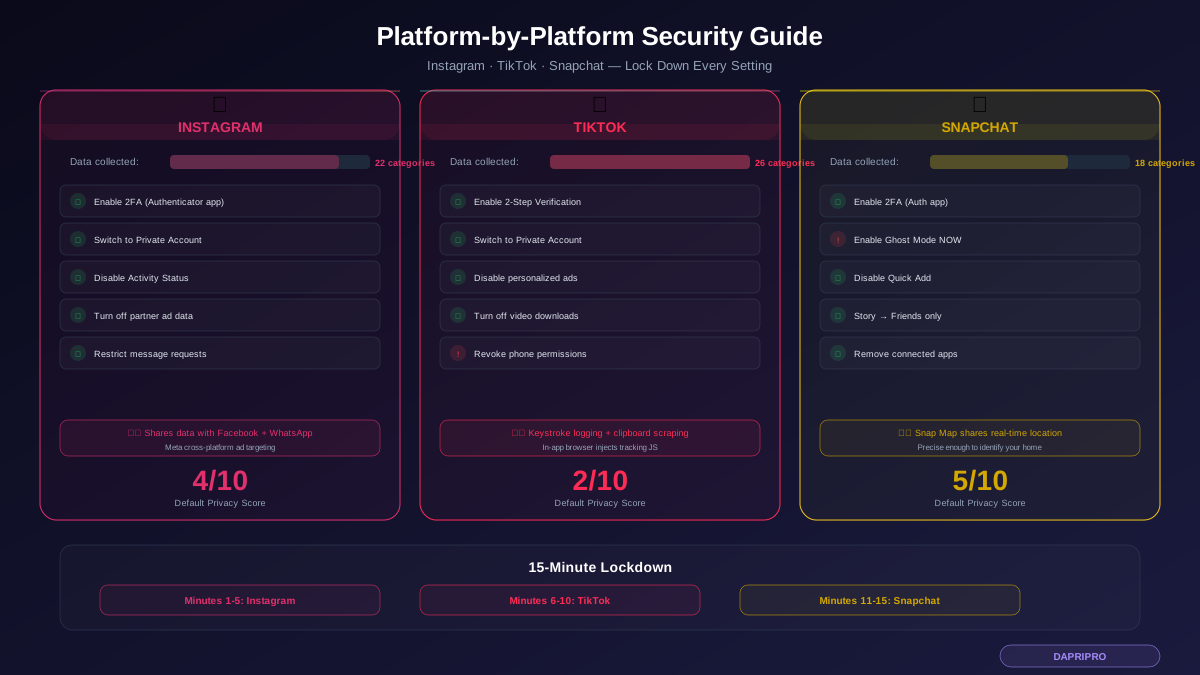
TikTok collects more data than any other social media app. Apple's App Store privacy labels show TikTok accesses 26 categories of data. Some of this collection — like keystroke patterns and clipboard scraping — goes beyond what any social media app needs for its core functionality.
Essential TikTok Security Steps
Enable Two-Factor Authentication: Profile → Menu (three lines) → Settings and Privacy → Security → 2-step verification → turn on and select "Authenticator App." TikTok also offers email-based 2FA as an option, but an authenticator app is more secure.
Switch to Private Account: Settings and Privacy → Privacy → Private Account → toggle on. Only approved followers can see your videos. Your existing videos become visible only to current followers.
Disable Personalized Ads: Settings and Privacy → Privacy → Ads Personalization → turn off. This does not stop TikTok from collecting data, but it limits how it is used for ad targeting. Also turn off "Ads from advertisers' data" in the same menu.
Restrict Who Can Contact You: Settings and Privacy → Privacy → Direct Messages → set to "No One" or "Friends." Settings and Privacy → Privacy → Comments → set to "Friends" or "No One." This prevents strangers from messaging you or commenting on your content.
Disable Downloads: Settings and Privacy → Privacy → Downloads → turn off "Allow downloads." This prevents other users from downloading your videos and potentially using them without your consent (including for deepfakes).
Manage App Permissions on Your Phone: This is critical for TikTok specifically. On your phone's settings (not TikTok's settings), revoke the following permissions unless you actively need them: Location (deny or "While Using"), Contacts (deny), Microphone (while using only), Camera (while using only), Photos (selected photos only on iOS). TikTok still functions fully for watching videos without any of these permissions — you only need camera and microphone when you are creating content.
Disable In-App Browser Tracking: When you tap a link in TikTok, it opens in TikTok's built-in browser which injects JavaScript tracking code into every page you visit. Instead, copy the link and paste it in your regular browser, or look for the "Open in browser" option when a link opens inside TikTok.
Snapchat Security Settings
Snapchat's biggest privacy risk is Snap Map — a feature that broadcasts your real-time location to all your Snapchat friends by default. Many users do not realize this is enabled.
Essential Snapchat Security Steps
Enable Two-Factor Authentication: Profile icon → Settings (gear) → Two-Factor Authentication → toggle on → select "Authentication App." Same as other platforms, avoid SMS-based 2FA.
Enable Ghost Mode on Snap Map: Open Snap Map → Settings (gear in top right) → toggle Ghost Mode on. Choose "Until Turned Off" for permanent privacy. Ghost Mode prevents your location from being visible to any friends on the map. Without Ghost Mode, your location updates every time you open Snapchat.
Control Who Can Contact You: Settings → Privacy Controls → Contact Me → set to "My Friends" instead of "Everyone." Settings → Privacy Controls → View My Story → "My Friends" or "Custom." This prevents strangers from sending you snaps or viewing your stories.
Disable Quick Add: Settings → Privacy Controls → See Me in Quick Add → toggle off. Quick Add suggests your profile to strangers based on mutual friends, phone contacts, and other signals. Disable it to prevent unknown people from finding and adding you.
Review Connected Apps: Settings → Connected Apps → review and remove any third-party apps connected to your Snapchat. Third-party apps can access your Snapchat data and have historically been used in phishing attacks.
Manage Memories Privacy: Settings → Memories → Save To → choose "Memories Only" or "Camera Roll Only" (not both). If you save to Camera Roll, your snaps exist permanently on your device and cloud backup rather than just in Snapchat's encrypted storage.
Cross-Platform Security Checklist
These steps apply to all three platforms and should be done for every social media account you have:
Use a unique password for each platform. If your Instagram password is the same as your TikTok password, a breach on one compromises both. Use a password manager (Bitwarden, 1Password) to generate and store unique 16+ character passwords for each account.
Check for suspicious login activity regularly. Each platform shows where your account is logged in. Review this monthly. Instagram: Settings → Accounts Center → Password and Security → Where you're logged in. TikTok: Settings → Security → Manage Devices. Snapchat: Settings → Two-Factor Authentication → Forget Devices to reset all sessions.
Download your data to see what they collect. Each platform lets you download a copy of everything they have on you. Instagram: Settings → Accounts Center → Your Information and Permissions → Download Your Information. TikTok: Settings → Privacy → Download Your Data. Snapchat: accounts.snapchat.com → My Data → Submit Request. The downloaded files reveal exactly how much these platforms know about you — and it is usually far more than expected.
Recognizing Social Media Scams
All three platforms are heavily targeted by scammers. Here are the most common attacks to watch for:
Impersonation DMs: Someone creates a fake account pretending to be a friend, celebrity, or brand and messages you asking to click a link or send money. Always verify unusual requests through another channel — call or text the person directly.
Verification scams: A message claims you can get "verified" (blue checkmark) by clicking a link and entering your login credentials. No platform offers verification through DMs. This is always phishing.
Business opportunity scams: Messages promising easy money, crypto investments, or brand sponsorship deals that require you to send money first or share login credentials. Legitimate brands never ask for your password or upfront payment for sponsorships.
Romance scams: Particularly common on Instagram. Fake profiles with attractive photos build a relationship over weeks before requesting money for emergencies. Reverse image search profile photos using Google Lens or TinEye to check if they are stolen from other accounts.
"Is this you in this video?" links: A friend's compromised account sends you a link claiming to show an embarrassing video of you. The link leads to a phishing page. Your friend's account was hacked, and clicking the link will compromise yours too.
Platform-Specific Threats to Know
Instagram subscription scams: Scammers create fake "close friends" subscription offers or fake Meta Business Suite notifications. Always navigate to settings directly — never click links in DMs or emails claiming to be from Instagram.
TikTok in-app browser risk: When you click any link within TikTok, it opens in TikTok's built-in browser, which injects JavaScript tracking code. Security researcher Felix Krause demonstrated that TikTok's in-app browser can monitor every tap and text input on external websites. Always copy links and open them in your regular browser instead.
Snapchat Snap Map stalking: Without Ghost Mode, Snap Map shows your location with enough precision to identify your home, workplace, and daily routine. In 2023, researchers demonstrated that Snap Map data could be used to track individuals' movements in real time. Enable Ghost Mode immediately.
15-Minute Lockdown Plan
Do this right now for each platform you use:
Minutes 1-5 — Instagram: Enable 2FA with authenticator app. Switch to private if not a creator. Disable activity status. Turn off ad personalization partner data.
Minutes 6-10 — TikTok: Enable 2FA. Switch to private. Disable personalized ads. Turn off downloads. Revoke unnecessary phone permissions (location, contacts).
Minutes 11-15 — Snapchat: Enable 2FA. Turn on Ghost Mode permanently. Disable Quick Add. Set story visibility to Friends only. Review connected apps and remove unused ones.
These 15 minutes of configuration eliminate the vast majority of security and privacy risks across all three platforms. Set a monthly calendar reminder to review login sessions and check for any settings that may have been reset by app updates.