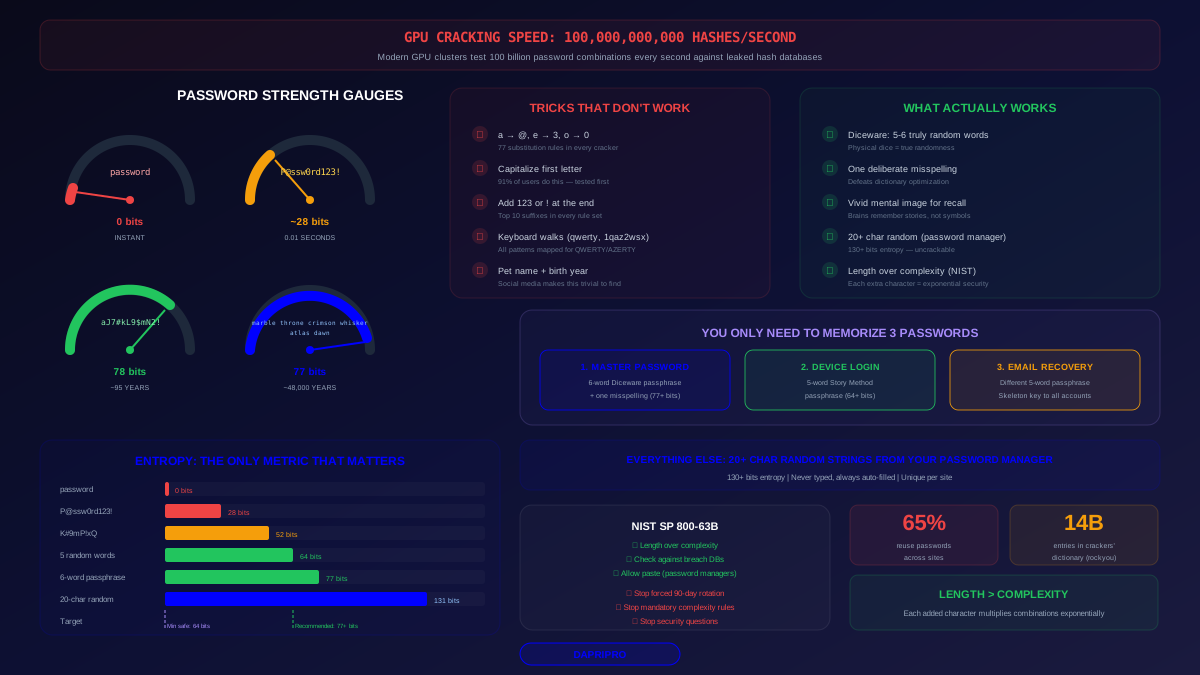
Here is a number that should change how you think about passwords: a modern GPU cluster can test 100 billion password hashes per second. That means an 8-character password using uppercase, lowercase, numbers, and symbols — the kind most websites demand — can be cracked in under 5 minutes if the hash database leaks. Even your "clever" substitutions like P@ssw0rd or Tr0ub4dor! are in every cracking dictionary on earth.
But here is the good news: password strength follows an exponential curve. Adding just a few characters of genuine randomness can push cracking time from minutes to centuries. And the most effective technique for creating strong, memorable passwords is not what most people expect. It is not about complexity — substituting letters for symbols. It is about length and genuine randomness.
This guide covers the real math behind password strength, exposes the common tricks that do not actually work, and teaches you proven methods to create passwords that are both uncrackable and memorable. Most importantly, it tells you which passwords you actually need to memorize (hint: probably just 2-3) and why your password manager should handle the rest.
How Password Cracking Actually Works
Understanding cracking methods reveals why certain passwords fail. Attackers use these techniques in order of efficiency:
1. Dictionary Attacks
Start with a list of common passwords (rockyou.txt contains 14 billion entries). Try every word with common modifications — append numbers, swap letters, add symbols. This cracks 70% of leaked passwords within the first hour.
2. Rule-Based Attacks
Apply transformation rules to dictionary words: capitalize first letter, append "123", replace "a" with "@", add "!" at the end. Tools like Hashcat ship with rule sets that cover every "clever" substitution humans commonly use. If you thought of it, they have a rule for it.
3. Brute-Force Attacks
Try every possible combination systematically. This is the slowest method but guaranteed to succeed given enough time. The time required depends entirely on password length and character set — which is why length matters exponentially.
4. Credential Stuffing
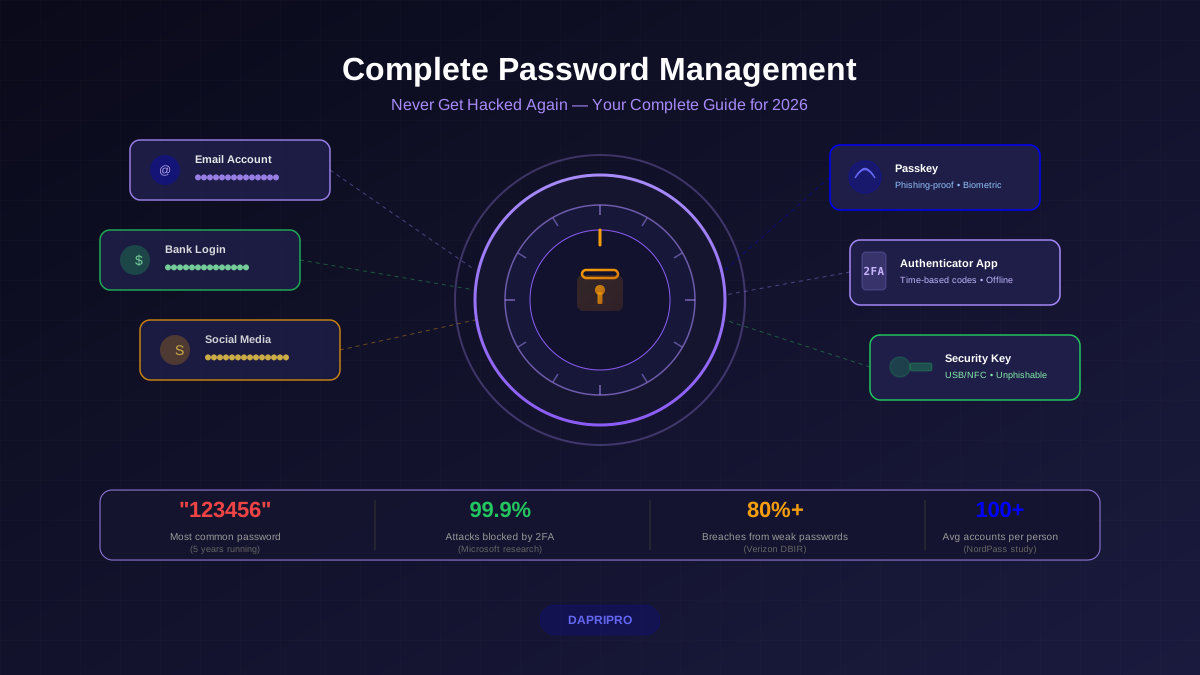
Not technically cracking — attackers take username/password pairs from one breach and try them on other sites. Works because 65% of people reuse passwords. This is why unique passwords per site are non-negotiable.
Password Entropy: The Math That Actually Matters
Security researchers measure password strength in entropy — the number of bits of randomness. Higher entropy means more possible combinations an attacker must try. Here is the formula:
Entropy = log2(possible characters ^ password length)
For practical purposes:
| Password Type | Example | Entropy | Crack Time (100B/sec) |
|---|---|---|---|
| 6 lowercase letters | kitten | 28 bits | 0.003 seconds |
| 8 chars mixed + symbols | K#9mP!xQ | 52 bits | ~5 minutes |
| Common word + leet speak | P@ssw0rd123! | ~28 bits* | ~0.01 seconds |
| 12 random chars mixed | aJ7#kL9$mN2! | 78 bits | ~95 years |
| 4-word passphrase | correct horse battery staple | 44 bits** | ~5 hours |
| 5-word passphrase | purple elephant dancing quiet forest | 64 bits | ~58 years |
| 6-word passphrase | marble throne crimson whisker atlas dawn | 77 bits | ~48,000 years |
| 20 random chars | aJ7#kL9$mN2!xP5&qR8@ | 131 bits | Heat death of universe |
*P@ssw0rd123! has high theoretical entropy but near-zero practical entropy because it is literally in cracking dictionaries. **The 4-word passphrase assumes Diceware word list (7,776 words).
The key takeaway: a password's practical entropy depends on how an attacker would actually try to crack it. "P@ssw0rd" has theoretical entropy of ~52 bits based on character set and length, but its practical entropy is near zero because it is literally the first thing cracking tools try.
Why Your "Clever" Password Tricks Don't Work
Let us be direct about the common strategies that give a false sense of security:
Leet Speak (@ for a, 3 for e, 0 for o)
Every cracking tool applies these substitutions automatically. Hashcat's built-in rule sets include 77 different letter-substitution patterns. Replacing "password" with "p@$$w0rd" adds approximately 0.5 bits of practical entropy — essentially nothing.
Capitalizing the First Letter
The default behavior for 91% of users. Cracking tools try first-letter capitalization before trying all-lowercase. Zero additional security.
Adding "123" or "!" at the End
The top 10 password suffixes ("1", "123", "!", "2024", "2025", "#1") are in every rule set. Appending these is like adding a door lock while leaving the window open.
Keyboard Walks (qwerty, zxcvbn, 1qaz2wsx)
All keyboard patterns across QWERTY, AZERTY, and Dvorak layouts are mapped in cracking dictionaries. These are among the first patterns tested.
Personal Information (birthday, pet name, address)
Social media makes this information trivially discoverable. Targeted attacks start with personal data scraped from Facebook, LinkedIn, and Instagram profiles. Your dog's name plus your birth year is not secure.
The Passphrase Method: Strong AND Memorable
The passphrase method, popularized by the famous XKCD comic and formalized by the Diceware project, works because it leverages the one thing humans are genuinely good at: remembering stories and images.
How It Works
- Select 5-6 truly random words from a large word list (7,776 words in the Diceware list). Use actual dice or a cryptographic random generator — not your own brain, which is terrible at randomness.
- Combine them into a mental image — the weirder and more vivid, the more memorable. "purple elephant dancing tuesday" creates a mental movie your brain holds onto.
- Add one deliberate misspelling or nonsense word to defeat dictionary optimization. "purpel elephent dancing tuesday" is not in any word list.
Why This Works Mathematically
Each word from a 7,776-word list contributes ~12.9 bits of entropy. Five words give you ~64 bits, six words give ~77 bits. Five random words with one misspelling gives you roughly 72+ bits — stronger than a random 12-character password and dramatically easier to type and remember.
Passphrase Examples (Do NOT Use These — Generate Your Own)
- marble throne crimson whisker atlas dawn — 77 bits, ~48,000 years to crack
- frozen bicycle quantum umbrella silence — 64 bits, ~58 years to crack
- gondola neon harvest cactus prism velocity — 77 bits, ~48,000 years to crack
Compare these to the passwords most sites consider "strong":
- Tr0ub4dor&3 — ~28 bits practical entropy, cracked in seconds with rule-based attack
- Summer2025! — ~20 bits practical entropy, in every seasonal password list
- MyD0g$Rex! — ~25 bits practical entropy, personal info + common substitutions
The Only 2-3 Passwords You Actually Need to Memorize
Here is the practical reality: you should not try to memorize strong passwords for every account. That is what password managers are for. You only need to memorize these:
1. Your Password Manager Master Password
This is the most important password in your digital life. It protects every other credential you own. Create a 6-word passphrase with one misspelling. Example method: roll physical dice, use the Diceware list, create a vivid mental scene, add one intentional error.
2. Your Device Login (Computer/Phone)
If your device has biometric unlock (Face ID, fingerprint), this is your fallback PIN or password. Make it a 5-word passphrase or a strong alphanumeric PIN (6+ digits, not sequential or repeating).
3. Your Primary Email Recovery Password
If your email account uses a different password than your password manager (which it should for redundancy), this is the final password to memorize. Your email is the skeleton key to all your other accounts via password reset flows.
Every other password should be a random 20+ character string generated and stored by your password manager. You will never type these — your manager auto-fills them. They look like aJ7#kL9$mN2!xP5&qR8@ and have 130+ bits of entropy. Uncrackable.
Three Proven Password Creation Techniques
Technique 1: Diceware (Maximum Security)
- Get five standard dice (or use an online secure dice roller)
- Roll all five dice and note the 5-digit number
- Look up the number in the Diceware word list to get a word
- Repeat 5-6 times to get 5-6 words
- String them together with spaces
- Add one deliberate misspelling to a random word
This is the gold standard because physical dice provide true randomness your brain cannot bias.
Technique 2: Story Method (Most Memorable)
- Think of a random scene involving 4-5 unrelated objects
- Use the first noun from each mental image
- Add a color, action, or location to extend it
- Deliberately misspell one word
Example process: Picture a penguin riding a bicycle through a library at midnight → "penguin bycicle library midnight"
Warning: your brain will gravitate toward related words. Fight this. Unrelated words are stronger because attackers cannot predict the association.
Technique 3: Sentence Abbreviation (Moderate Security)
- Think of a long sentence only you would know
- Take the first letter (or first two letters) of each word
- Mix in numbers and symbols at natural points
Example: "My grandmother always made 7 apple pies for Thanksgiving dinner!" → "Mgam7apfTd!" This creates a 11-character password with ~55 bits of entropy. Decent for moderate-security accounts but weaker than a full passphrase.
What NIST Actually Recommends in 2026
The National Institute of Standards and Technology (NIST SP 800-63B) updated its password guidelines, and the recommendations may surprise you. Here is what the standard says — and what it explicitly tells services to stop doing:
NIST Says DO:
- Allow passwords up to 64 characters (to support passphrases)
- Check passwords against breach databases on creation (reject known-compromised passwords)
- Allow paste into password fields (supports password managers)
- Support all printable ASCII characters, Unicode, and spaces
- Require a minimum of 8 characters (15+ characters recommended)
NIST Says STOP:
- Mandatory complexity rules (requiring uppercase + number + symbol does not improve security and leads to weaker memorized passwords)
- Forced periodic password rotation (every 90 days makes people choose weaker, predictable patterns)
- Password hints and knowledge-based questions (security questions are trivially guessable)
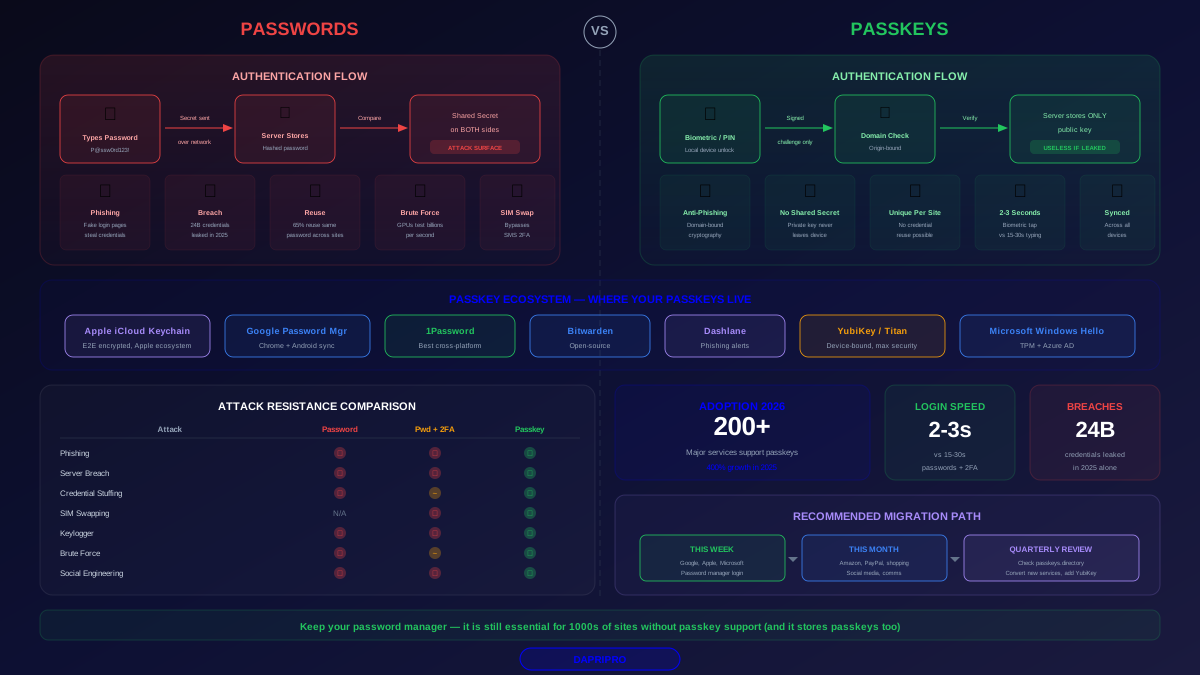
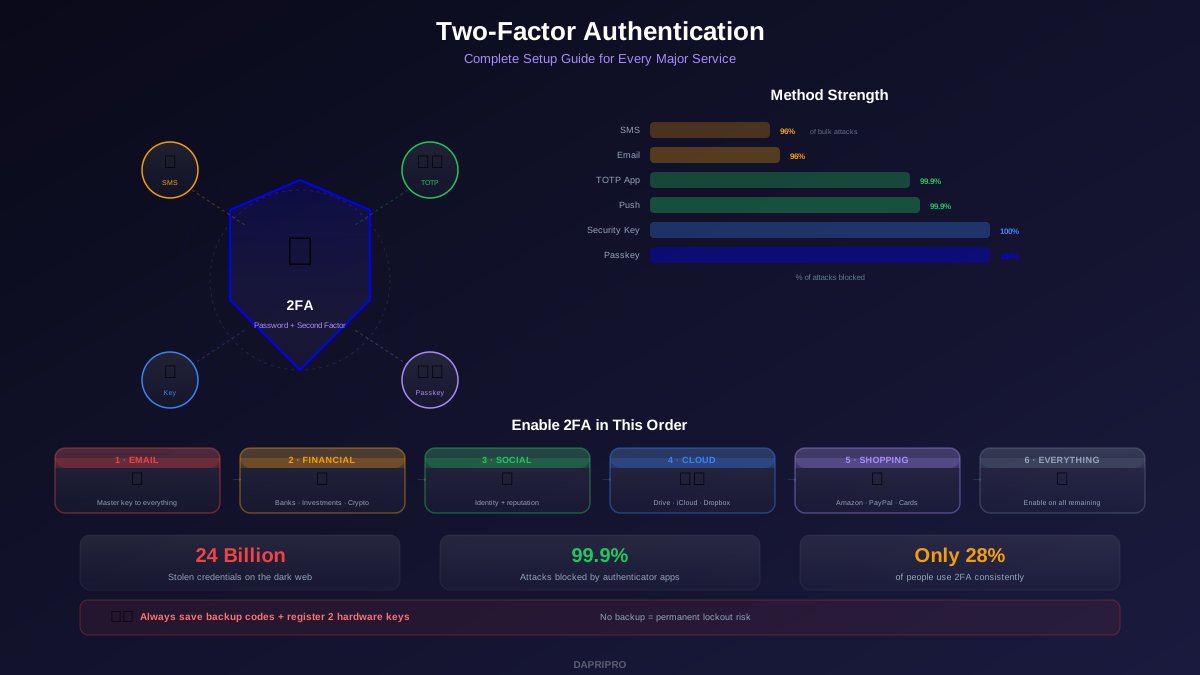
- SMS-based 2FA as primary factor (vulnerable to SIM-swapping)
The shift is clear: NIST now prioritizes length over complexity, breach-checking over rotation, and passkeys/FIDO2 over knowledge-based authentication. If a website still forces you to change your password every 90 days and demands exactly one uppercase letter — they are following outdated security theater, not current standards.
How to Test Your Existing Passwords
Before creating new passwords, audit what you already have:
Step 1: Check for Breaches
Use Have I Been Pwned (haveibeenpwned.com) to check if your email addresses appear in known breaches. If they do, assume those passwords are compromised and change them immediately — starting with high-value accounts.
Step 2: Use Your Password Manager's Audit
1Password (Watchtower), Bitwarden (Vault Health Reports), and Dashlane (Password Health) all scan your vault for weak, reused, and breached passwords. Run this audit now — it takes 30 seconds.
Step 3: Estimate Entropy
Use the zxcvbn password strength estimator (built into many password managers). Unlike simple "strength meters" that just count character types, zxcvbn uses pattern matching and a crack-time estimator that accounts for dictionary words, keyboard patterns, and common substitutions. A score of 4/4 is the target for important accounts.
Integrating With Your Password Manager
The complete password strategy combines memorized passphrases with generated passwords:
- Master password: 6-word Diceware passphrase with one misspelling (memorized)
- Device login: 5-word Story Method passphrase (memorized)
- Email recovery: Different 5-word passphrase (memorized)
- Everything else: 20-character random strings generated by your password manager (never memorized, never typed)
This means you memorize a total of 3 strong passphrases and let cryptographic random generation handle the other 100+ accounts. Your password manager's breach monitoring catches compromised credentials automatically. Passkeys replace passwords where available. And you never reuse a credential across two sites again.
The Bottom Line
Memorable does not mean weak, and complex does not mean strong. A 6-word passphrase with genuine randomness and one deliberate misspelling is both stronger than "K#9mP!xQ" and dramatically easier to recall. The math is unambiguous: length beats complexity, randomness beats cleverness, and letting a password manager generate your per-site credentials beats trying to be creative 100 times over.
Memorize your 2-3 passphrases using vivid mental imagery. Let your password manager handle everything else. And never, under any circumstances, think that swapping "@" for "a" makes your password secure. The GPU cluster cracking your hash does not care about your cleverness — it cares about your entropy.