![CSPM Tools Compared: Best Cloud Security Posture Management Solutions [2026]](/images/sections/network-cloud-security/cloud-security-posture/cspm-tools-compared-best-cloud-security-posture-management-solutions.svg)
Every cloud security team eventually hits the same wall: you cannot secure what you cannot see. Between the console changes your developers push at 2 AM, the Terraform modules that drift after deployment, and the inherited defaults that were never designed for production — misconfigurations multiply faster than any team can review them manually.
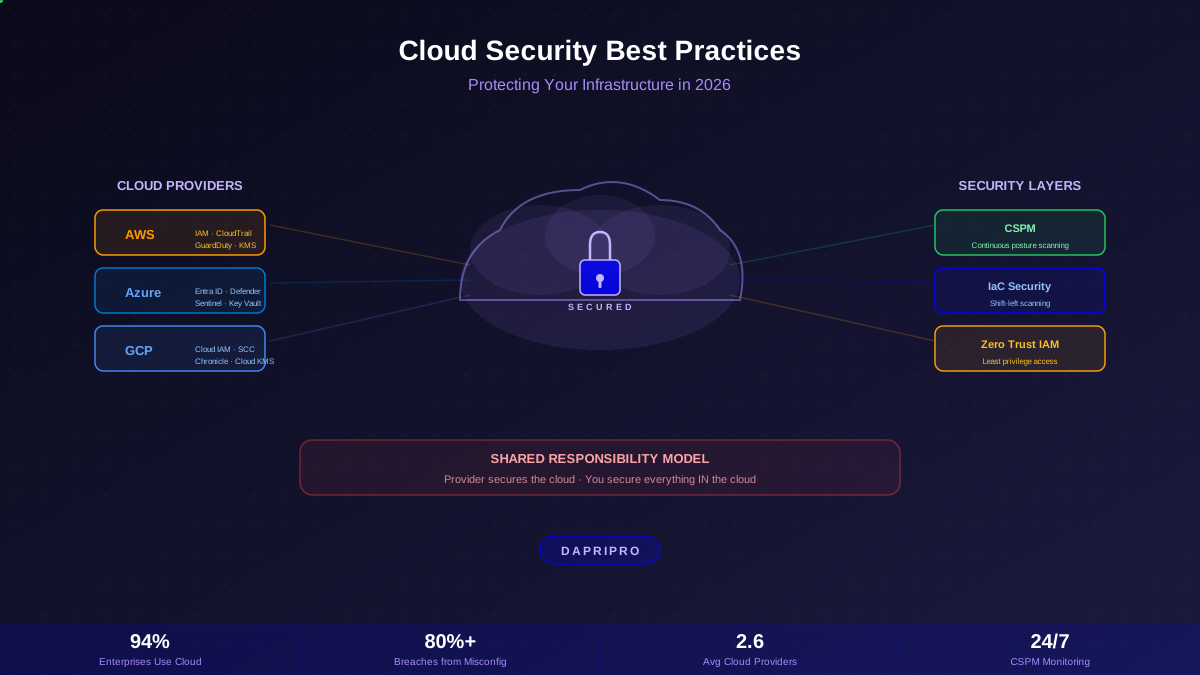
Cloud Security Posture Management (CSPM) platforms exist to solve this exact problem. They continuously scan your cloud estate, flag misconfigurations before attackers find them, map attack paths from initial access to data exposure, and in the best cases, auto-remediate the most dangerous findings before you even open your laptop.
But with more than a dozen serious CSPM contenders in 2026, choosing the right one is its own challenge. This guide puts the six most widely deployed platforms head-to-head — covering detection capabilities, deployment models, pricing realities, compliance coverage, and the specific scenarios where each tool excels or falls short.
What CSPM Actually Does (And Why You Need It)
Before comparing tools, let's clarify what a modern CSPM platform actually does — because the category has expanded significantly beyond simple configuration checks.
The Five Core CSPM Functions
| Function | What It Does | Why It Matters |
|---|---|---|
| Asset Discovery | Inventories every cloud resource across all accounts, subscriptions, and projects | You cannot protect shadow resources you do not know about |
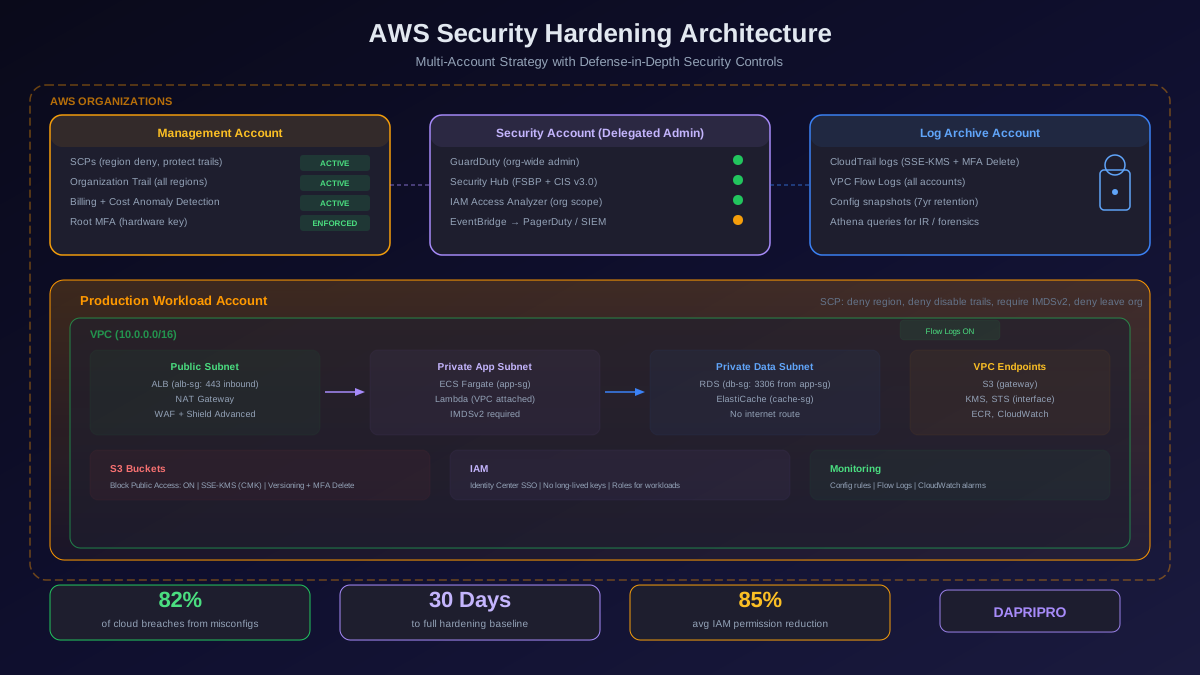
| Misconfiguration Detection | Scans resources against CIS benchmarks, vendor best practices, and custom policies | 82% of cloud breaches involve misconfigurations, not exploits |
| Attack Path Analysis | Maps chains of misconfigurations an attacker could traverse to reach sensitive data | A misconfiguration is critical only if it leads somewhere valuable |
| Compliance Monitoring | Continuously validates against SOC 2, PCI DSS, HIPAA, NIST, GDPR, and custom frameworks | Point-in-time audits miss drift between assessments |
| Auto-Remediation | Automatically fixes or reverts high-severity misconfigurations without human intervention | Closes the detection-to-fix gap from days to minutes |
Modern CSPM has evolved far beyond simple "is this S3 bucket public?" checks. The platforms that win evaluations in 2026 combine graph-based asset modeling, contextual risk scoring, and automated remediation into a single pane of glass. Let's see how the top six platforms stack up.
The Six CSPM Platforms Compared
We evaluated each platform across real-world deployments, not marketing slides. Here is how they compare on the metrics that actually matter.
Platform Overview Comparison
| Platform | Deployment | Cloud Support | Attack Path | Auto-Remediate | Best For |
|---|---|---|---|---|---|
| Wiz | Agentless | AWS, Azure, GCP, OCI, Ali | Industry-leading | Good | Multi-cloud enterprises |
| Orca Security | Agentless | AWS, Azure, GCP, Ali | Excellent | Strong | Mid-market + enterprises |
| Prisma Cloud | Agent + Agentless | AWS, Azure, GCP, OCI, Ali | Excellent | Extensive | Full CNAPP consolidation |
| Lacework | Agent-based | AWS, Azure, GCP | Good | Moderate | Anomaly-based detection |
| AWS Security Hub | Native service | AWS only | None | Custom (Lambda) | AWS-only shops |
| MS Defender for Cloud | Native + connectors | Azure, AWS, GCP | Good (DCSPM) | Strong (Policy) | Azure-primary orgs |
Wiz: The Agentless Graph-Based Leader
Wiz reinvented CSPM by building a security graph that models every cloud resource, its configuration, network exposure, IAM permissions, secrets, and vulnerabilities as interconnected nodes. Instead of generating thousands of isolated alerts, Wiz identifies the specific misconfiguration chains that create real attack paths to your most sensitive data.
Why Teams Choose Wiz
Deployment speed: Wiz connects via cloud API read-only permissions and snapshot-based scanning. A full enterprise deployment across hundreds of accounts takes under 30 minutes — no agents, no sidecars, no kernel modules. Your development teams never know it is there.
Security graph: The Wiz Security Graph correlates misconfigurations, vulnerabilities, exposed secrets, overprivileged identities, and network exposure into unified attack paths. A public S3 bucket alone is a medium-severity finding. A public S3 bucket connected to an IAM role with admin privileges that also has an exposed access key — that is a critical attack path. This context-aware prioritization is what sets Wiz apart.
Multi-cloud coverage: Wiz provides first-class support for AWS, Azure, GCP, Oracle Cloud, and Alibaba Cloud with consistent policy evaluation across all providers. You write one policy and it evaluates across every cloud.
Wiz Limitations
- No runtime protection: Agentless scanning means Wiz cannot detect live attacks or behavior anomalies. It tells you what could be exploited, not what is being exploited right now. Pair it with a runtime tool for full coverage.
- Scan frequency: Snapshot-based scanning introduces a delay of up to several hours between a misconfiguration being introduced and Wiz detecting it. Near-real-time event-driven scanning is available but requires additional configuration.
- Pricing at scale: Enterprise contracts typically run 30 to 60 dollars per billable cloud asset per year. For organizations with tens of thousands of cloud resources, costs can escalate quickly.
Wiz — Best Fit Scenarios
| Scenario | Fit | Why |
|---|---|---|
| Multi-cloud enterprise | Excellent | Broadest cloud support, unified graph across providers |
| Zero-ops requirement | Excellent | No agents to deploy or maintain anywhere |
| Real-time runtime detection | Poor | Agentless model cannot observe live process behavior |
| Budget-conscious startup | Mixed | Premium pricing, but startup programs available |
Orca Security: Agentless with Shift-Left DNA
Orca pioneered the agentless SideScanning approach — reading cloud workload snapshots directly from block storage APIs without deploying a single agent. Like Wiz, Orca builds a unified data model across cloud resources, but Orca differentiates with stronger shift-left integration and a competitive mid-market pricing tier.
Why Teams Choose Orca
Unified platform: Orca bundles CSPM, CWPP (workload protection), container security, API security, and IaC scanning into a single platform. You get vulnerability scanning, malware detection, and misconfiguration checks from one deployment.
CI/CD integration: Orca's shift-left capabilities integrate directly into your build pipeline. IaC templates are scanned before deployment, container images are checked during CI, and pull requests receive inline security feedback. The goal is catching misconfigurations before they ever reach production.
Risk prioritization: Orca's risk scoring combines asset criticality, exposure context, and exploitability to surface the 3 percent of findings that actually matter. The platform categorizes findings into crown jewel, internet-facing, and lateral movement risk tiers, so you fix what is dangerous rather than what is technically non-compliant.
Orca Limitations
- Same agentless trade-offs as Wiz: No runtime behavioral detection. Cannot catch in-memory attacks or live lateral movement.
- Alert volume initial tuning: Out-of-the-box, Orca can generate significant alert volume. Plan for a two to four week tuning period to suppress false positives and low-value alerts.
- Smaller ecosystem: Fewer third-party integrations than Prisma Cloud or Wiz. Custom workflows may require API development.
Prisma Cloud: The Full CNAPP Consolidation Play
Palo Alto Networks' Prisma Cloud is the broadest platform in this comparison, combining CSPM, CWPP, CIEM, data security, and application security into a single product. If your strategy is to consolidate every cloud security function into one vendor, Prisma Cloud is the natural choice — but that breadth comes with complexity.
Why Teams Choose Prisma Cloud
Complete coverage: Prisma Cloud covers the full cloud security lifecycle: IaC scanning with Checkov (which Palo Alto acquired), runtime workload protection with Defenders, identity analysis with CIEM, data classification, and API security. No other platform matches this breadth in a single product.
Agent + agentless hybrid: Unlike pure-agentless competitors, Prisma Cloud deploys Defender agents on workloads that need runtime protection while using agentless scanning for everything else. This hybrid model gives you both posture management and real-time threat detection.
Policy-as-code with RQL: Prisma Cloud's Resource Query Language (RQL) lets you write graph-based policies that query resource relationships. You can express complex conditions like "find all EC2 instances in a public subnet with an IAM role that can access S3 buckets containing PII" as a single query.
Prisma Cloud Limitations
- Complexity: The sheer breadth of Prisma Cloud means a steep learning curve. Teams typically need four to eight weeks to fully deploy and tune all modules. The console can feel overwhelming compared to focused tools like Wiz.
- Agent maintenance: Defender agents require updates, troubleshooting, and resource allocation on every protected workload. This is operational overhead that agentless competitors avoid entirely.
- Licensing complexity: Prisma Cloud uses credit-based licensing where different workload types consume different credit amounts. Predicting costs requires careful asset inventory — and surprises are common at renewal time.
Lacework: Anomaly Detection with Behavioral Intelligence
Lacework takes a fundamentally different approach to cloud security. Rather than relying primarily on rule-based misconfiguration checks, Lacework uses behavioral analytics powered by its Polygraph technology to build a baseline of normal cloud activity and flag deviations that indicate compromise or misconfiguration.
Why Teams Choose Lacework
Behavioral detection: Polygraph monitors cloud API calls, network flows, and process activity to build a dynamic behavioral model. When a service account that normally accesses three S3 buckets suddenly queries IAM or hits the metadata service, Lacework flags it — even if no specific rule exists for that pattern.
Composite alerts: Instead of firing individual alerts for each anomaly, Lacework groups related signals into composite alerts that tell a story: "This EC2 instance exhibited reconnaissance, followed by privilege escalation, followed by data access." This dramatically reduces alert fatigue.
Runtime visibility: As an agent-based platform, Lacework provides genuine runtime threat detection that agentless tools cannot match. You see what is actually happening on your workloads, not just what could happen.
Lacework Limitations
- Agent deployment required: Lacework agents must be deployed on every workload you want to monitor. For large container environments with ephemeral pods, this creates operational overhead.
- Baseline period: Polygraph needs one to two weeks of data collection to build an accurate behavioral baseline. During this period, anomaly detection is unreliable and you will see false positives.
- Weaker CSPM breadth: Lacework's misconfiguration detection covers fewer resource types than Wiz or Prisma Cloud. If pure CSPM is your primary need, other options offer more comprehensive coverage.
AWS Security Hub: The Native Single-Cloud Option
AWS Security Hub aggregates findings from AWS Config, GuardDuty, Inspector, IAM Access Analyzer, Macie, and Firewall Manager into a single dashboard. It is the lowest-friction CSPM option for teams running exclusively on AWS — but its limitations become apparent quickly for organizations that need multi-cloud coverage or advanced risk analysis.
Why Teams Choose Security Hub
Zero deployment: Security Hub is an AWS service. Enable it in your management account, configure organization-level aggregation, and it begins collecting findings immediately. No vendor evaluation, no procurement process, no contract negotiation.
CIS and AWS Foundational standards: Security Hub includes the CIS AWS Foundations Benchmark and the AWS Foundational Security Best Practices standard out of the box. Together, these provide roughly 300 checks covering the most common AWS misconfigurations.
Cost at scale: Security Hub costs approximately 1 to 3 cents per check per month. For a typical AWS organization with a few hundred resources, the monthly cost is often under 50 dollars — a fraction of what third-party CSPM tools charge.
Security Hub Limitations
- AWS only: No Azure, GCP, or other cloud support. If you run multi-cloud infrastructure today — or might in the future — Security Hub cannot be your primary CSPM.
- No attack path analysis: Security Hub presents individual findings in isolation. It cannot correlate a public subnet, an overprivileged role, and an unencrypted database into a unified attack path. You see trees, not the forest.
- Limited auto-remediation: Automated response requires building custom EventBridge rules and Lambda functions. There is no built-in "fix this" button. This works, but requires engineering investment to build and maintain.
- Alert noise: Without contextual prioritization, Security Hub can generate hundreds of medium-severity findings that are technically accurate but practically irrelevant. Teams often spend more time suppressing noise than fixing real issues.
Microsoft Defender for Cloud: The Azure-Native Powerhouse
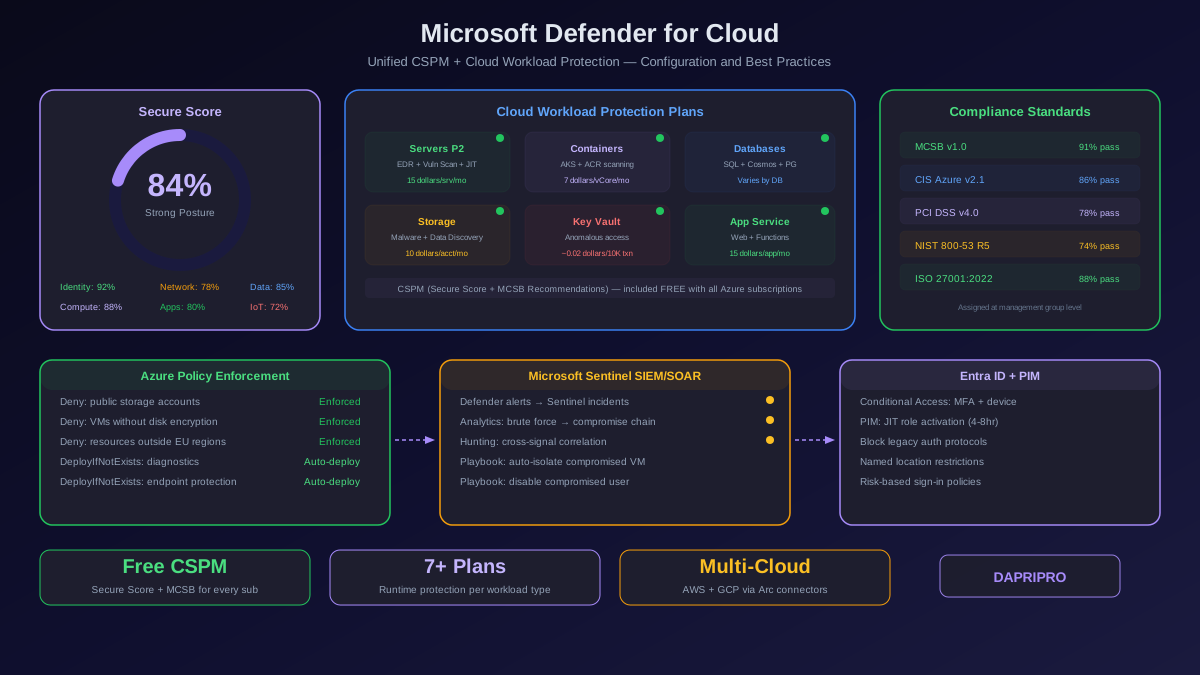
Microsoft Defender for Cloud provides free foundational CSPM for Azure resources and extends coverage to AWS and GCP via connectors. With the Defender CSPM (DCSPM) paid tier, it adds attack path analysis, cloud security explorer, and data-aware security posture — making it competitive with agentless cloud-native tools for Azure-primary organizations.
Why Teams Choose Defender for Cloud
Free CSPM tier: The foundational CSPM capabilities — secure score, security recommendations, and basic compliance assessment — are free for all Azure subscriptions. This makes Defender for Cloud the obvious starting point for any Azure deployment.
Azure Policy integration: Defender for Cloud works with Azure Policy for automated enforcement. DeployIfNotExists policies can automatically provision missing security controls — enabling encryption, configuring diagnostics, or deploying monitoring agents without manual intervention.
Sentinel SIEM convergence: When paired with Microsoft Sentinel, Defender for Cloud findings flow directly into your SIEM with pre-built analytics rules and SOAR playbooks. The Microsoft security stack integration is seamless in a way that third-party tools cannot replicate.
Defender for Cloud Limitations
- Azure-first design: AWS and GCP coverage via connectors is functional but less comprehensive than native Azure support. Resource type coverage and recommendation depth are noticeably weaker for non-Azure clouds.
- DCSPM cost: The premium Defender CSPM tier costs approximately 5 dollars per server per month. Attack path analysis, cloud security explorer, and data-aware posture are all locked behind this paid tier.
- Complex licensing: Defender for Cloud has multiple independently-priced plans (Servers P1/P2, Containers, Databases, Storage, Key Vault, etc.). Understanding what you are paying for and what is covered requires careful attention.
Head-to-Head Feature Scoring
We scored each platform on a 5-point scale across the five evaluation dimensions. These scores reflect real-world deployment experience, not vendor demos.
| Dimension | Wiz | Orca | Prisma | Lacework | Sec Hub | Defender |
|---|---|---|---|---|---|---|
| Cloud Coverage | 5/5 | 4/5 | 5/5 | 3/5 | 1/5 | 3/5 |
| Detection Depth | 5/5 | 4/5 | 5/5 | 4/5 | 2/5 | 3/5 |
| Remediation | 3/5 | 4/5 | 5/5 | 3/5 | 2/5 | 4/5 |
| Compliance | 4/5 | 4/5 | 5/5 | 3/5 | 3/5 | 4/5 |
| TCO (lower = better value) | 3/5 | 4/5 | 2/5 | 3/5 | 5/5 | 4/5 |
| Overall | 20/25 | 20/25 | 22/25 | 16/25 | 13/25 | 18/25 |
Important: Raw scores do not tell the full story. A startup running only AWS might get more value from Security Hub (13/25) than from Prisma Cloud (22/25). Context matters more than total score — always weight the dimensions that match your specific environment and constraints.
Agentless vs. Agent-Based: Choosing Your Deployment Model
The most consequential architectural decision in CSPM is whether you deploy agents on your workloads or rely on agentless snapshot scanning. Both approaches have real trade-offs, and the right choice depends on what your security program prioritizes.
| Factor | Agentless (Wiz, Orca) | Agent-Based (Lacework, Prisma Defenders) |
|---|---|---|
| Deploy time | Minutes (API connector) | Days to weeks (per workload) |
| Performance impact | Zero — no workload footprint | 1-3% CPU, 50-200MB memory |
| Runtime detection | Not possible | Process, file, network monitoring |
| Scan freshness | Hours (snapshot interval) | Seconds (continuous) |
| Ephemeral workloads | Catches via snapshot | May miss short-lived containers |
| Operational burden | Minimal — SaaS managed | Updates, troubleshooting, scaling |
Our recommendation: Start agentless for immediate coverage, then layer agents selectively on workloads that handle sensitive data or face elevated risk. This hybrid approach gives you comprehensive posture management without the operational overhead of deploying agents everywhere.
Attack Path Analysis: The Feature That Changes Everything
Attack path analysis is the single feature that separates modern CSPM from legacy configuration scanners. Instead of presenting misconfigurations as isolated findings, attack path analysis maps the chains of weaknesses an attacker could traverse to reach your most valuable assets.
How Attack Paths Work
A CSPM platform with attack path analysis builds a graph model of your entire cloud environment — resources, IAM permissions, network connectivity, vulnerabilities, and data sensitivity classifications are all interconnected nodes. The platform then traverses this graph to find paths from an attacker's entry point (internet-exposed resources) to their target (sensitive data, admin credentials, production databases).
Consider this real-world attack path that Wiz or Orca might surface:
- Entry: Internet-facing EC2 instance with SSH port 22 open to 0.0.0.0/0
- Hop 1: Instance runs a 6-month-old AMI with a known RCE vulnerability (CVE-2025-XXXXX)
- Hop 2: Instance role has s3:GetObject permission on all buckets in the account
- Hop 3: One of those buckets contains customer PII with no server-side encryption
- Impact: A single exploit gives an attacker access to unencrypted customer data
Each individual finding — open SSH, outdated AMI, broad S3 permissions, unencrypted data — might be classified as medium severity. But the chain creates a critical attack path that should be remediated immediately. Without graph-based analysis, you would never prioritize these findings together.
Attack Path Capabilities by Platform
| Platform | Graph Model | Data-Aware | Identity Paths | Queryable |
|---|---|---|---|---|
| Wiz | Full security graph | Yes — DSPM built-in | Yes — CIEM paths | Yes — Wiz QL |
| Orca | Unified data model | Yes | Yes | Limited DSL |
| Prisma Cloud | RQL graph queries | Yes — DLP module | Yes — CIEM module | Yes — RQL |
| Lacework | Polygraph behavioral | No | Partial | No |
| Security Hub | None | No | No | No |
| Defender DCSPM | Security explorer | Yes — Purview | Yes — Entra | Yes — KQL |
Compliance Framework Coverage
For regulated industries, compliance framework support is not optional — it is the primary reason for CSPM adoption. Here is what each platform supports out of the box.
| Framework | Wiz | Orca | Prisma | Lacework | Sec Hub | Defender |
|---|---|---|---|---|---|---|
| CIS Benchmarks | ✓ | ✓ | ✓ | ✓ | ✓ | ✓ |
| SOC 2 | ✓ | ✓ | ✓ | ✓ | ✗ | ✓ |
| PCI DSS 4.0 | ✓ | ✓ | ✓ | ✓ | Partial | ✓ |
| HIPAA | ✓ | ✓ | ✓ | ✓ | ✗ | ✓ |
| NIST 800-53 | ✓ | ✓ | ✓ | Partial | Partial | ✓ |
| ISO 27001 | ✓ | ✓ | ✓ | ✓ | ✗ | ✓ |
| GDPR | ✓ | ✓ | ✓ | Partial | ✗ | ✓ |
| Custom frameworks | ✓ | ✓ | ✓ | Limited | Custom controls | ✓ |
Open-Source CSPM Alternatives
Not every organization needs (or can afford) a commercial CSPM platform. Several open-source tools provide meaningful misconfiguration detection, especially for teams just building their cloud security program.
Prowler — The AWS CSPM Standard
Prowler is the most widely used open-source cloud security scanner, supporting AWS, Azure, and GCP. It runs over 300 checks based on CIS benchmarks, PCI DSS, HIPAA, and GDPR frameworks. Prowler runs as a CLI tool or in CI/CD, producing audit-ready HTML, CSV, and JSON reports.
Best for: Startups and small teams that need compliance-ready scanning without vendor lock-in. Prowler integrates with AWS Security Hub, so you can use it as the detection engine while centralizing findings in Security Hub's dashboard.
CloudSploit by Aqua
CloudSploit provides real-time misconfiguration monitoring across AWS, Azure, GCP, and Oracle Cloud. It checks IAM policies, network configurations, encryption settings, and logging configurations. The free tier includes limited scans; the Aqua commercial version adds continuous monitoring and alerting.
ScoutSuite
ScoutSuite performs multi-cloud security auditing, collecting configuration data via cloud APIs and generating an interactive HTML report that visualizes findings by service and severity. It covers AWS, Azure, GCP, Alibaba Cloud, and Oracle Cloud.
Best for: Point-in-time security assessments and cloud security audits. ScoutSuite is not designed for continuous monitoring but excels at periodic posture reviews.
Open-Source vs. Commercial Comparison
| Capability | Open-Source (Prowler, ScoutSuite) | Commercial (Wiz, Orca, Prisma) |
|---|---|---|
| Cost | Free | 30-100+ dollars per asset per year |
| Attack path analysis | None | Graph-based, context-aware |
| Auto-remediation | Manual / custom scripts | Built-in playbooks |
| Dashboard / UI | Static HTML reports | Real-time interactive dashboards |
| Support | Community / GitHub issues | 24/7 enterprise SLA |
| Continuous monitoring | Requires cron or CI scheduling | Always-on, event-driven |
Deploying Your First CSPM Platform: 30-Day Playbook
Regardless of which platform you choose, the deployment pattern follows a consistent four-week cycle. Here is the playbook that works across all six platforms evaluated in this guide.
Week 1: Connect and Discover
- Day 1-2: Connect cloud accounts using read-only API credentials. For agentless tools, this is the entire deployment. For agent-based tools, begin agent rollout starting with non-production workloads.
- Day 3-4: Review asset inventory for completeness. Are all accounts, subscriptions, and projects visible? Are there shadow cloud accounts the CSPM discovered that your team did not know about?
- Day 5: Enable baseline compliance standards — start with CIS benchmarks for your cloud provider. Do not enable all frameworks at once. You will drown in findings.
Week 2: Triage and Prioritize
- Day 6-8: Review initial findings. Focus exclusively on Critical and High severity. Suppress findings on resources that are intentionally configured (dev/test environments, public-facing marketing sites).
- Day 9-10: If your CSPM supports attack path analysis, review the top 10 attack paths. These represent the most dangerous misconfiguration chains in your environment and should receive immediate remediation attention.
Week 3: Remediate and Automate
- Day 11-15: Fix the top 20 critical findings. Start with public storage buckets, overprivileged IAM roles, and unrestricted network access — these are the three misconfiguration types involved in the majority of cloud breaches.
- Day 16-17: Configure auto-remediation for high-confidence, low-risk fixes: re-enabling S3 Block Public Access, revoking stale IAM access keys, enabling encryption on new resources.
Week 4: Operationalize
- Day 18-20: Integrate CSPM alerts into your existing workflow — Slack channels, Jira tickets, PagerDuty escalations. Every finding needs an owner and a remediation timeline.
- Day 21-25: Build a weekly posture review cadence. Track your compliance score trend, new critical findings per week, and mean time to remediate.
- Day 26-30: Enable additional compliance frameworks as needed. Add custom policies for organization-specific requirements that the built-in frameworks do not cover.
Real-World Pricing Comparison
CSPM pricing is notoriously opaque. Vendors quote per-asset, per-workload, per-credit, or per-subscription pricing that makes direct comparison difficult. Here is our best-effort normalization for a typical mid-size enterprise running 500 cloud assets across two cloud providers.
| Platform | Pricing Model | Est. Annual (500 assets) | Free Tier |
|---|---|---|---|
| Wiz | Per billable asset | 15K-30K dollars | No |
| Orca | Per cloud asset | 12K-25K dollars | Trial only |
| Prisma Cloud | Credit-based | 25K-50K dollars | Trial only |
| Lacework | Per workload | 18K-35K dollars | Trial only |
| AWS Security Hub | Per finding check | 600-1,500 dollars | 30-day free |
| Defender for Cloud | Per plan per resource | 0-12K dollars | Free CSPM tier |
Cost optimization tip: Most commercial CSPM vendors offer significant discounts (30-50 percent) for multi-year commitments. Negotiate your first contract as a one-year deal, then lock in discounts for years two and three once you have validated the platform fits your needs.
Our Recommendations by Scenario
After evaluating all six platforms, here is where each one wins:
- Best overall for multi-cloud enterprises: Wiz — the security graph and attack path analysis are the best in class, agentless deployment eliminates operational overhead, and broadest cloud coverage means unified visibility everywhere.
- Best for CNAPP consolidation: Prisma Cloud — if you want CSPM, CWPP, CIEM, IaC scanning, and API security in one platform and are willing to invest in deployment complexity, nothing else matches the breadth.
- Best for mid-market agentless: Orca Security — competitive pricing, strong shift-left integration, and the same agentless speed as Wiz. Excellent choice for teams that need unified cloud security without enterprise pricing.
- Best for runtime behavioral detection: Lacework — Polygraph behavioral analytics catch threats that rule-based and snapshot-based tools miss. Pair it with an agentless CSPM for complete coverage.
- Best for AWS-only on a budget: AWS Security Hub + Prowler — combined cost under 2,000 dollars per year for most organizations. Not fancy, but covers the essentials.
- Best for Azure-primary: Microsoft Defender for Cloud — free CSPM, native Azure Policy integration, and Sentinel convergence make it the obvious starting point. Add DCSPM for attack path analysis when ready.
The best CSPM platform is the one you actually deploy, tune, and operationalize. A perfectly configured Prowler scan running weekly beats a Wiz deployment that nobody looks at. Start with the tool that matches your current maturity, budget, and cloud environment — you can always upgrade later as your posture program matures.